21
11. Display of sponsor logos on the HDMI output
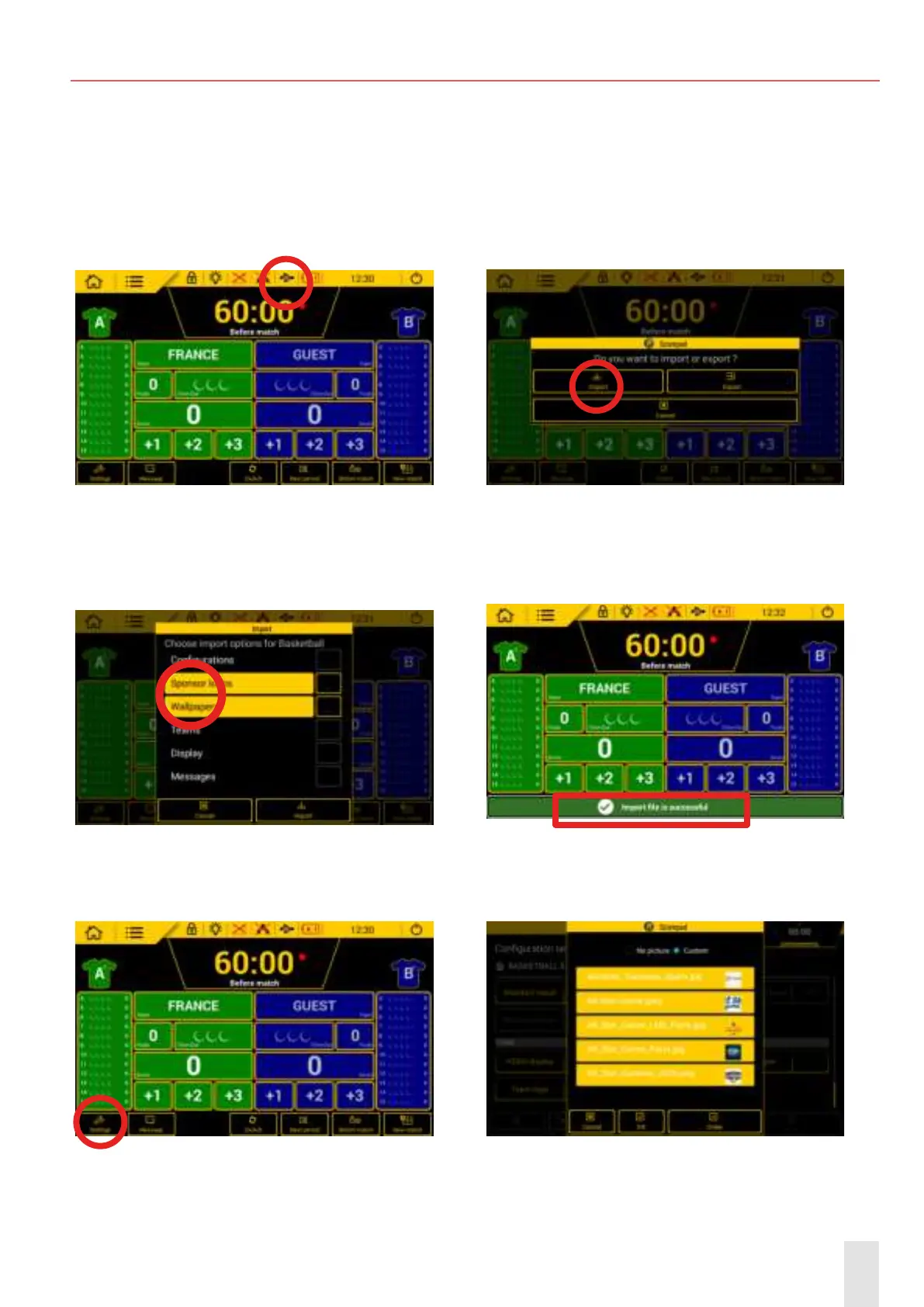
Import the sponsor logos for the selected sport’s match (e.g. Basketball 5 FIBA). The procedure is the
same for other sports.
Step 1: select the USB port and enter your
club access code (1234 by default)
Step 2: import the images stored on the USB
key connected to the Scorepad keyboard
Step 3: click on «Sponsor logos» and «Wal-
lpapers» then click on «import»
Step 4: when the import has been successful-
ly completed, the following message appears
: :
Step 5: click on «Settings» Step 6: click on «Sponsors logo» and select
the logos to be displayed:


 To Next Page