16
8. Update Scorepad
Update the SCOREPAD keyboard from version V3.0
1) Go to the following web page: https://update.bodet.com/fr
2) If you have a version prior to V3.0, download the update by clicking on [Download Scorepad/Score-
app V3.0] and then update the Scorepad keyboard(s).
3) After contacting Bodet customer or sales support, you will be sent an e-mail with a link to click.
4) From the Scorepad keyboard(s), download the individual WhoIAm le for each keyboard to be updated
onto a USB drive. The procedure is described on the web page (link received after the update request)
by clicking on [Scorepad]. Two windows open on the keyboard screen:
- 1st window: ll in the serial number of the keyboard indicated on the label axed to the back of
the product. If this label is no longer present, contact Bodet customer support.
- 2nd window: customise the name of the Scorepad keyboard. This identies the keyboard(s) to
be updated. This name will appear on the home screen of the keyboard and also
on the download page of the WhoIAm licence les on the website.
5) Load the WhoIAm le(s) into the update interface.
6) Click on [Send to Bodet]. A new page allows you to download the les:
- 1 software version for all Scorepad keyboards.
- 1 licence per Scorepad keyboard.
8) Download these les to a USB drive.
9) Load these les into the Scorepad keyboard to perform the update as described below. The software
version is shared by all the Scorepads to be updated. However, in each keyboard, load the WhoIAm le
with the same name as the product.
Note: a new link will be sent by e-mail. It allows you to download the les: keep this e-mail in a safe place;
it can be used to download these les again should you need them in the future.
Updating the SCOREPAD keyboard
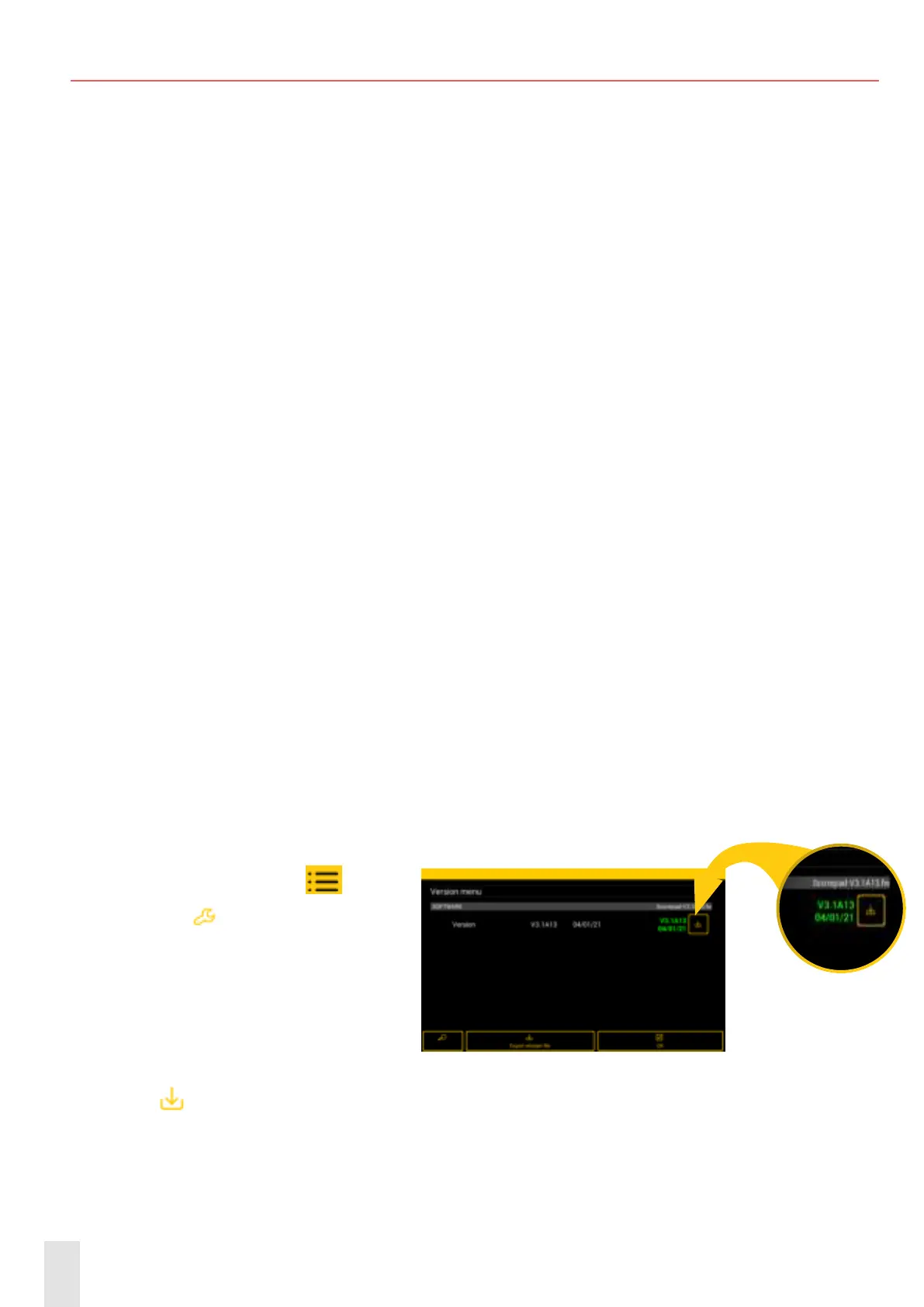
1) On the home page, click
.
2 - Click on
Advanced settings
3) Insert the USB drive with the up-
date le and the activation licence on
the keyboard.
NB: this le has a .fw extension.
4) Under the System heading, click on Version VER
5) Click
to launch the update. This update may take several minutes.
Congurations remain stored in the memory and are not lost.
6) When the keyboard version is up to date, this is shown in green.


 To Next Page