10
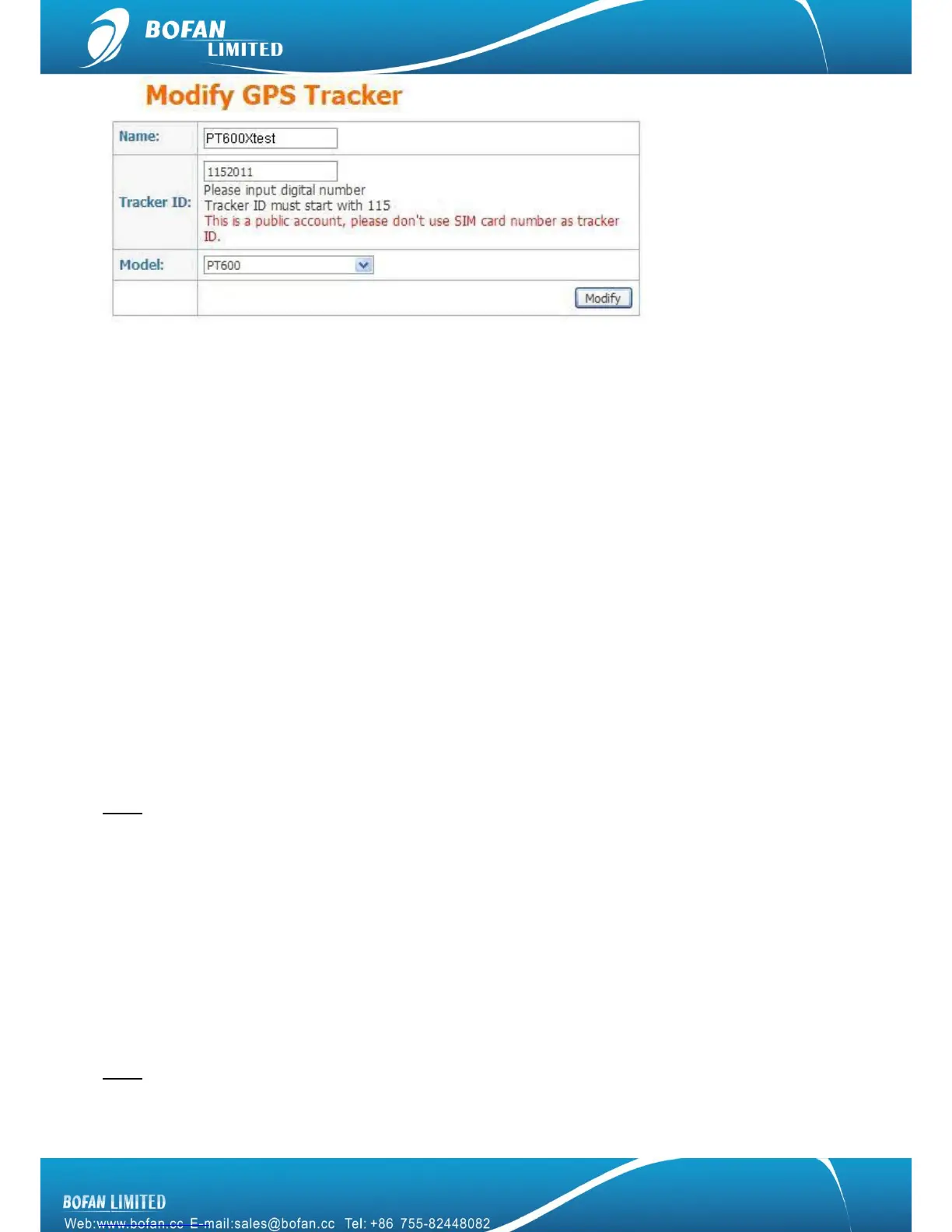
Name: can be any name for your tracker.
Tracker ID: Tracker ID can be any digit numbers, but must start with the fixed three numbers which display
in your FMS (here the tracker ID starts with 115 just for example), and total numbers should less than 10.
Model: must select the correct model number PT600. (No PT600X option, just select PT600.)
Please remember to click ― Modify‖ button after you input all information.
Now, please use your mobile to send below SMS commands to tracker and configure it to work with FMS
platform, after you do all below setting, you can get back to FMS real-time to monitor your tracker online.
4.2.2 Set Tracker ID by SMS
SMS Command format : <password>GID<ID>
Example: Sending SMS command 000000GID1152011 to set the tracker ID what you just added in FMS.
Tracker will reply with an SMS ―SET OK, ID=1152011‖.
Note: 1152011 just for example at here, please use your correct complete tracker ID what you added in your
FMS.
4.2.3 Set Tracker SIM card APN by SMS
SMS Command format : <password >APN<APN>, <User>, <Pass>
Example: Sending SMS command 000000APNCMNET to set the tracker SIM card APN.
PT600X will reply with an SMS ―SET OK, APN: CMNET, USER: PASS : ‖.
Note: CMNET is China mobile’s APN, no username & password for it. You can ask your GSM operator for their
SIM card GPRS connection APN, username and password, if it has user name and password; you just add the
user name and password after APN and use ―,‖ between each other, the complete command is


 To Next Page