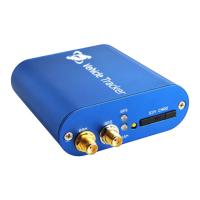
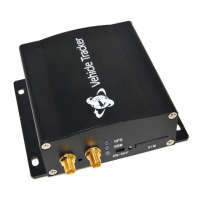
Problem: Device can’t power on
Wiring was not connected properly
Check if wiring connection is in order.
Problem: Device doesn’t respond to SMS
GSM antenna was not installed properly
Make PT600X in good GSM network coverage.
Connect power cable to car battery directly or
use 12V charger to charge it for 3hours at least
Wait for SMS. Sometimes GSM network slows
down during peak time or base has problem.
Wrong password in your SMS or wrong
SMS format
Write correct password or SMS format
The SIM in PT600X runs out of credit
Recharge credit of the SIM card
Insert working SIM card. Check in phone that the
SIM can send SMS message.
Check in phone if the SIM card can send SMS
message. Replace SIM card if need.
Remove PIN code by inserting SIM card in your
phone and deleting the code.
Inspect SIM card, clean the contacts. If
re-installing does not help, try another to check
If you are in another country, your SIM card must
have roaming service enabled.
Problem: Reply SMS starts with ‘Last…’
PT600X does not have clear view of the sky
Move the antenna of the unit to a location where
the sky is visible.
Make it work in an open area outside
Problem: Can’t real-time tracking on platform
GPRS setting is not correct.
Please set each step strictly according to user
manual.
Ask your GSM provider for the correct APN,
username and password if it has, then set again.
Tracker ID set by SMS command is not
same as that one added in FMS
Check if the trackers ID you set into tracker is
same exactly as the one you write in FMS.
If your problem still can not be solved by above resolution, please using debug tool to read tracker log, and
send log to us for further analyze. For using debug to read tracker log, please refer to ―Debug Read Tracker
Log‖ user manual.


 To Previous Page