Page 4 3BE390758NU – 12/11
BONNET GRANDE CUISINE
Registered Office:
Rue des Frères Lumière - Z.I Mitry Compans
F-77292 MITRY MORY Cedex
2. STARTING
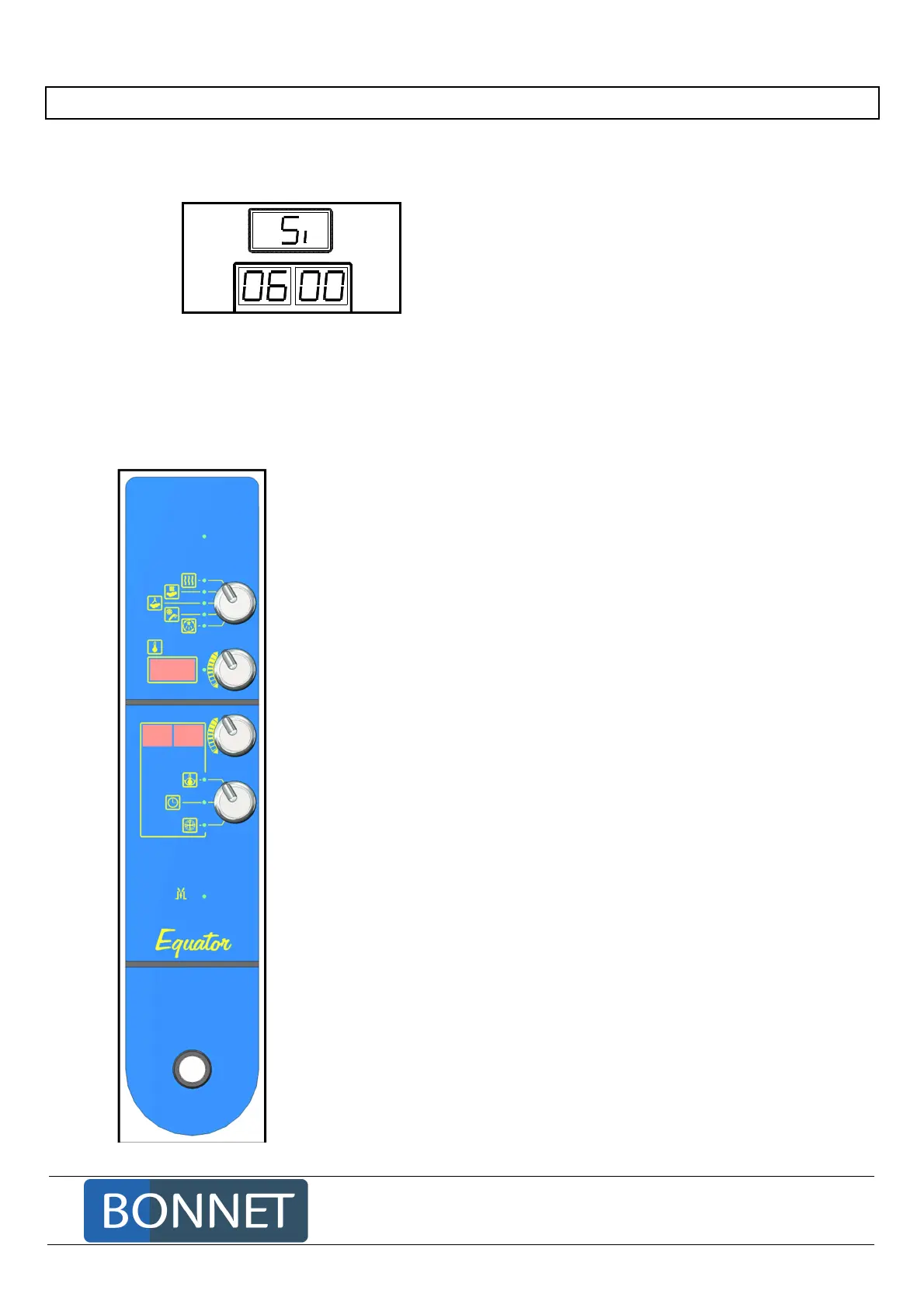
When starting the oven, the digital displays on the control panel indicate the configuration of the oven
and the time remaining till the next service.
Oven configuration
Si = Simple injection
Time remaining till next service
06 00 = 600 hours
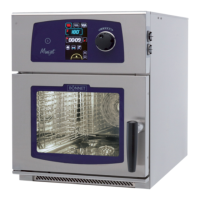
2.1 CONTROL PANEL
2.1.1 PRESENTATION OF THE CONTROL PANEL
The indicators next to the switches show the position selected.
Voltage indicator «
»
Cooking mode (convection, steam, combi…)
Adjustment of the cooking temperature
of cavity or set temperature
Adjustment of the set parameter value chosen by switch 4.
Multifunction
core temperature, cooking time …
choice of parameter that can be modified by switch 4: mode
of cooking end (core temperature, timing), cooking parameter
(ventilation speed)
Opening
of the motorised vent valve
Switches the oven on



 To Next Page