Boonton 4540 Series RF Power Meter
Getting Started
Table 3-2 LCD Monitor Display Fields (continued)
10 GPIB/Remote Status All The GPIB/Remote status indicator is located at the
lower right corner of the 4540 display.
Blank - Remote control is not active and in Local
state.
REM. Indicates the 4540 is in the Remote state.
LSN. Indicates the 4540 is addressed to Listen.
.
TLK. Indicates the 4540 is addressed to Talk.
SRQ. Indicates the 4540 is requesting service from
the bus controller.
11 Network Connection Icon All Appears if an Ethernet connection is detected. Lower
left square is highlighted during data transmission
and upper right square is highlighted during data
reception.
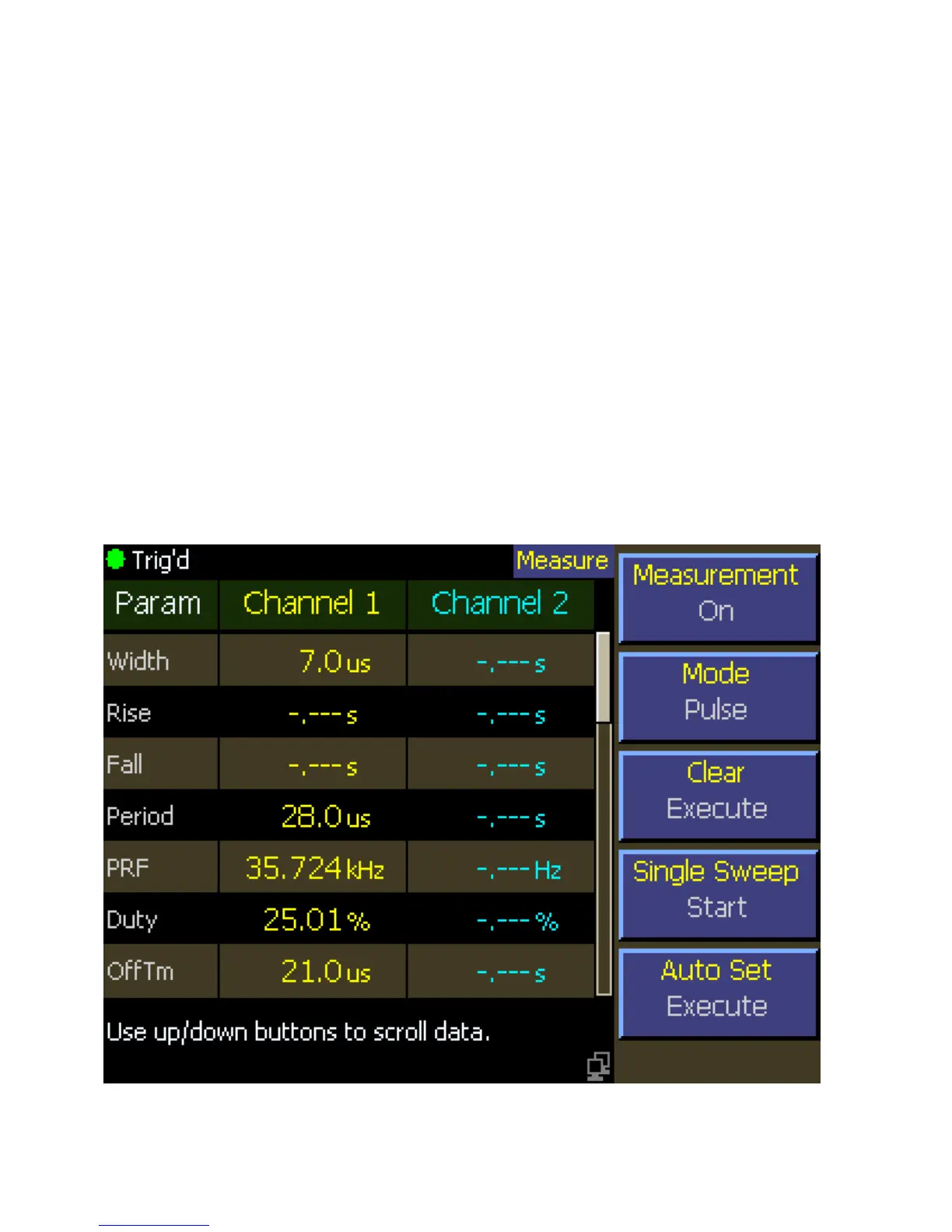
Figure 3-3b. LCD Monitor Text Display (Pulse Mode)



 To Next Page