124
Group adjustment
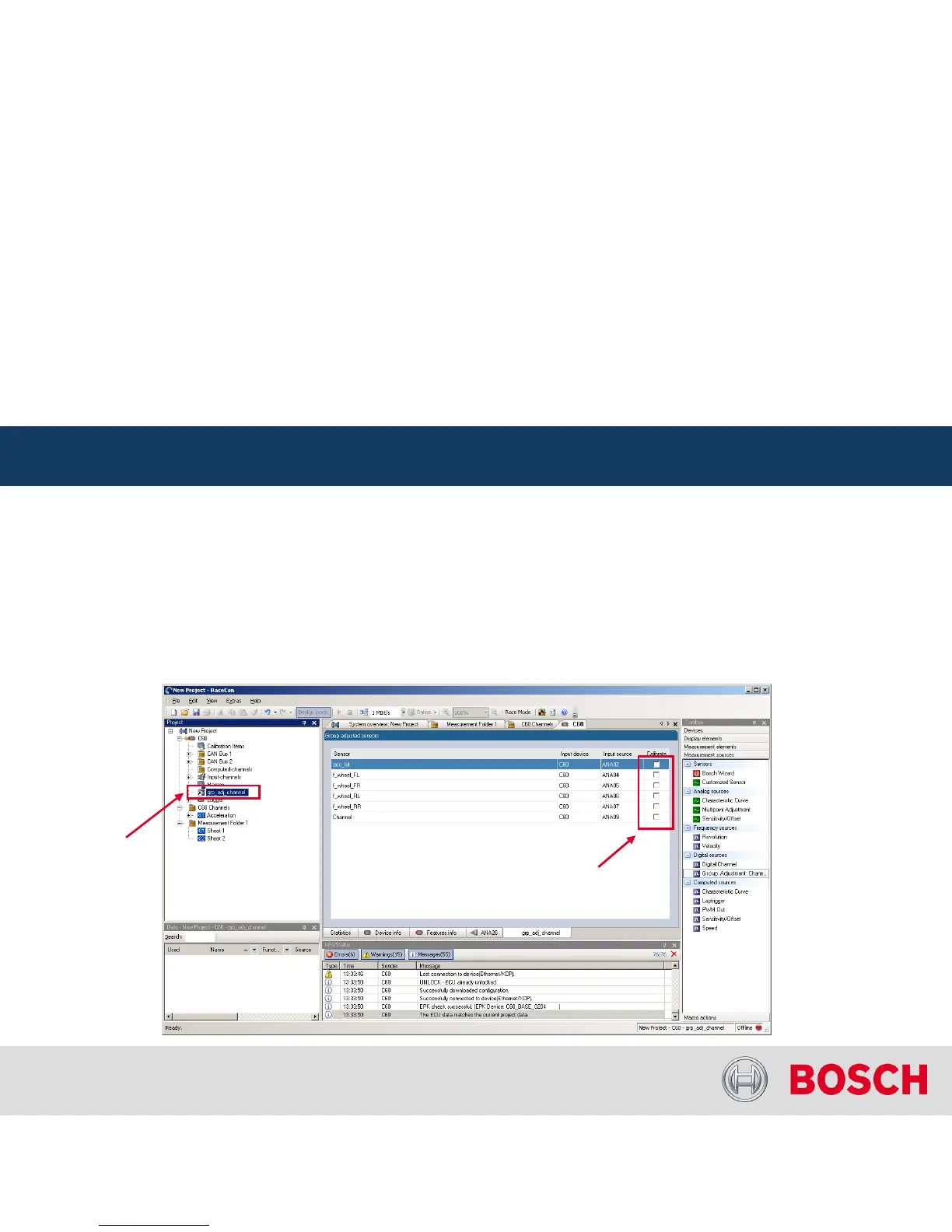
Assigning channels to the group adjustment event
Double click on ‘group_adjust_input’
in the project tree. In the main area, an overview of the available
adjustment channels opens. To add measurement channel(s) to the group adjustement
event, tick the
‘Calibrate’
box of the desired channel(s).
C 60 Online Measurement
Internal | BEG/EMS1 CsM
| 6/4/2010 | ©
Bosch Engineering GmbH 2009. All rights reserved, also regarding any disposal, exploitation,
reproduction, editing, distribution, as well as in the event of applications for industrial property rights.
Motorsport
C 60 Online Measurement + Calibration
Double click to
open group
adjustment
overview
Check box to add
channel to group
adjustment




 To Next Page