Testing
25 Active Fuel Injector Tester User Guide
Step 2A—Select Vehicle
IMPORTANT! Only use this procedure for DLC Connections and Direct Injector Connection.
Proceed to Step 2B if you are using the Direct Injector and Fuel Pump Connection hookup.
Selecting a vehicle tells AFIT how to communicate with the vehicle. IMPORTANT! If the correct
vehicle is not selected, the tests will not work. From the Vehicle Selection screen you can do
the following:
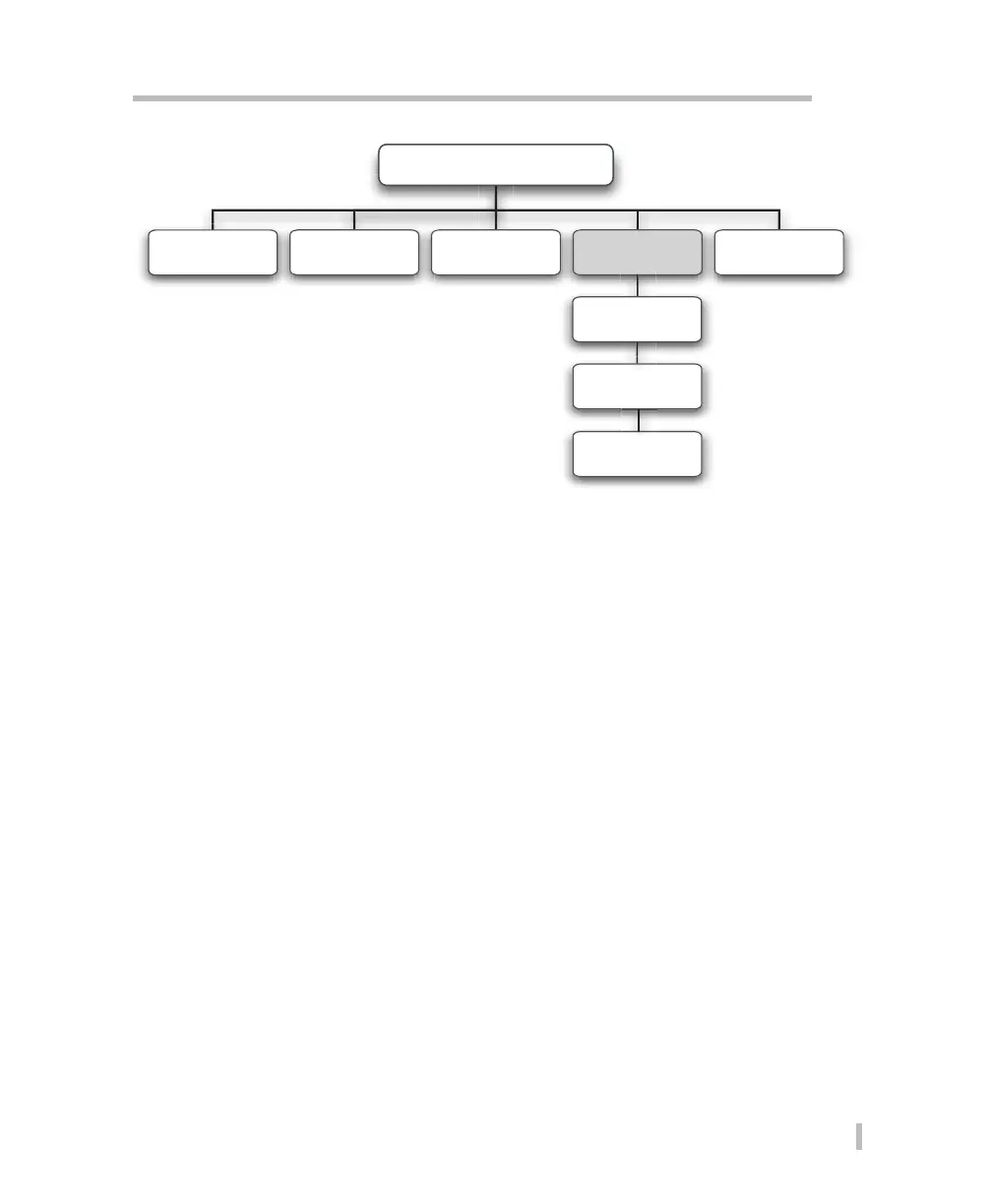
• Confirm Veh Selection—select to accept the vehicle AFIT currently displays (AFIT displays
the last vehicle selected near the bottom of the Vehicle Selection screen).
• New Veh Selection— go to this screen to select a new vehicle. From this screen you are
typically prompted to select the following vehicle information:
• Vehicle model year • Vehicle manufacturer
• Vehicle model • Vehicle body VIN code
• Vehicle engine size • Vehicle engine VIN code
Note: If the vehicle you are testing is not listed in the database you will need to test using the
Direct Injector and Fuel Pump Connection hookup. Press Cancel until you return to the Vehicle
Selection screen and then select Clear Veh Selection to clear the currently selected vehicle
information.
Main Menu
Utility Functions Vehicle SelectionPressure Test Leak Down Test
Confirm Veh
Selection
Injector Test
New Veh
Selection
Clear Veh
Selection


 To Next Page