42
Maintenance
Active Fuel Injector Tester User Guide
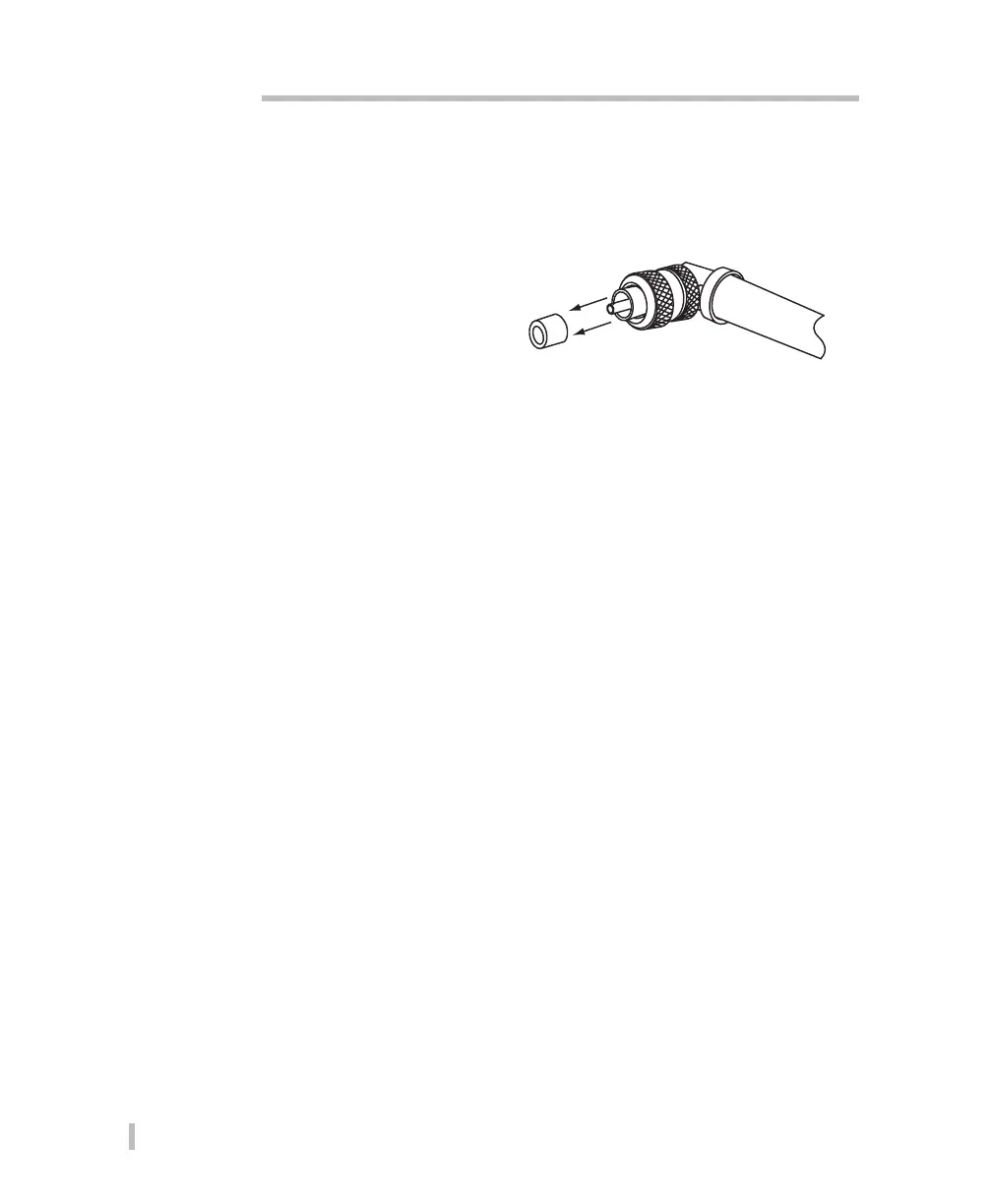
Replacing the Fuel Schrader Connector Seal
With use, you will need to periodically replace the Fuel Schrader Connector Seal. Replace the
seal whenever it becomes damaged, deformed, fails to seal, or leaks.
1. Using a flat head screw driver, or
similar object, gently pry the old
seal out of the connector.
2. Discard the old seal and install a
new seal.
Uninstalling the AFIT PC Application Software
1. Delete the AFIT desktop shortcut (if any).
2. Choose Settings from the Start menu.
3. Select Control Panel from the displayed menu.
4. Double -click Add or Remove Programs.
5. Select Active Fuel Injector Tester from the list.
6. Click Change/Remove.
7. When asked if you are sure you want to remove the program, click Yes to start the uninstall.
Note: If a dialog box is displayed asking if you want to delete shared files, select No.
8. When the removal is complete, Windows displays Program Installation removed. Click OK.
9. Close the Add or Remove Programs window.
10. Close the Control Panel window.
11. Restart your computer.


 To Next Page