579604 | REV. C | June 2020
Bosch Automotive Service Solutions Inc.
EV2000 Series Wallbox Charger Installation and Operation Manual|
9
|
en
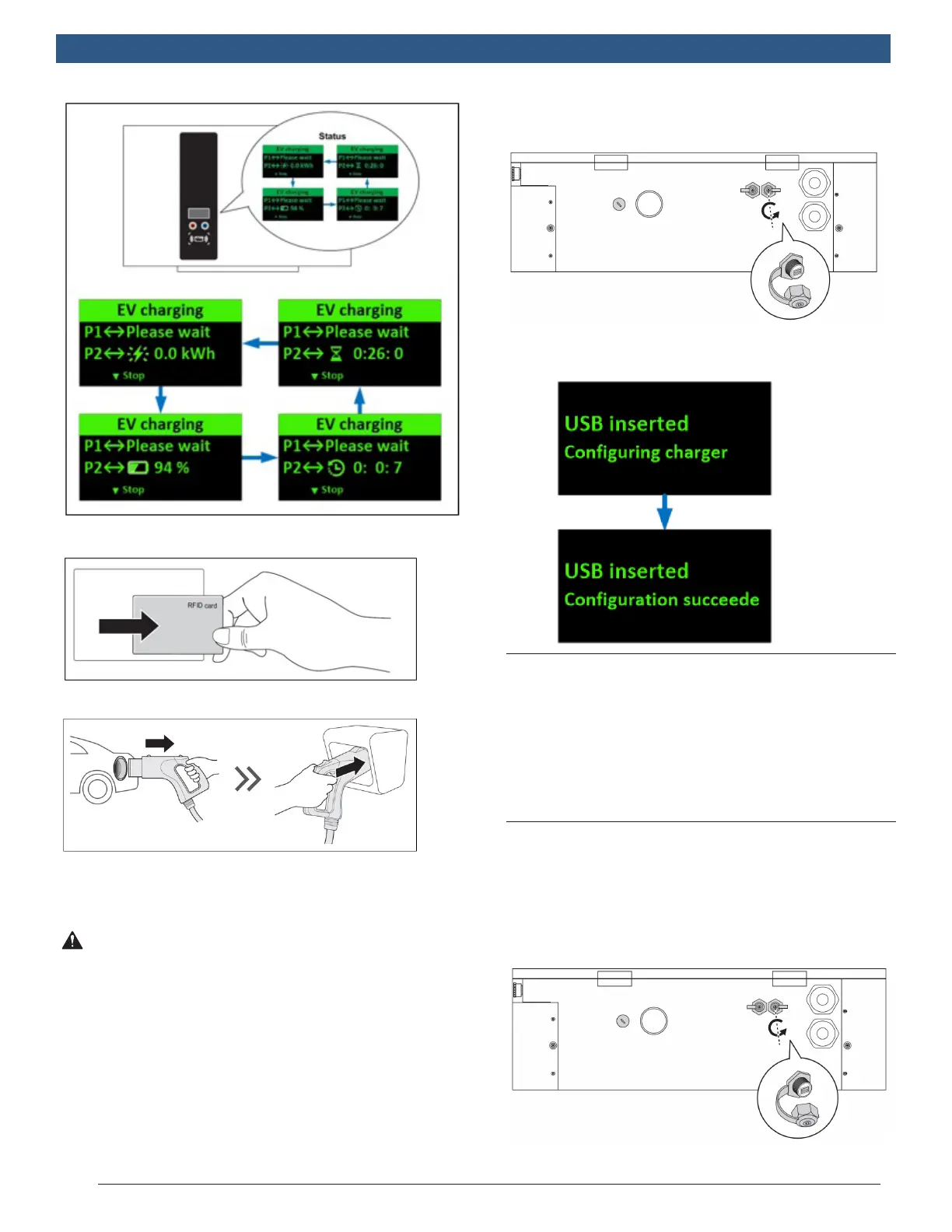
6. Swipe the authorized RFID card to stop.
7. Return the plug to the holder.
7.0 System Conguration
(Optional)
WARNING! Only congure the charger when
the charger is not in charging mode to avoid
interruption of an ongoing charging session.
1. Contact service provider to login online conguration
tool.
2. When the conguration is done, copy the
parameter le (DeltaDCWallboxCong) to the root of a
USB ash drive. (The drive format should be FAT/FAT32,
< 32GB).
3. Insert the USB ash disk into the USB port on the
bottom (labeled USB). The conguration will be
uploaded to the DC Wallbox.
4. Remove the USB ash drive when the conguration
is complete.
7.1 3G Conguration
For models equipped with the 3G modem, insert a
valid 3G (WCDMA) SIM card as detailed in previous
steps (page 21) to start 3G connection. Consult with
local operator to activate data service on the SIM
card beforehand. Disable PIN check on the SIM card
before inserting the card into the modem. Request APN
information from the operator and make sure APN is
congured correctly via the conguration tool.
7.2 Firmware Update
Firmware updates can be made via the USB port on the
bottom of the cabinet.
1. Obtain a USB ash drive. The drive format should
be FAT/FAT32, < 32GB.
2. Insert the USB ash disk into the USB port on the
bottom of the unit (labeled USB).


 To Next Page