16
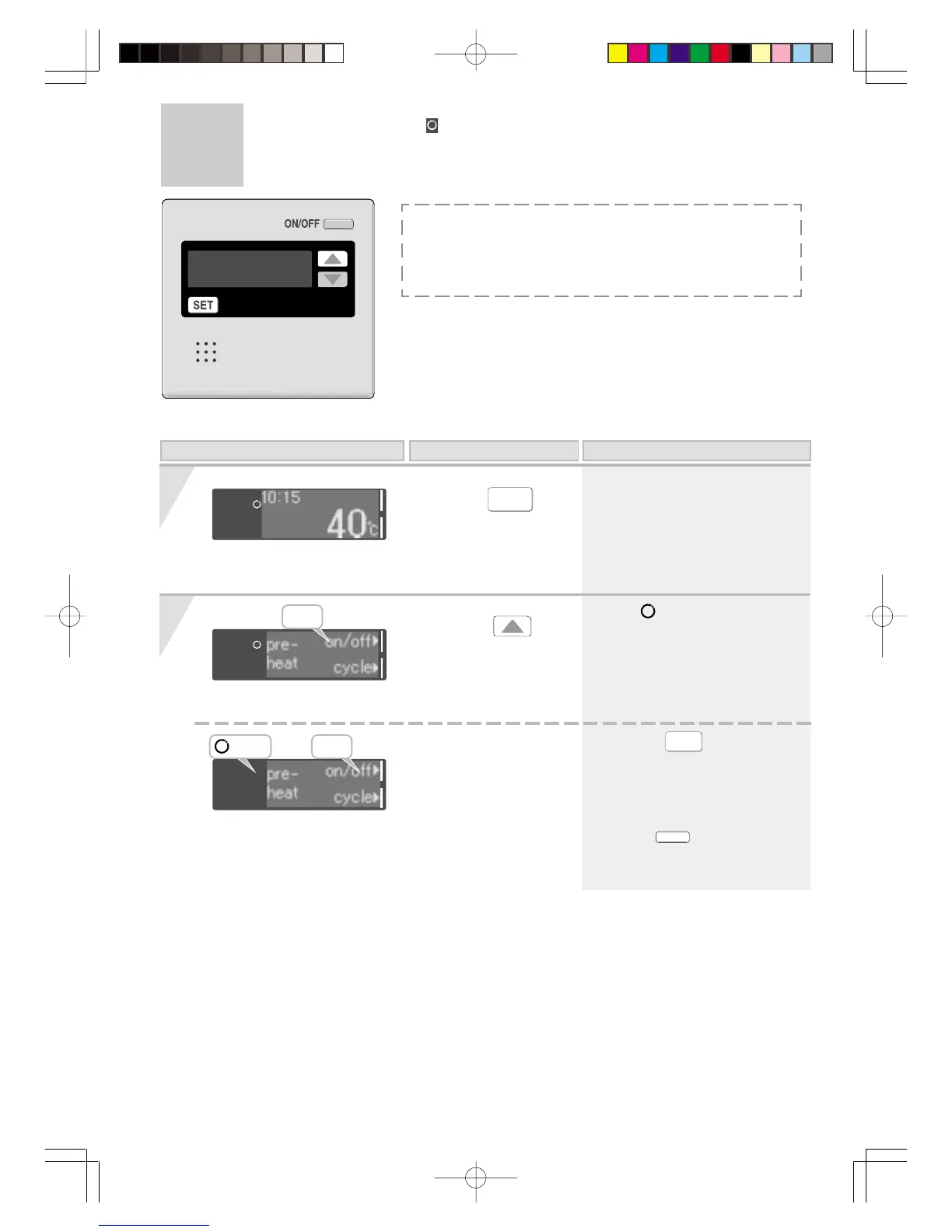
Press the
button until “off” is
blinking.
Press the
SET
button to change the
display to “pre-heat”.
(Eg.: 40°C)
< Completion of setting >
* When the
SET
button is pressed,
or the console is left untouched for
about 20 seconds, the settings
screen ends.
*
Circulation stops until the
ON/OFF
is turned “On”,
again or until the next timer
setting.
1
2
Suspension of Circulation
When using RCM3211
Unlit
Blinking
Blinking
* The symbol is no longer
displayed, circulation mode
stops.
Display of on the remote controller
On this Display Operation Description
When the hot water tank circulation system is used, do not
stop the circulation mode.
If you are unsure how to use such a system, please contact
the retailer.




 To Next Page