EasyManua.ls Logo

Bosch MIC-7130-PB4 - User Manual

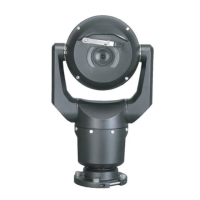
Bosch MIC-7130-PB4
122 pages
Print Icon
To Next Page IconTo Next Page
Loading...
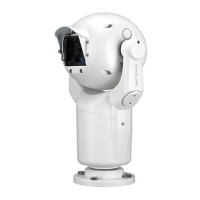
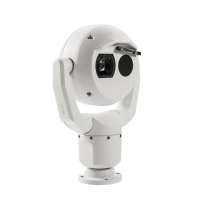
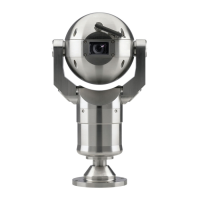
MIC IP starlight 7000 HD
MIC-7130-PB4 MIC-7130-PW4 MIC-7130-PG4 MIC-7230-B5
MIC-7230-W5 MIC-7230-G5
en
Operation Manual

Table of Contents

Other manuals for Bosch MIC-7130-PB4

Questions and Answers

  • J
    jennifer89Sep 9, 2025
    What to do if Bosch MIC-7130-PB4 won't operate after exposure to low temperatures?
    • J
      Jason RodriguezSep 10, 2025
      If your Bosch Security Camera does not operate as expected after exposure to extreme low temperatures, allow the camera to warm up. If the camera does not operate after a 60-minute warm-up period, reset the camera by typing “/reset” at the end of the IP address of the camera in your web browser.
  • K
    Kathleen HarmonSep 12, 2025
    Why does nothing appear on the screen of my Bosch MIC-7130-PB4 Security Camera?
    • W
      William BennettSep 12, 2025
      If nothing appears on the screen of your Bosch Security Camera, check if the power cord and line connection between the camera and monitor are properly connected.
  • C
    catherinerothSep 13, 2025
    How to resolve a distorted image on Bosch MIC-7130-PB4?
    • D
      Daniel EvansSep 14, 2025
      If the image on the screen of your Bosch Security Camera is distorted, and the power frequency is not set correctly, set the synchronization mode to INT. For NTSC models, the power frequency in LL mode should be 60 Hz.
  • M
    Michael KingSep 16, 2025
    How to fix a background that is too bright on Bosch MIC-7130-PB4 Security Camera?
    • J
      Jessica GutierrezSep 16, 2025
      If the background is too bright to see the subject in your Bosch Security Camera's view, turn on backlight compensation.

Summary

Safety

Important Safety Instructions

Crucial instructions for safe operation and installation.

Overview of Installation Steps

Configuration Programming in the Shipping Box

Configuration Programming on a Temporary Table-top Stand

Mounting Location and Mounting Orientation

Install the Camera

Make Connections - Power and Control

Power Source Options

Details on available power supply methods for the camera.

Ethernet Connections

Information on network cabling requirements and specifications.

Connect the Camera to the Network

Instructions for establishing network connectivity for the camera.

Configuration

System Requirements

Hardware and software requirements for configuring the camera.

Configuring the Camera

General steps for network configuration.

Using the Web Server of the Camera

Steps to configure network settings via the camera's web interface.

General

User Management

Configuration of user authorization levels and passwords.

Web Interface

LIVE Functions

Adapting display options and controls on the LIVE page.

Camera

Installer Menu

Access to camera settings like application variant, frame rate, and reboot.

Encoder Profile

Configuration of video encoding settings and profiles.

Encoder Streams

Settings for H.264 standards for video streams.

Privacy Masks

Blocking out specific areas of the scene from view.

Picture Settings

Adjusting image parameters like mode, white balance, and color.

Lens Settings

Adjusting focus, iris, zoom, and other lens parameters.

PTZ Settings

Configuration of Pan/Tilt/Zoom movements and behavior.

Recording

Storage Management

Configuring storage for recorded video data.

Recording media

Selecting and configuring storage media like iSCSI or SD cards.

Recording Profiles

Defining and assigning settings for video recording.

Recording Scheduler

Scheduling recording profiles for specific days and times.

Alarm

Alarm Connections

Configuring how the camera responds to alarms and connects to remote stations.

VCA

Configuring Video Content Analysis features like noise reduction.

Alarm E-Mail

Setting up email notifications for alarms with optional images.

Alarm Rules

Defining custom responses to alarm inputs and triggers.

Network

Network Access

Configuring IP addresses and network connectivity settings.

Service

Operation via the browser

Live page

The main interface for viewing live video and camera controls.

Intelligent Tracking

Options for tracking moving objects within the camera's view.

Playback

Accessing and controlling recorded video content.

Searching for recorded video

Finding specific recorded footage based on criteria.

Operation

Using Intelligent Tracking

Configuring and utilizing the feature to track moving objects.

Troubleshooting

Maintenance

Keyboard Commands

Bosch Protocol

List of AUX commands for the Bosch protocol keyboard.

Pelco Protocol

List of PTZ and non-PTZ commands for Pelco protocols.

Bosch MIC-7130-PB4 Specifications

General IconGeneral
Resolution1280x720
Lens2.8mm
Operating Temperature-10°C to +50°C
Power Supply12V DC
Night VisionYes
Video CompressionH.264
Weather ResistanceIP66

Related product manuals