Plena Easy Line SD Tuner BGM source Connections | en 15
Bosch Security Systems B.V. Installation and Operation manual PLE-SDT_OM | V1.0 | 2012.02
6 Connections
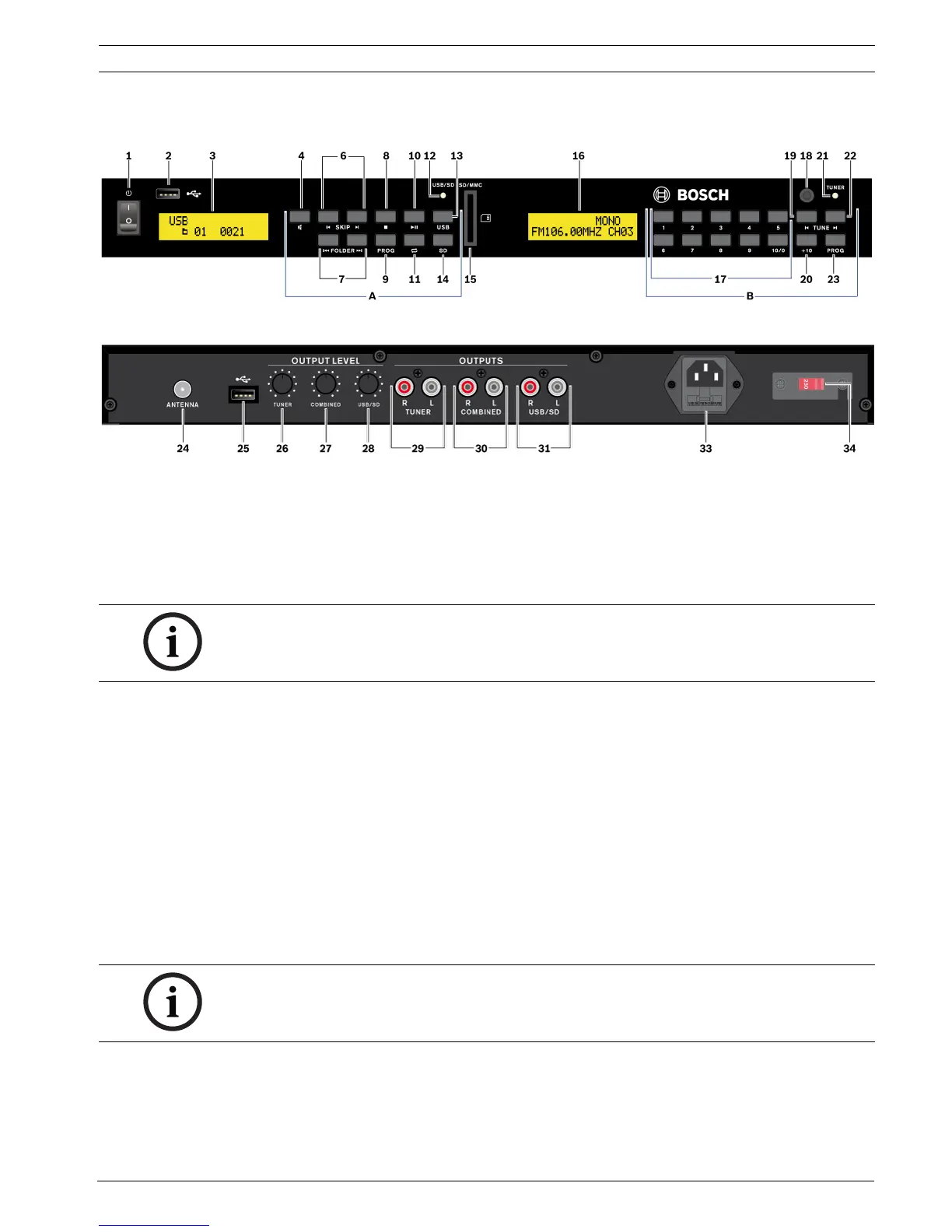
Figure 6.1 Front view
Figure 6.2 Rear view
6.1 Front side input sockets
6.1.1 USB
Connect a USB flash memory device (maximum 32 GB), with MP3 file format stored, to the
USB 2.0 4-pin socket (2). Refer to Section 8.2 USB/SD source.
6.1.2 SD/MMC
Insert a SD/MMC memory card (maximum 32 GB), with MP3 file format stored, to the SD/
MMC card socket (15). Refer to Section 8.2 USB/SD source.
6.2 Rear side input sockets
6.2.1 FM tuner antenna
The FM tuner antenna socket (24) must be connected to an antenna or cable network with a
COAX cable of 75 Ohm. A antenna cord with connector comes with the unit.
6.2.2 USB
Connect a USB flash memory device (maximum 32 GB), with MP3 file format stored, to the
USB 2.0 4-pin socket (25). Refer to Section 8.2 USB/SD source.
NOTICE!
Connect only one USB flash memory device at the time. If a USB flash memory device is
connected to the rear (25), the USB front socket (2) cannot be used.
NOTICE!
Connect only one USB flash memory device at the time. If a USB flash memory device is
connected to the front (2), the USB rear socket (25) cannot be used.


 To Next Page