Keep-warm function en
13
This function is available for all cooking zones,
provided the other cooking zone in the same group is
not in use.
13.1 Recommended applications
¡ Do not place a lid on the pan.
¡ Never leave pans unattended when they are heating
up.
¡ Only use cold pans.
¡ Use pans with a completely flat base. Do not use
pans with a thin base.
13.2 Switching on PanBoost
1.
Select the cooking zone.
2.
Touch twice. lights up.
a The function is switched on.
Note:You can also switch on this function when cook-
ing with a connected FlexZone.
13.3 Switching off PanBoost
1.
Select the cooking zone.
2.
Touch . goes out and the cooking zone
switches back to the power level.
a The function has been deactivated.
Note:To avoid high temperatures, this function auto-
matically switches itself off after 30 seconds.
Keep-warm function
14 Keep-warm function
You can use this function to melt chocolate or butter
and to keep meals warm.
14.1 Switching on Keep-warm function
1.
Select the required cooking zone.
2.
Touch within the next 10 seconds.
lights up.
a The function is switched on.
14.2 Switching off Keep-warm function
1.
Select the cooking zone.
2.
Touch .
goes out.
a The function has been deactivated.
Transfer settings
15 Transfer settings
You can use this function to transfer the power level,
set cooking time and selected cooking function from
one cooking zone to another.
15.1 Transfer settings
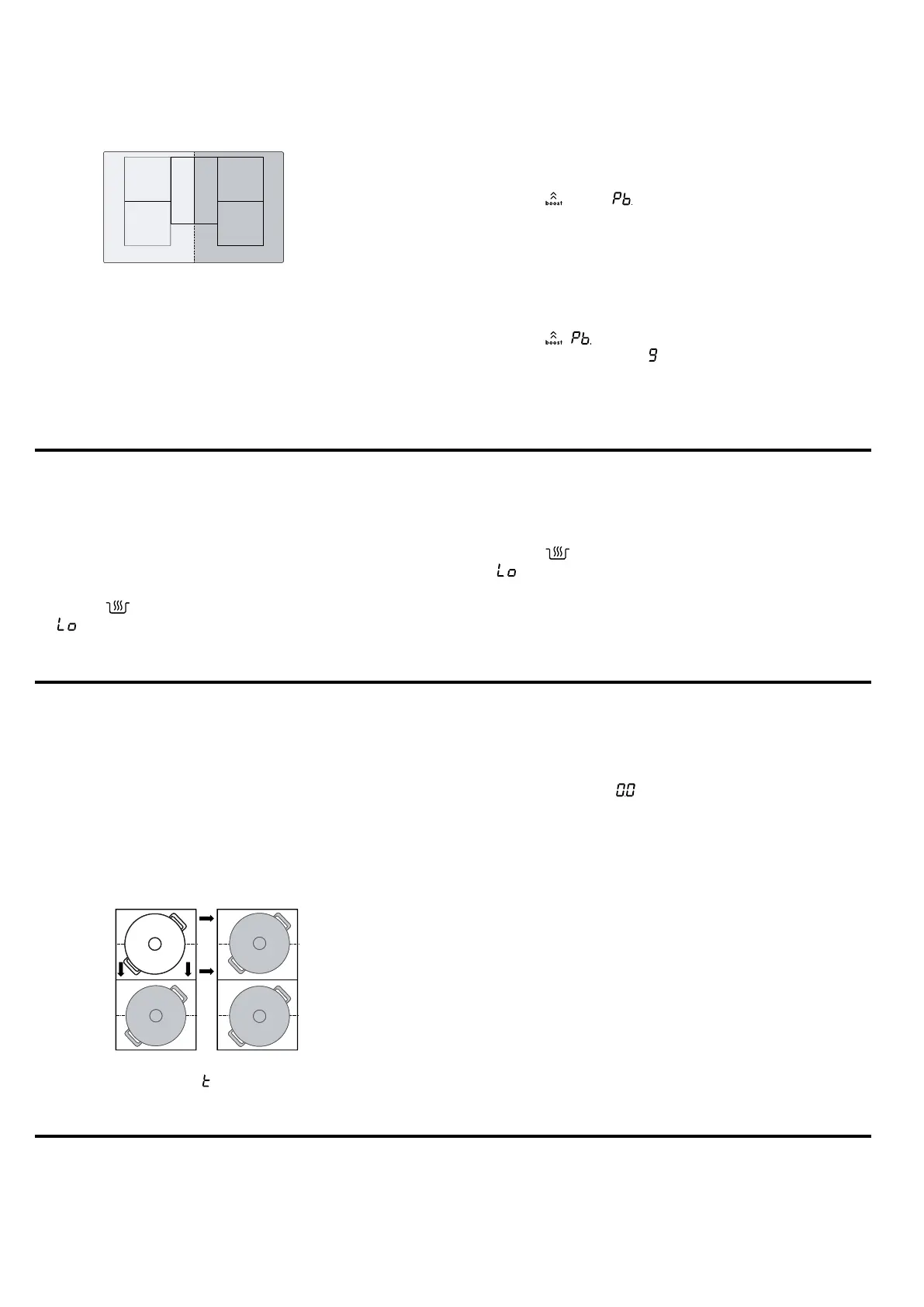
Requirement:Move the cookware to a cooking zone
which is not switched on, which you have not yet pre-
set and on which no other cookware has been placed.
1.
Move the cookware.
The cookware is detected and the previously selec-
ted power level and flash alternately on the dis-
play for the new cooking zone.
2.
Select the new cooking zone to implement the set-
tings.
The appliance sets the power level for the original
cooking zone to .
a The settings are transferred to the new cooking
zone.
Note:If you place a new item of cookware on a differ-
ent cooking zone before you have confirmed the set-
tings, you can use this function for both items of cook-
ware.
Assist
16 Assist
The cooking assistant is guaranteed to make cooking
simple and it promises outstanding cooking results.




 To Next Page