Assist en
15
Frozen products
Chicken nuggets 4 10-15
Fish fingers 4 8-12
Chips 5 4-8
Stir-fries 3 6-10
Spring rolls 4 10-30
Pastries, croquettes 5 3-8
Sauces
Tomato sauce 1 25-35
Béchamel sauce 1 10-20
Cheese sauce 1 10-20
Sweet sauces 1 15-25
Sauces, reduced 1 25-35
Other
Fried cheese 3 7-10
Croutons 3 6-10
Toasted bread 4 4-8
Dried ready meals 1 5-10
Almonds, walnuts, pine nuts, roasted 4 3-15
Popcorn 5 3-4
16.2 PerfectCook Sensor
You can use this function to heat up, cook or boil
foods, cook with the pressure cooker or fry in a pot
with a lot of oil at a controlled temperature.
In order to use these functions, you need the wireless
cooking sensor for wireless cooking.
This function is available for all cooking zones with the
wireless cooking sensor on the normal cookware.
Temperature levels
Temperature levels for preparing meals.
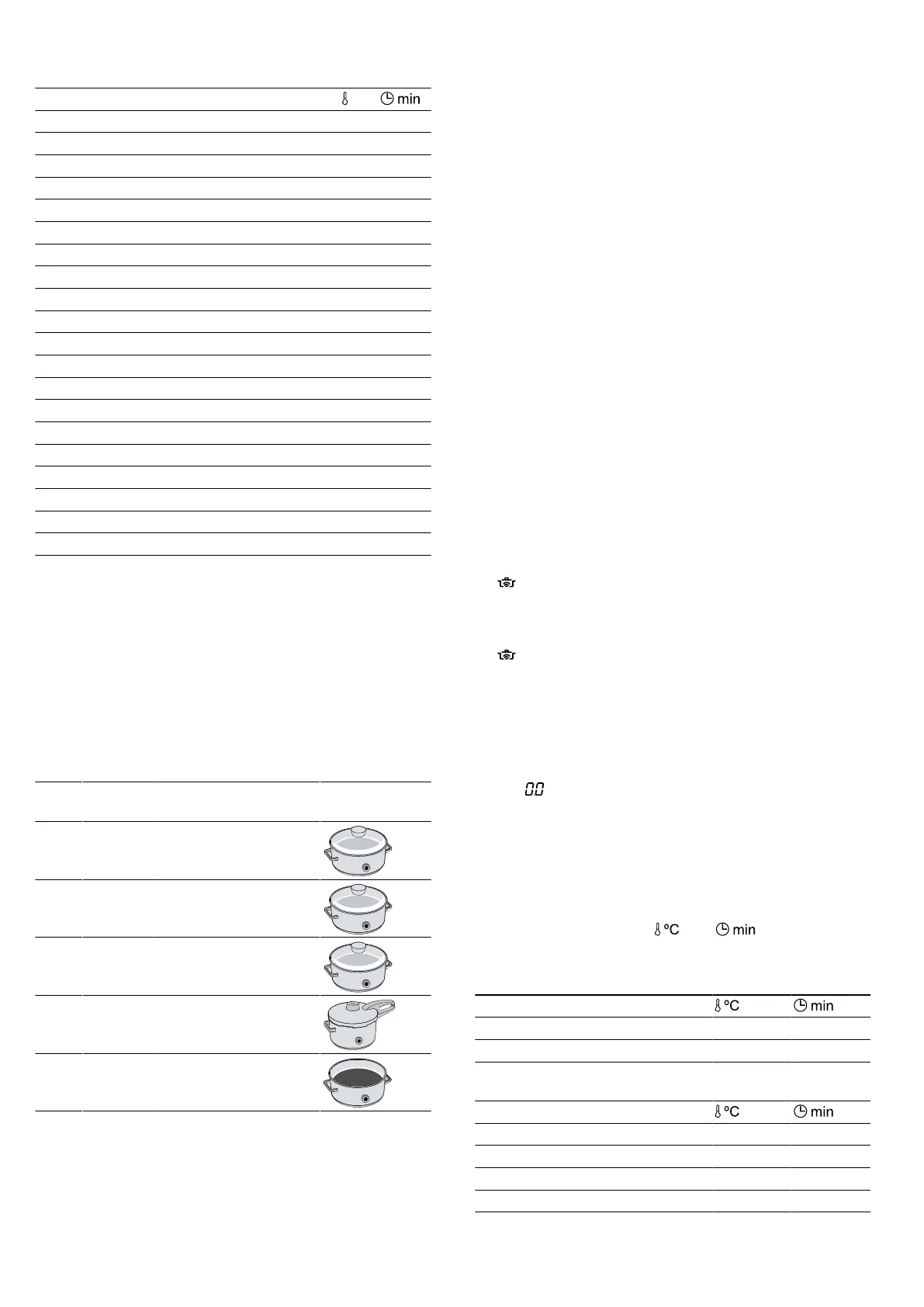
Level Temper-
ature
Functions Cookware
1 70ºC Heating and keeping
warm
2 90ºC Cooking
3 100ºC Bringing to the boil
4 120ºC Cooking in a pres-
sure cooker
5 180ºC Deep-fat frying
Notes on the PerfectCook Sensor function
¡ The wireless cooking sensor measures the temper-
ature of the liquid through the silicone base at-
tached to the container. To ensure correct measure-
ment, the silicone base must be completely covered
by the liquid to be measured.
¡ The frame of the wireless cooking sensor and the
silicone base fitted on the cookware must be com-
pletely dry before you can start cooking.
¡ Do not remove the wireless cooking sensor during
cooking. After cooking, remove the sensor carefully
as the sensor may be hot.
¡ To save energy, use a lid.
¡ Position the cookware in such a way that the wire-
less cooking sensor is pointing towards the outer
side of the hob.
¡ To prevent overheating, never align the cooking
sensor to any other hot cookware.
Switching on PerfectCook Sensor
Requirement:Connect the wireless cooking sensor.
1.
Attach the wireless cooking sensor to the cookware.
2.
Place cookware filled with sufficient liquid on the re-
quired cooking zone and put the lid on.
3.
Select the cooking zone on which you have placed
the cookware with the wireless cooking sensor.
Then press on the centre of the wireless cooking
sensor.
a lights up on the control panel.
4.
Select the appropriate temperature level for the food
that is to be cooked.
a The function is switched on.
a flashes until the water or oil has reached the ap-
propriate temperature for adding the food. A signal
sounds and the temperature symbol stops flashing.
5.
Once the signal tone has sounded, remove the lid
and add the food. Keep the lid on while cooking.
Switching off PerfectCook Sensor
1.
Select the cooking zone.
2.
Set in the settings area.
a The functions are deactivated.
Note:To re-activate the cooking functions, wait for ap-
proximately 10 seconds.
Recommendations for cooking with PerfectCook
Sensor
The following table shows the ideal temperature levels
for a selection of dishes. and depend on the
amount, condition and quality of the food.
Heating and keeping warm
Heating goulash 70 10-20
Heating mulled wine 70 5-15
– Poaching
Meat
Sausages 90 10-20
Fish
Braised fish 90 15-20




 To Next Page