Wireless cooking sensor en
17
1.
Select the basic setting . Basic settings
→Page20
a lights up.
2.
Select the cooking zone whose display lights up. A
signal tone sounds. flashes.
3.
Briefly press the centre of the wireless cooking
sensor within 30 seconds.
‒ After a few seconds, the status of the connection
between the cooking sensor and the control
panel appears on the cooking zone's visual dis-
play.
Result
Connected
correctly
PerfectCook Sensor is available.
Not con-
nected cor-
rectly
Communication error
¡ Repeat the connection process.
If the result is still , contact
customer service.
Not con-
nected cor-
rectly
Communication error
¡ Bluetooth communication error.
Repeat the connection process.
¡ You have not pressed the
centre of the wireless cooking
sensor within 30 seconds of se-
lecting the cooking zone. Re-
peat the connection process.
¡ The battery in the wireless
cooking sensor is flat. Replace
the battery, reset the wireless
cooking sensor and repeat the
connection process.
Resetting the wireless cooking sensor
1.
Press the centre of the cooking sensor for approx. 8
- 10 seconds.
a During this process, the LED display for the wireless
cooking sensor lights up three times.
a When the LED lights up for the third time, it will start
to reset the temperature sensor.
2.
Now stop pressing the centre of the wireless cook-
ing sensor.
a As soon as the LED goes out, this means that the
wireless cooking sensor has been reset.
3.
Repeat the connection process from point 2.
Setting the boiling point
The point at which water starts to boil depends on the
height of your home above sea level. If the water is
boiling too vigorously or not vigorously enough, you
can adjust the boiling point. Proceed as follows:
Select the basic setting . Basic settings →Page20
Height Setting value
0m
100-200m
200-400m
1
400-600m
600-800m
800-1000m
1000-1200m
1200-1400m
Over 1400 m
1
Basic setting
Note:The temperature of 3/100ºC is sufficient to cook
efficiently but, to set more intensive cooking, a lower
level can be selected.
Wireless cooking sensor
17 Wireless cooking sensor
To use PerfectCook Sensor, you must purchase a wire-
less cooking sensor.
You can purchase the wireless cooking sensor from
customer service, in our online shop or in a specialist
shop www.bosch-home.com.
17.1 Scope of delivery
After unpacking all of the parts, check for any transport
damage and for completeness of delivery.
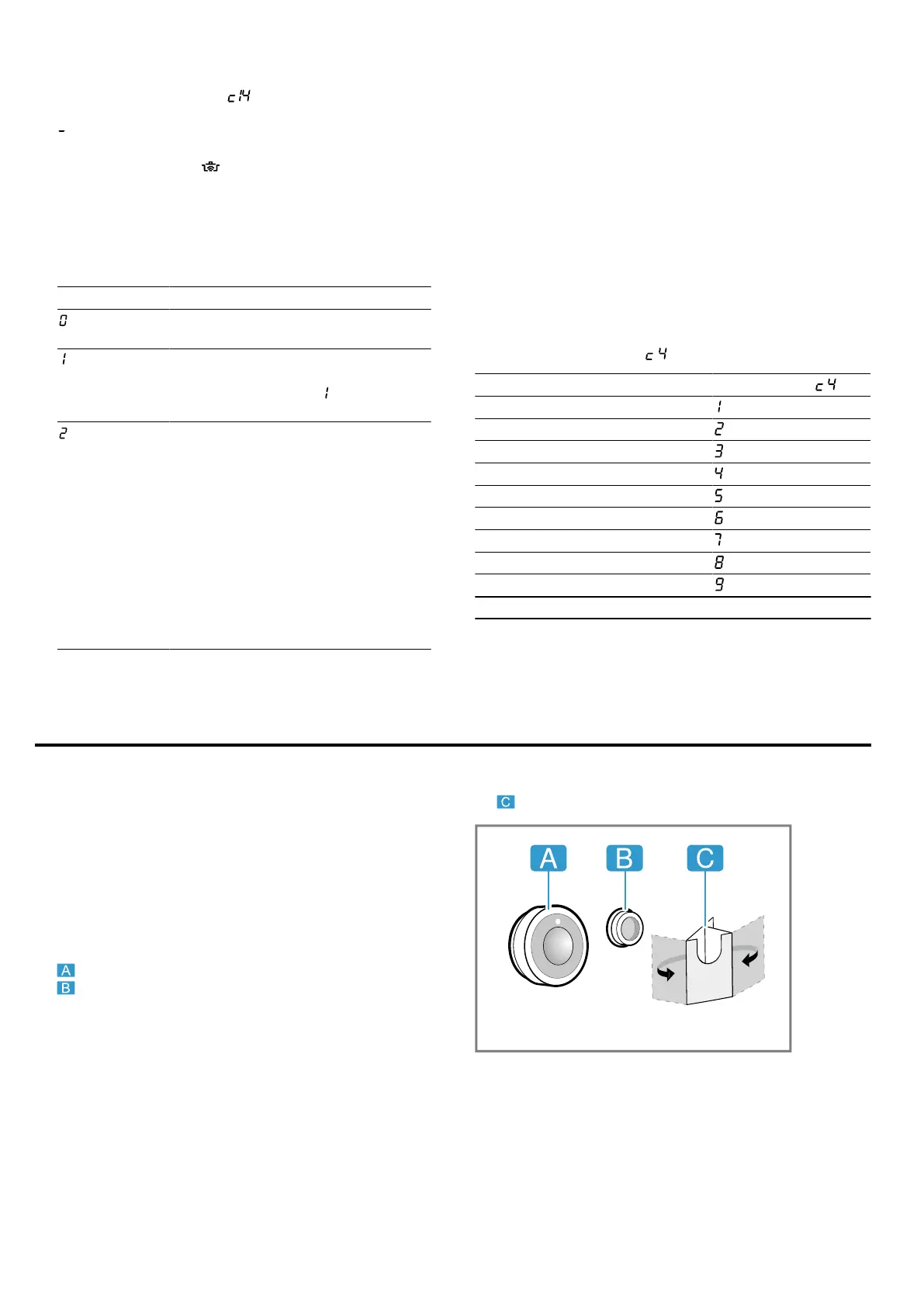
¡ Wireless cooking sensor
¡ Silicone patch
¡ Template
17.2 Attaching the silicone patch
The silicone patch secures the cooking sensor to the
cookware. For fitting on the cookware:
1.
The adhesive area on the cookware must be free
from grease. Clean and dry the container thor-
oughly, and rub the adhesive area using alcohol, for
example.




 To Next Page