en HomeConnect
22
The cookware is taking longer to heat up than ex-
pected and cooking is not progressing as well as
it ought to.
The cookware is heating up correctly and cooking
is progressing well.
To activate this function, touch the settings range.
HomeConnect
23 HomeConnect
This appliance is network-capable. Connecting your ap-
pliance to a mobile device lets you control its functions
via the HomeConnect app, adjust its basic settings
and monitor its operating status.
The HomeConnect services are not available in every
country. The availability of the HomeConnect function
depends on the availability of HomeConnect services
in your country. You can find information about this at:
www.home-connect.com.
The HomeConnect app guides you through the entire
login process. Follow the instructions in the HomeCon-
nect app to configure the settings.
Tips
¡ Please consult the documents supplied by
HomeConnect.
¡ Please also follow the instructions in the HomeCon-
nect app.
Notes
¡ Please note the safety precautions in this instruction
manual and make sure that they are also observed
when operating the appliance via the HomeCon-
nect app.
→"Safety", Page2
¡ Hobs are not designed to be left unattended. Al-
ways monitor the cooking process.
¡ Operating the appliance on the appliance itself al-
ways takes priority. During this time it is not possible
to operate the appliance using the HomeConnect
app.
¡ In networked standby mode, the appliance requires
a maximum of2W.
23.1 Setting up HomeConnect
Requirements
¡ The appliance is connected to the power supply and
is switched on.
¡ You have a mobile device with a current version of
the iOS or Android operating system, e.g. a smart-
phone.
¡ The mobile device and the appliance are within
range of your home network's Wi-Fi signal.
1.
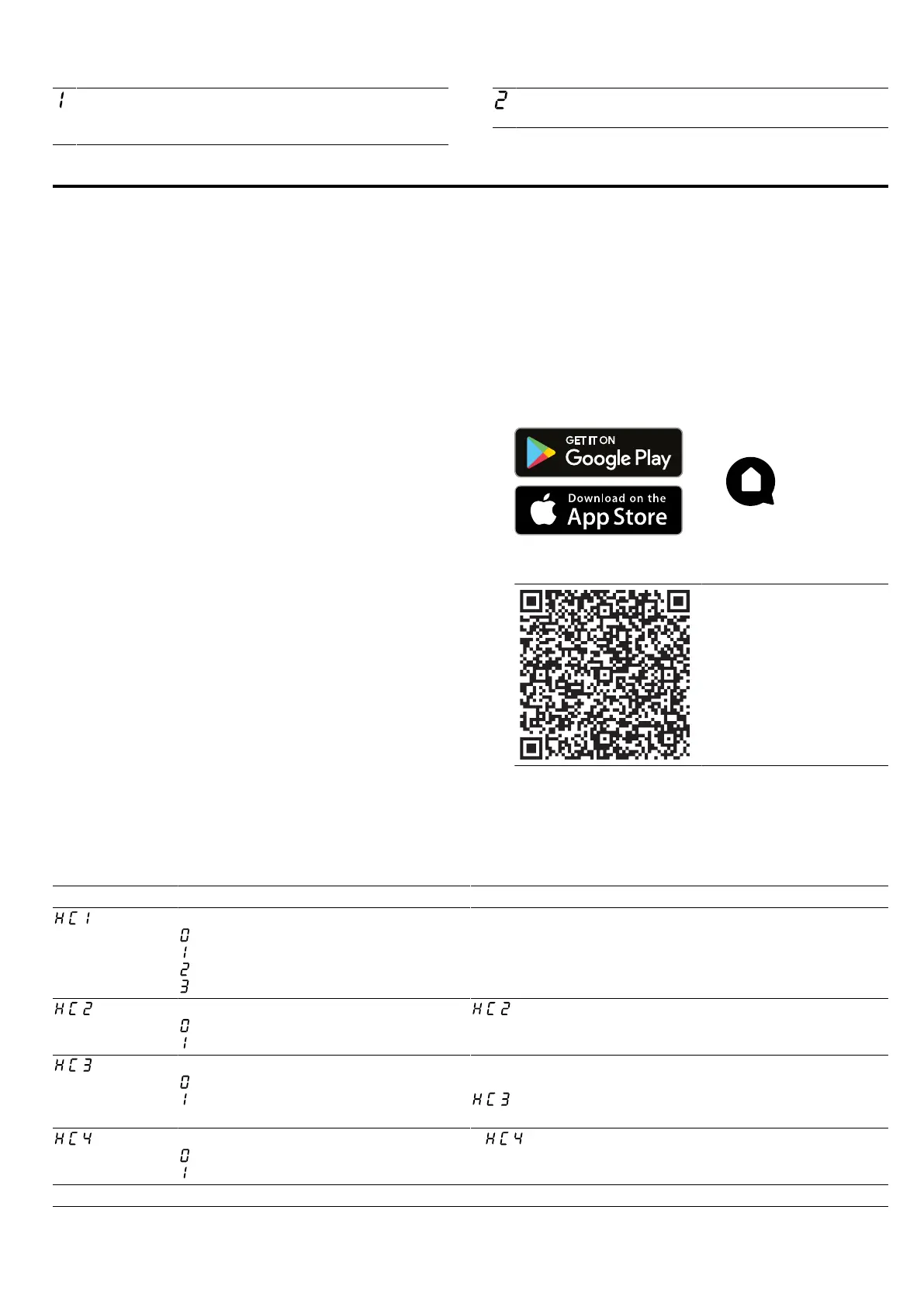
Download the HomeConnect app.
2.
Open the HomeConnect app and scan the follow-
ing QR code.
3.
Follow the instructions in the HomeConnect app.
23.2 Overview of the HomeConnect settings
You can adjust the settings and network settings for HomeConnect by going to your hob's basic settings.
Setting Selection or display Additional information
Network connection
– Not connected/disconnect network
– Connect automatically
– Connect manually
– Connected
Log on the hob in the Wi-Fi home network (Wi-Fi) or dis-
connect from the network
Connection to app
– Not connected
– Connect
is only displayed if the hob is connected to the
home network.
Connection to the Wi-Fi
– Wireless module switched off
– Wireless module switched on
If Wi-Fi has been activated, you can use the HomeCon-
nect functions.
is only displayed if the hob has been previously
connected to a network.
Set using the app
– Switched off
– Switched on
1
If is switched off, only the hob's operating statuses
are displayed in the HomeConnect app.
1
Factory setting




 To Next Page