EasyManua.ls Logo

Bosch VIA - Page 35

Bosch VIA
61 pages
Print Icon
To Next Page IconTo Next Page
To Previous Page IconTo Previous Page
Loading...
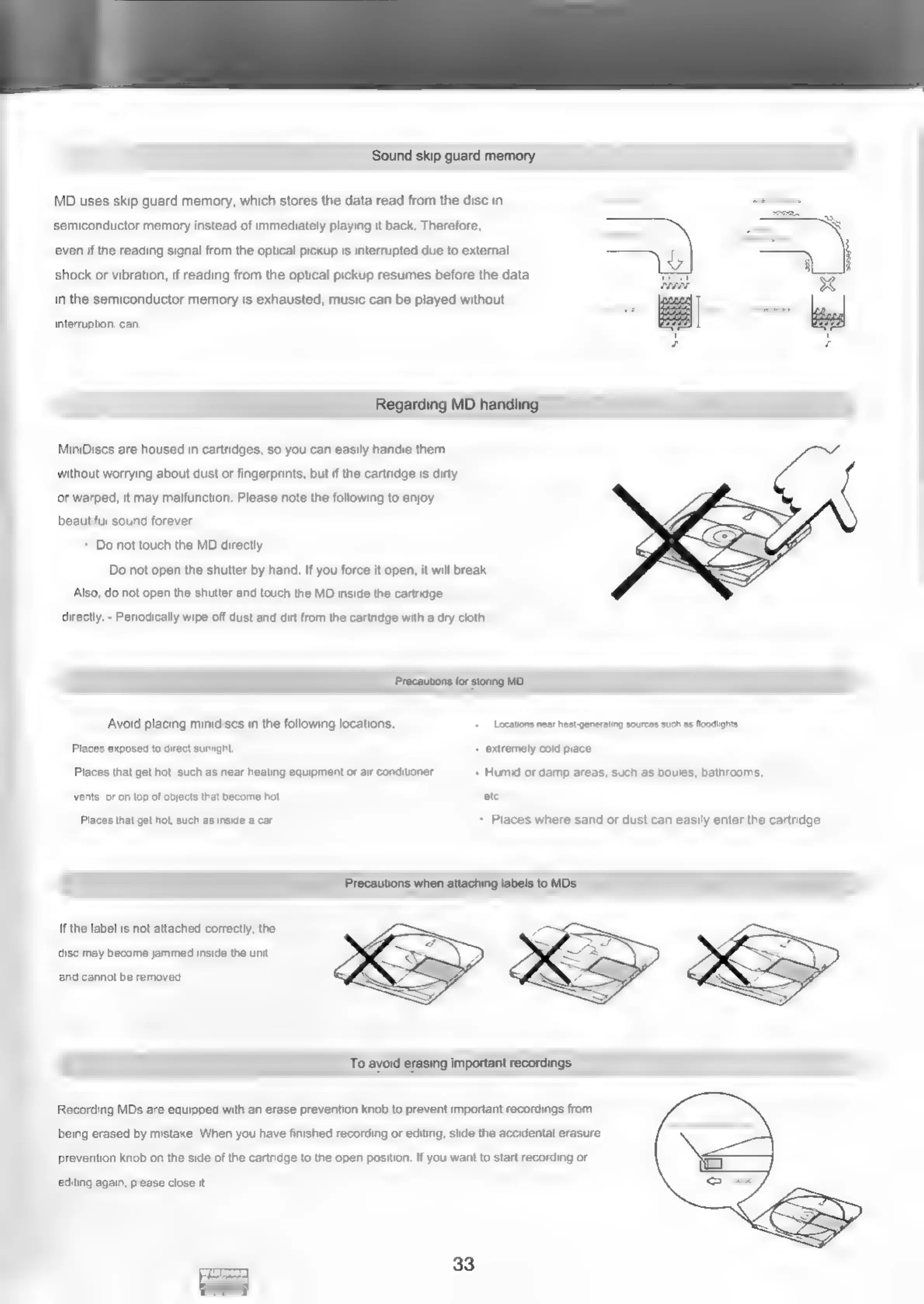
Sound
skip
guard
memory
MD
uses
skip
guard
memory,
which
stores
the
data
read from
the
disc
in
semiconductor
memory
instead
of
immediately
playing
it
back.
Therefore,
even
if
the
reading
signal
from
the
optical
pickup
is
interrupted
due
to
external
shock
or
vibration,
if
reading
from
the
optical
pickup
resumes
before
the
data
in
the
semiconductor
memory
is
exhausted,
music
can
be
played
without
interruption.
can.
Regarding
MD
handling
MiniDiscs
are
housed
in
cartridges,
so
you
can
easily
handle
them
without
worrying
about
dust
or
fingerprints,
but
if
the
cartridge
is
dirty
or
warped,
it
may
malfunction.
Please
note
the
following
to
enjoy
beautiful
sound
forever.
*
Do
not
touch
the
MD
directly
Do
not
open
the
shutter
by
hand.
If
you
force
it
open,
it
will
break
Also,
do
not
open
the
shutter
and
touch
the
MD
inside
the
cartridge
directly.
-
Periodically
wipe
off
dust
and
dirt
from
the
cartridge
with
a
dry
cloth.
Precautions
for
storing
MD
Avoid
placing
minidiscs
in
the
following
locations.
Locations
near
heat-generating
sources
such
as
foodlights.
Places
exposed
to
direct
sunlight
extremely
cold
place.
Places
that
get
hot,
such
as
near
heating
equipment
or
air
conditioner
Humid
or
damp
areas,
such
as
boules,
bathrooms,
vents,
or
on
top
of
objects
that
become
hot
etc.
Places
that
get
hot,
such
as
inside
a
car
-
Places
where
sand
or
dust
can
easily
enter
the
cartridge.
Precautions
when
attaching
labels
to
MDs
If
the
label
is
not
attached
correctly,
the
disc
may
become
jammed
inside
the
unit
and
cannot
be
removed.
To
avoid
erasing
important
recordings
Recording
MDs
are
equipped
with
an
erase
prevention
knob
to
prevent
important
recordings
from
being
erased
by
mistake.
When
you
have
finished
recording
or
editing,
slide
the
accidental
erasure
prevention
knob
on
the
side
of
the
cartridge
to
the
open
position.
If
you
want
to
start
recording
or
editing
again,
please
close
it.
33

Related product manuals