EasyManua.ls Logo

Bosch VIA - Page 37

Bosch VIA
61 pages
Print Icon
To Next Page IconTo Next Page
To Previous Page IconTo Previous Page
Loading...
MD
deck
operation
(MD
playback)
To
set
the
MD
disc
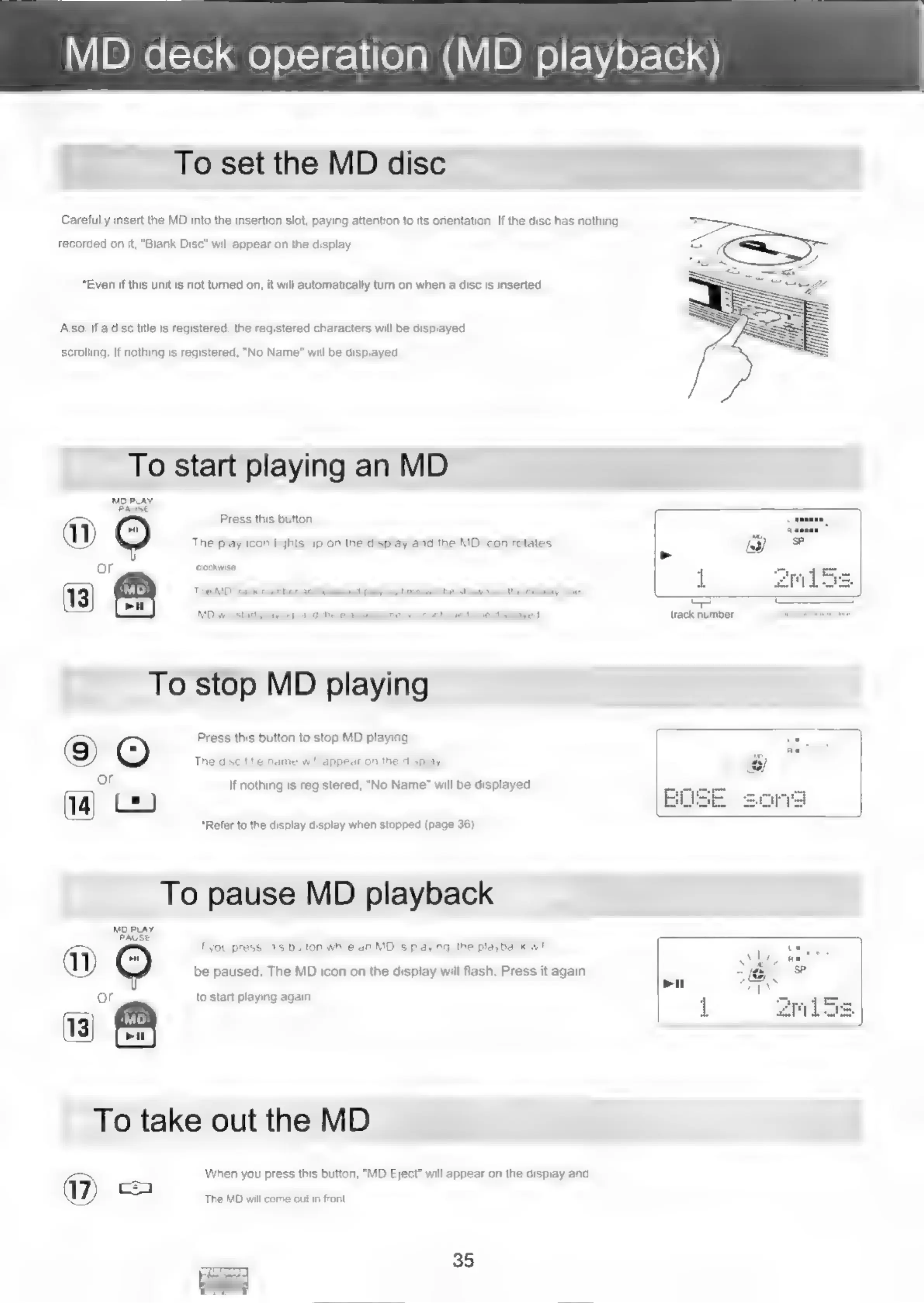
Carefully
insert
the
MD
into
the
insertion
slot,
paying
attention
to
its
orientation,
If
the
disc
has
nothing
recorded
on
it,
"Blank
Disc"
will
appear
on
the
display.
*Even
if
this
unit
is
not
turned
on,
it
will
automatically
turn
on
when
a
disc
is
inserted.
Also,
if
a
disc
title
is
registered,
the
registered
characters
will
be
displayed
scrolling.
If
nothing
is
registered,
"No
Name"
will
be
displayed.
To
start
playing
an
MD
MD
PLAY
PAUSE
Press
this
button,
)
The
play
icon
lights
up
on
the
display
and
the
MD
icon
rotates
or
clockwise.
To
stop
MD
playing
Press
this
button
to
stop
MD
playing.
©)
©
The
disc
title
name
will
appear
on
the
display.
or
If
nothing
is
registered,
“No
Name’
will
be
displayed
14]
C2
*Refer
to
the
display display
when
stopped
(page
36).
To
pause
MD
playback
MO
PLAY
PAUSE
a
(2)
If
you
press
this
button
while
an
MD
is
playing,
the
playback
will
a)
be
paused.
The
MD
icon
on
the
display
will
flash.
Press
it
again
or
To
take
out
the
MD
When
you
press
this
button,
"MD
Eject”
will
appear
on
the
display
and
to
start
playing
again
UZ)
‘The
MD
will
come
out
in
front.
35
Bees
track
number

Related product manuals