EasyManua.ls Logo

Bosch VIA - Page 43

Bosch VIA
61 pages
Print Icon
To Next Page IconTo Next Page
To Previous Page IconTo Previous Page
Loading...
by)
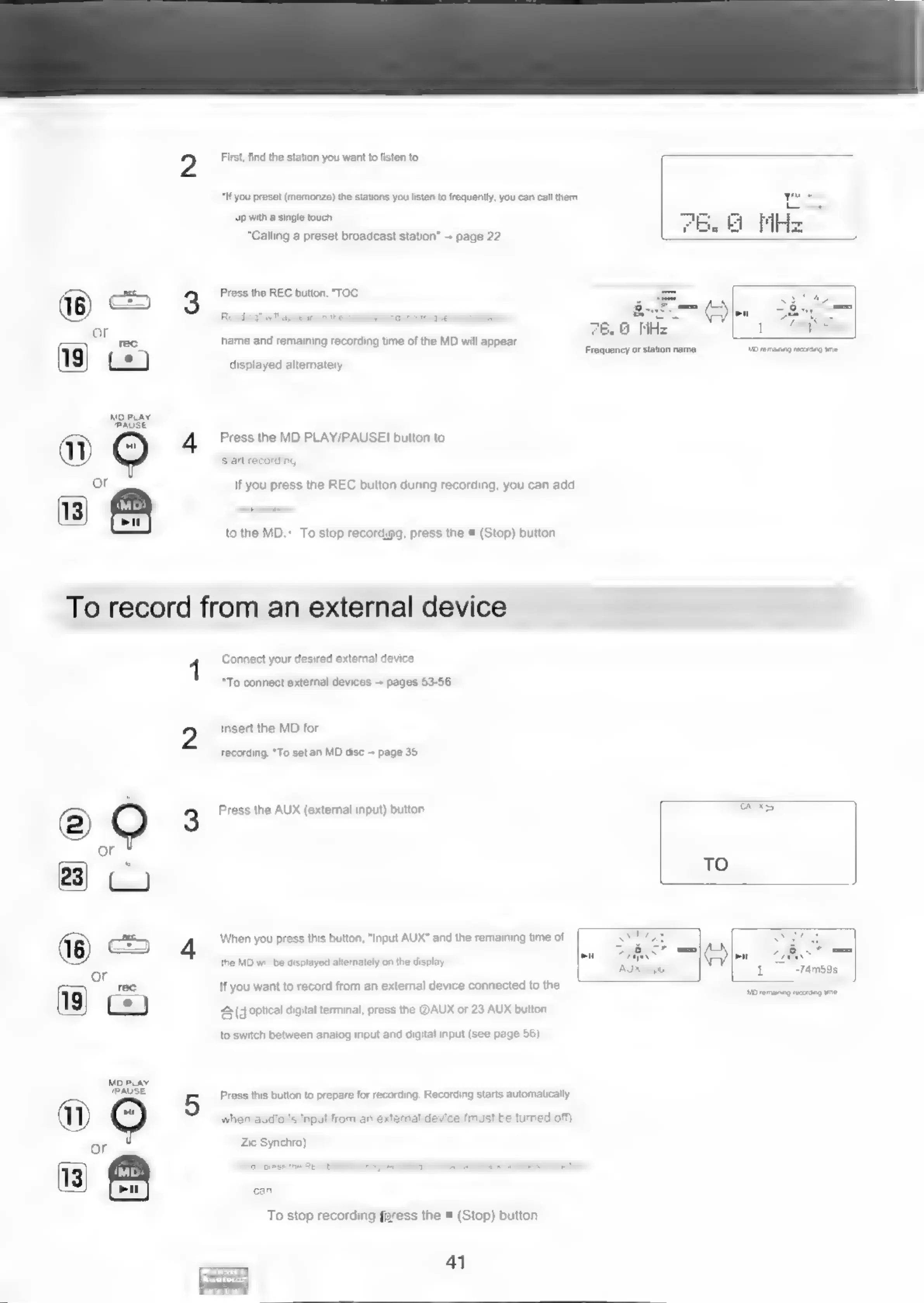
First,
find
the
station
you
want
to
listen
to.
“If
you
preset
(memorize)
the
stations
you
listen
to
frequently,
you
can
call
them
up
with
a
single
touch,
“Calling
a
preset
broadcast
station”
--
page
22
3
Press
the
REC
button,
"TOC
-
&
Veo:
name
and
remaining
recording
time
of
the
MD
will
appear.
displayed
alternately
MD
PLAY
(PAUSE
4
Press
the
MD
PLAY/PAUSE
button
to
or
If
you
press
the
REC
button
during
recording,
you
can
add
to
the
MD.-
To
stop
recordigg,
press
the
®
(Stop)
button
To
record
from
an
external
device
rl
Connect
your
desired
external
device
“To
connect
extemal
devices
--
pages
53-56
Insert
the
MD
for
recording.
*To
set
an
MD
disc
+
page
35
©
QO
3
Press
the
AUX
(external
input)
button.
aoe
6.0
MHz
Frequency
or
station
name
TO
MD
emaning
recortag
ime
CUS
(ons)
4
When
you
press
this
button,
"Input
AUX"
and
the
remaining
time
of
on
1
-74m59s
the
MD
will
be
displayed
alternately
on
the
display
or
rec
If
you
want
to
record
from
an
external
device
connected
to
the
Ee)
£3
(doptical
digital
terminal,
press
the
@AUX
or
23
AUX
button
to
switch
between
analog
input
and
digital
input
(see
page
56).
Mp
PLAY
TPAUSE
5
Press
this
button
to
prepare
for
recording.
Recording
starts
automatically
ay
O
when
audio
is
input
from
an
external
device
(must
be
turned
off).
or
Zie
Synchro).
113)
for
‘inigeai
uring
recording,
you
can
add
track
numbers
to
the
MD.
To
stop
recording,ffress
the
=
(Stop)
button
41
ees
Mo
remaining
recrtg
ome

Related product manuals