EasyManua.ls Logo

Bosch VIA - Page 44

Bosch VIA
61 pages
Print Icon
To Next Page IconTo Next Page
To Previous Page IconTo Previous Page
Loading...
MD
deck
operation
<Erase
a
song
(Erase
one
song/Erase
all
songs)>
There
are
two
ways
to
erase
a
recorded
disc:
Delete
only
the
contents
of
the
specified
song
number
(delete
one
song).
If
you
use
the
divide
or
combine
function
to
assign
a
song
number
to
each
song,
you
can
specify
the
song
number
you
want
to
erase.
+
Erase
all
recorded
content
(delete
all
songs),
Delete
one
song
at
a
time
(delete
one
song)
|
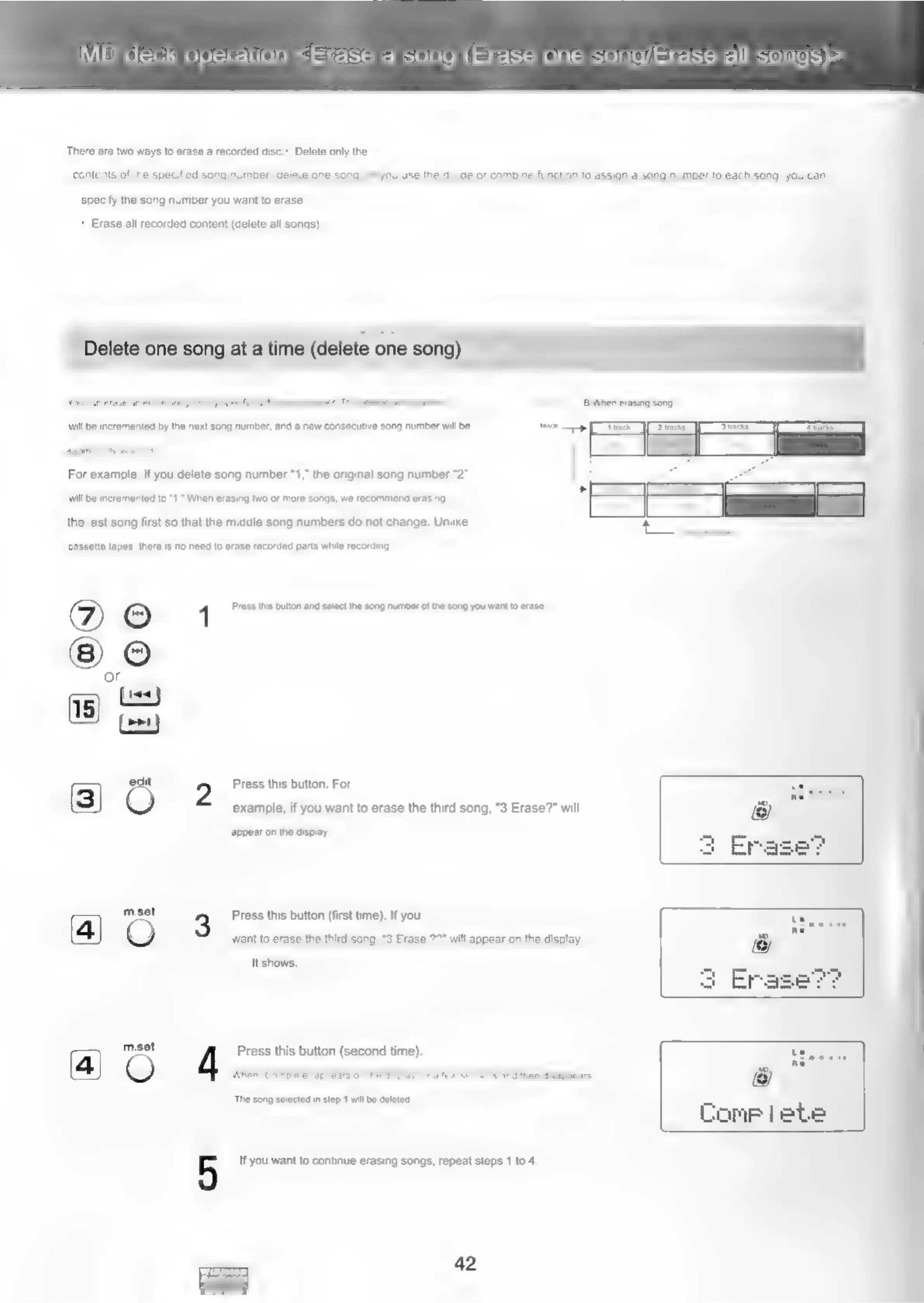
willbe
ineremenied
bythe
next
song
number,
anda
new
consecutive
song
number
wl
be
-
———
For
example,
if
you
delete
song
number
“1,”
the
original
song
number
“2°
Will
be
incremented
to
“1,”
When
erasing
two
or
more
songs,
we
recommend
erasing
the
last
song
first
so
that
the
middle
song
numbers
do
not
change.
Unlike
cassette
tapes,
there
is
no
need
to
erase
recorded
parts
while
recording,
©
4
Press
this
button
and
select
the
song
number
of
the
song
you
want
to
erase.
or
[1
Cy
t
2
Press
this
button.
For
o
&
@Y
edit
QO
example,
if
you
want
to
erase
the
third
song,
"3
Erase?”
will
appear
on
the
display,
mesat
3
Press
this
button
(first
time).
If
you
_
Site
(4)
QO
want
to
erase
the
third
song,
“3
Erase
7?"
will
appear
on
the
display.
It
shows.
1
mset
Press
this
button
(second
time).
d
The
song
selected
in
step
1
will
be
deleted
Dome
|ebe
5
If
you
want
to
continue
erasing
songs,
repeat
steps
1
to
4.
42

Related product manuals