EasyManua.ls Logo

Bosch VIA - Page 45

Bosch VIA
61 pages
Print Icon
To Next Page IconTo Next Page
To Previous Page IconTo Previous Page
Loading...
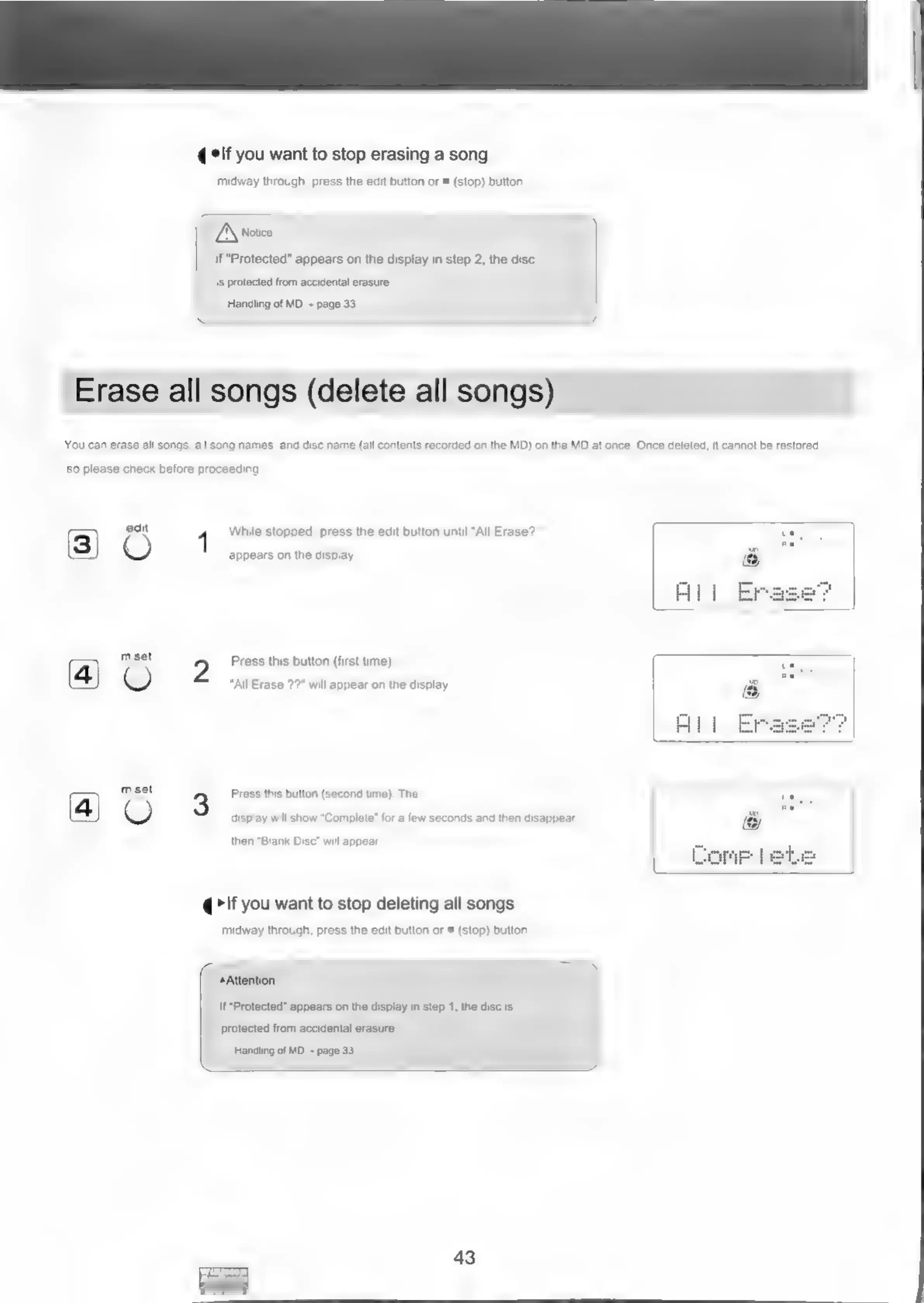
Erase
all
songs
(delete
all
songs)
elf
you
want
to
stop
erasing
a
song
midway
through,
press
the
edit
button
or
=
(stop)
button
TA
noice
If
"Protected"
appears
on
the
display
in
step
2,
the
disc
is
protected
from
accidental
erasure.
Handling
of
MD
~
page
33
You
can
erase
all
songs,
all
song
names,
and
disc
name
(all
contents
recorded
on
the
MD)
on
the
MD
at
once.
Once
deleted,
it
cannot
be
restored,
so
please
check
before
proceeding
Ee)
mset
m.set
appears
on
the
display
5
Press
this
button
(first
time).
“All
Erase
?2"
will
appear
on
the
display.
3
Press
this
button
(second
time).
The
display
will
show
“Complete”
for
a
few
seconds
and
then
disappear,
then
“Blank
Disc”
will
appear.
@
>If
you
want
to
stop
deleting
all
songs
midway
through,
press
the
edit
button
or
®
(stop)
button.
While
stopped,
press
the
edit
button
until
"All
Erase?
Attention
If
Protected"
appears
on
the
display
in
step
1,
the
disc
is
protected
from
accidental
erasure.
Handling
of
MD
+
page
33

Related product manuals