EasyManua.ls Logo

Bosch VIA - Page 51

Bosch VIA
61 pages
Print Icon
To Next Page IconTo Next Page
To Previous Page IconTo Previous Page
Loading...
Enter
letters,
symbols,
and
numbers
}
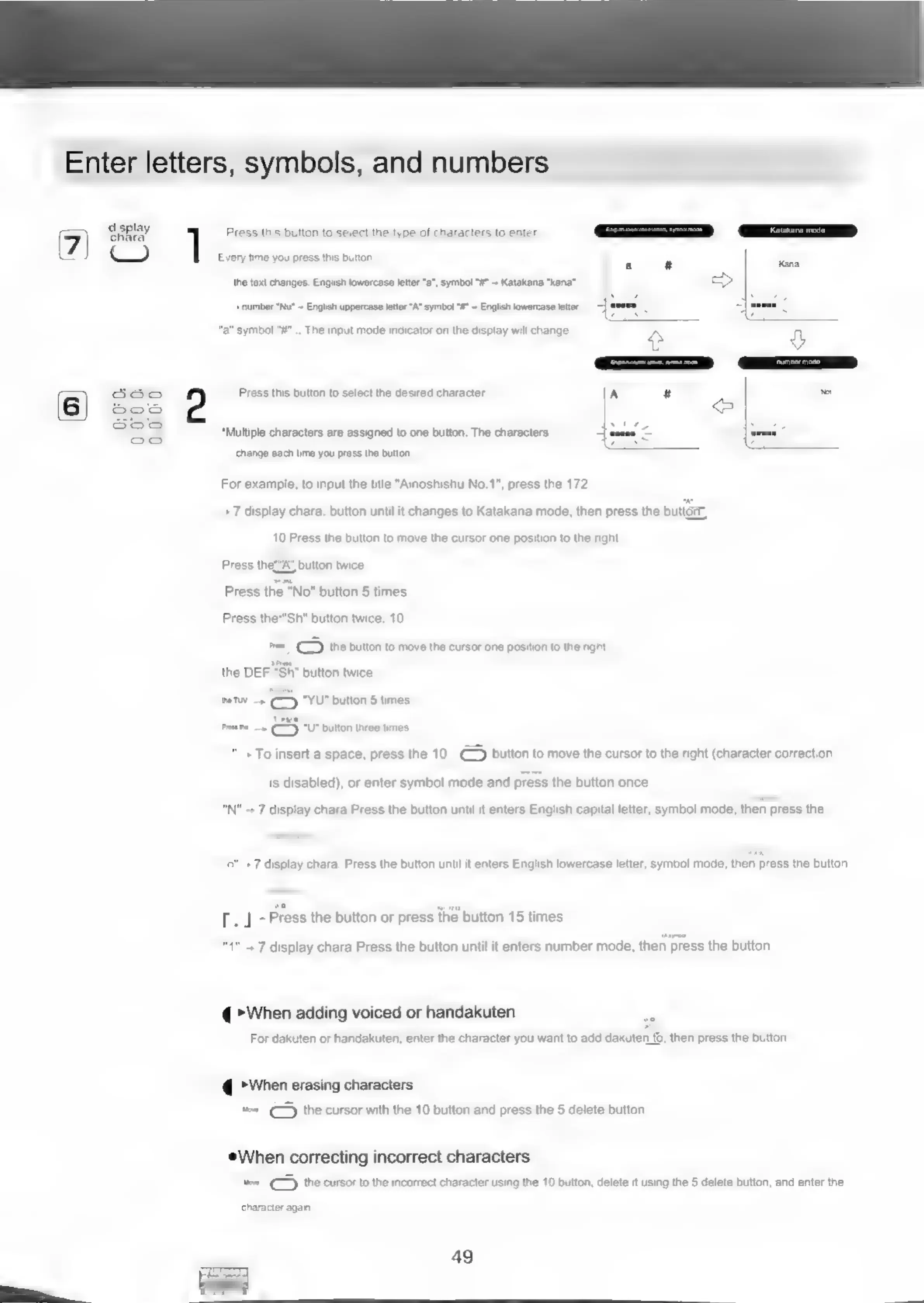
Oisplay
1
Press
this
button
to
select
the
type
of
characters
to
enter.
©)
Every
time
you
press
this
button.
the
text
changes:
English
lowercase
letter
"a",
symbol
"#”
~
Katakana
"kana"
+
number
“Nu*
English
uppercase
letter
“A
symbol
“#*
~
English
lowercase
letter
"a"
symbol
"#"...
The
input
mode
indicator
on
the
display
will
change.
Press
this
button
to
select
the
desired
character.
A
#
*Multiple
characters
are
assigned
to
one
button.
The
characters
tenes
change
each
time
you
press
the
button,
For
example,
to
input
the
title
"Ainoshishu
No.1",
press
the
172
.
7
display
chara.
button
unti
it
changes
to
Katakana
mode,
then
press
the
button,
10
Press
the
button
to
move
the
cursor
one
position
to
the
right.
Press
thet“A’
button
twice.
Press
the
"No"
button
5
times.
Press
the*"Sh"
button
twice.
10
=e
(>)
the
button
to
move
the
cursor
one
position
to
the
right.
the
DEF
“Sh”
button
twice.
eTw
—»
"YU"
button
5
times.
ee
Pomme»
(—
“U*
button
three
times.
+
To
insert
a
space,
press
the
10
€-)
button
to
move
the
cursor
to
the
right
(character
correction
is
disabled),
or
enter
symbol
mode
and
press
the
button
once.
“N"
--
7
display
chara.Press
the
button
until
it
enters
English
capital
letter,
symbol
mode,
then
press
the
+7
display
chara.
Press
the
button
until
it
enters
English
lowercase
letter,
symbol
mode,
then
press
the
button
[.
J--
Press
the
button
or
press
the
button
15
times
..7
display
chara.Press
the
button
until
it
enters
number
mode,
then
press
the
button
@
When
adding
voiced
or
handakuten
For
dakuten
or
handakuten,
enter
the
character
you
want
to
add
dakuten
to,
then
press
the
button
@
When
erasing
characters
twee
()
the
cursor
with
the
10
button
and
press
the
5
delete
button.
When
correcting
incorrect
characters
woe
~()
the
cursor
to
the
incorrect
character
using
the
10
button,
delete
it
using
the
5
delete
button,
and
enter
the
character
again.
49
ae
liti‘i‘éR

Related product manuals