EasyManua.ls Logo

Bosch VIA - Page 54

Bosch VIA
61 pages
Print Icon
To Next Page IconTo Next Page
To Previous Page IconTo Previous Page
Loading...
Continuation
of
microphone
operation
How
to
record
microphone
input
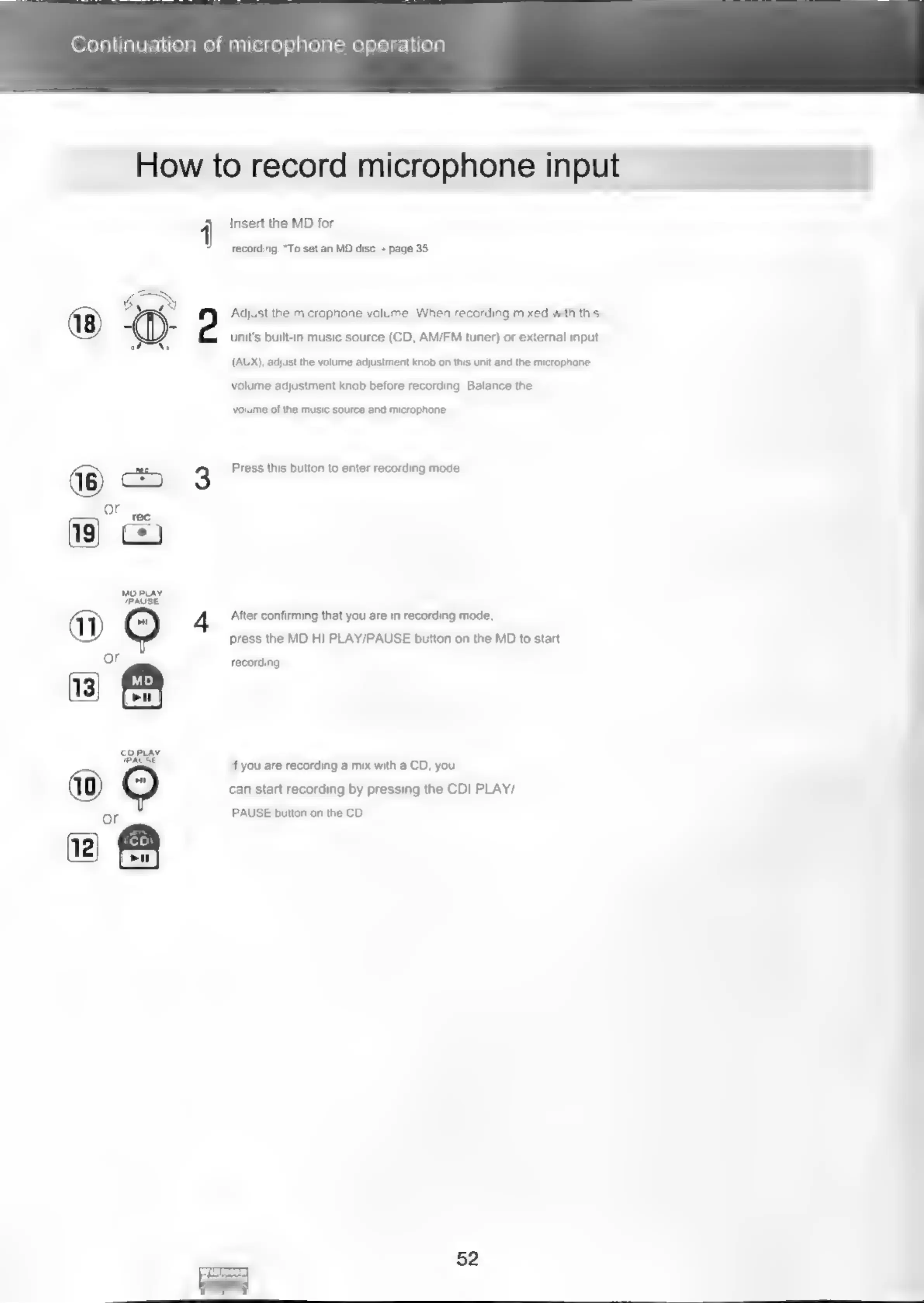
1
Insert
the
MD
for
recording.
*To
set
an
MD
disc
~
page
35
2
Adjust
the
microphone
volume.
When
recording
mixed
with
this
unit's
built-in
music
source
(CD,
AM/FM
tuner)
or
external
input
(AUX), adjust
the
volume
adjustment
knob
on
this
unit
and
the
microphone
volume
adjustment
knob
before
recording.
Balance
the
volume
of
the
music
source
and
microphone.
3
Press
this
button
to
enter
recording
mode.
og
After
confirming
that
you
are
in
recording
mode,
press
the
MD
HI
PLAY/PAUSE
button
on
the
MD
to
start
g
se
=
a
BE
©:
aN
recording
If
you
are
recording
a
mix
with
a
CD,
you
®
8
eo
can
start
recording
by
pressing
the
CDI
PLAY/
PAUSE
button
on
the
CD.
S
cOPLAy
PAUSE
cD
is)

Related product manuals