EasyManua.ls Logo

Bosch VIA - Page 55

Bosch VIA
61 pages
Print Icon
To Next Page IconTo Next Page
To Previous Page IconTo Previous Page
Loading...
Applied
operation
How
to
enjoy
external
input
You
can
connect
ather
audio
devices
to
the
external
input
of
this
unit
and
enjoy
various
advanced
operations
in
combination
with
this
unit.
Attention
-When
connecting,
please
connect
to
the
AUX
(external
input)
terminal,
=
When
connecting
external
devices,
turn
off
all
power
to
this
unit
and
be
sure
to
connect
them
firmly
to
the
AUX
(external
input)
terminal.
+
Depending
on
the
model,
unpleasant
noise
may
occur
when
using
external
input.
In
this
case,
please
do
not
continue
to
use
the
unit
as
it
may
interfere
with
the
sound
effects
of
this
unit
and
cause
trouble.
~)
When
listening
to
TV
audio
By
connecting
a
TV
to
this
unit,
you
can
enjoy
even
more
powerful
sound
from
the
TV.
L\Waotice
The
speakers
of
this
unit
are
not
magnetically
shielded,
so
when
using
them
in
conjunction
with
a
TV,
keep
the
distance
from
the
TV
screen
at
least
50
cm.
a
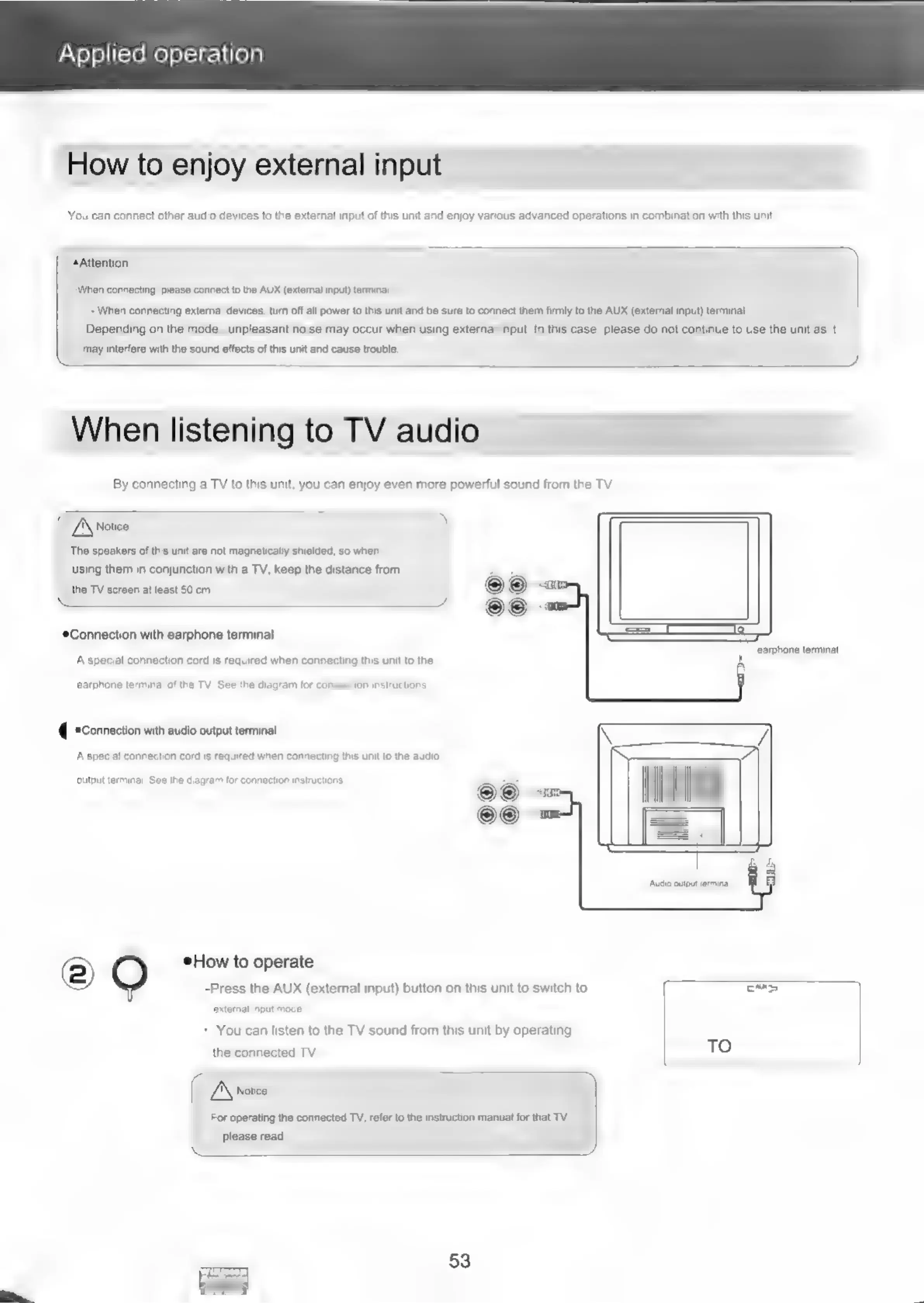
Connection
with
earphone
terminal
———
ae
‘earphone
terminal
A
special
connection
cord
is
required
when
connecting
this unit
to
the
earphone
terminal
of
the
TV.
See
the
diagram
for
con
on
instructions.
*Connection
with
audio
output
terminal
A
special
connection
cord
is
required
when
connecting
this unit
to
the
audio
output
terminal.
See
the
diagram
for
connection
instructions,
Audio
output
terminal
©)
*How
to
operate
-Press
the
AUX
(external
input)
button
on
this
unit
to
switch
to
cmp
extemal
input
mode.
+
You
can
listen
to
the
TV
sound
from
this
unit
by
operating
TO
the
connected
TV.
Airoice
For
operating
the
connected
TV,
refer
to
the
instruction
manual
for
that
TV.
please
read,
53