EasyManua.ls Logo

Bose ControlSpace ESP-88 - User Manual

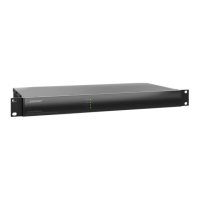
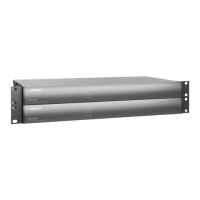
Bose ControlSpace ESP-88
109 pages
Print Icon
To Next Page IconTo Next Page
Loading...
©2009 Bose Corporation
Reference Number 286448-SM Rev. 03
Service Manual
ControlSpace
®
ESP-88
Engineered Sound Processor,
CC-16 and CC-64 Controllers
(US and non-US units)
Electronic Copy Only

Questions and Answers

  • R
    Russell HansenSep 8, 2025
    How to fix distorted sound on Bose Recording Equipment?
    • B
      Bryan JohnsonSep 8, 2025
      If the sound from your Bose Recording Equipment is distorted, check that the audio input and output signal indicators are not solid or flashing red. If they are, reduce the source output level or use the Designer software to reduce the input gain. If the input indicators are green, use the Designer software to reduce the output gain or any intermediary gain in the signal path. If the input source signal is clean and the input and output indicators are green, verify that the loudspeakers are not being overdriven or damaged.
  • J
    Jonathan JacobsSep 9, 2025
    What to do if the sound is low on my Bose Recording Equipment?
    • M
      Mary ChavezSep 10, 2025
      If the sound from your Bose Recording Equipment is too low, check that the audio input indicator is green. If it's off, increase the source output or use the Designer software to increase the input gain. If both the audio input and output indicators are green, ensure there is enough gain on the amplifier.
  • H
    hburgessSep 12, 2025
    How to correct unnatural sound from Bose Recording Equipment?
    • N
      Natasha BeardSep 12, 2025
      To address unnatural sound from your Bose Recording Equipment, verify that the correct EQ and/or crossover is used in the signal path.
  • B
    Brandon BaldwinSep 13, 2025
    Why is the Ethernet LED off on my Bose Recording Equipment?
    • R
      Rachel PittmanSep 13, 2025
      If the Ethernet LED on your Bose Recording Equipment is off, verify that the ESP LAN port is connected to a PC with a crossover cable. Also, check that the Ethernet LAN connection on the PC is enabled. If connected to a hub or switch, check that device's Link LED and verify that the ESP and PC are connected with straight-through cables to the hub or switch.
  • B
    bridgesjeffreySep 15, 2025
    Why is the Status LED off on my Bose Recording Equipment?
    • F
      fleminggregorySep 15, 2025
      If the status LED is off on your Bose Recording Equipment, the power might be off, or the netlist might not be loaded. Use ControlSpace Designer software to load a netlist/configuration.
  • K
    Kelli GrossSep 17, 2025
    How to troubleshoot no power on Bose Recording Equipment?
    • D
      Diana WrightSep 18, 2025
      To resolve a 'no power' issue with your Bose Recording Equipment, turn the power on and ensure the power cord is properly plugged in.

Bose ControlSpace ESP-88 Specifications

General IconGeneral
BrandBose
ModelControlSpace ESP-88
CategoryRecording Equipment
LanguageEnglish

Related product manuals