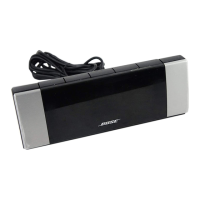
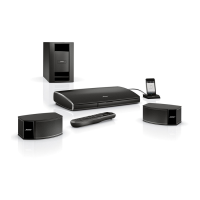
The IF3 (infrared) emitter cable is designed for optional use with system components that are
connected to the media center, but placed where they cannot receive IR signals from it. This
can resolve the problem when a ~a~icular component does not respond to LIFE
remote control commands.
By plugging an emitter into the media center and placing it near the component, you can
make sure that the ~1~~~~~~~ remote control signals reach that component.
1. Insert the 3.5 mm plug info the IR EMI
ER jack on the rear of the media center
(Figure 27).
Optional IR emitter cable
connection to the media
ten ter
front of the component.
ceiver window on the
There is a procedure you must follow to program the LIFESTYLE@ remote so that it
wifh your other components, Refer to the LIFESTYLE@ Operating Guide for details on
how to do that.
3. Confirm that IW signals now work to control that corn~on~n~” Move the emitter around, as
necessary, to find the best position.
4. Use the double-sided tape enclosed with the emitter to affix i,t in the proper position.
.” If you have questions, or need to obtain a replacement emitter, contact BosB cus-
omer service. Refer to the Bose address list included with your system.
For infarma~ion on speaker mounting brackets and stands, additional remote controls, and
connecting additional Bose powered loudspeakers, contact your Bose dealer or call Bose
customer service.
Your ~I~~~T~~E~ home en~~~ai~rnen~ system is covered by a transferable limited warranty.
See your warranty card for details. Please be sure to fill out the information section on the
card and mail it to Bose.
t
For additional help in solving problems, contact Bose customer service.
ee the address and
phone number list provided with your system.
28
Connecting
the
optionallR
emitter
cable
The
IR
(infrared) emitter cable is designed for optional use with system components that are
connected
to
the media center, but placed where they cannot receive
IR
signals from it. This
can resolve the problem when a particular component does not respond
to
LIFESTYLE'"
remote control commands.
By plugging
an
emitter into the media center and placing it near the component, you can
make sure that the
L1FESTYLE®
remote control signals reach that component.
To use
the
emitter:
1.
Insert the 3.5 mm plug into the
IR
EMITTER jack on the rear
of
the media center
(Figure
27).
Figure:!'!
OptionallR emitter cable
connection to the media
center
2.
Place the flat side at the other end of the cable against the
IR
receiver window on the
front of the component.
Note:
There
is
a procedure you must follow
to
program the LIFESTYLe' remote so that it
works with your other components. Refer
to
the LIFESTYLe' Operating Guide for details on
how
to
do that.
3.
Confirm that
IR
signals now work
to
control that component. Move the emitter around, as
necessary,
to
find the best position.
4.
Use the double-sided tape enclosed with the emitter
to
affix it
in
the proper position.
)
Note:
If
you have questions,
or
need
to
obtain a replacement emitter, contact
BosffY
cus-
tomer service. Refer
to
the Bose address list included with your system.
Accessories
For information on speaker mounting brackets and stands, additional remote controls, and
connecting additional Bose powered loudspeakers, contact your Bose dealer or call Bose
customer service.
Warranty
Your
L1FESTYLE®
home entertainment system is covered by a transferable limited warranty.
See your warranty card for details. Please be sure to fill out the information section on the
card and mail it
to
Bose.
Contacting
customer
service
For additional help
in
solving problems, contact Bose customer service. See the address and
phone number list provided with your system.
28


 To Next Page
 Loading...