g032938
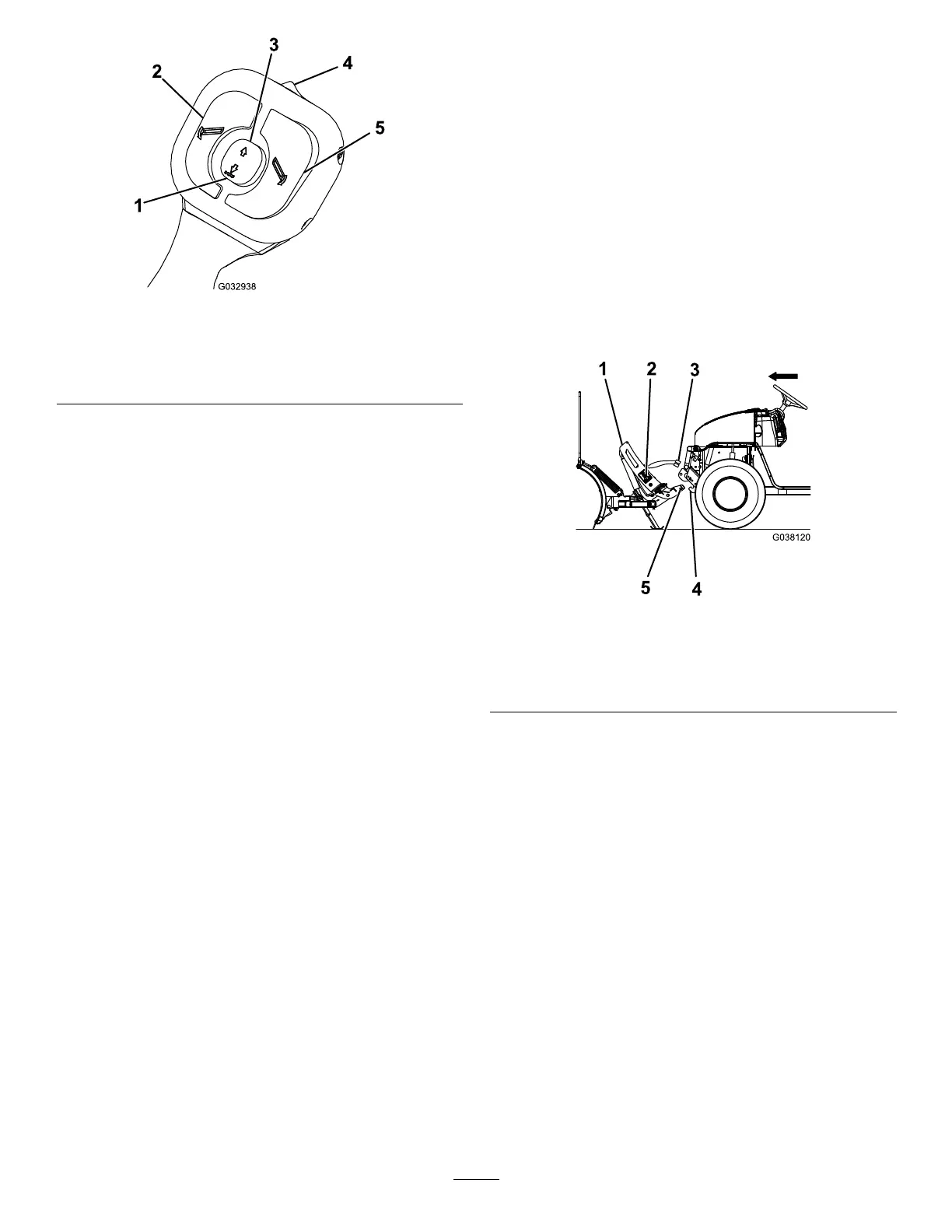
Figure17
1.Lower/Floatbutton4.On/Offswitch
2.Leftbutton
5.Rightbutton
3.Raisebutton
•On/Offswitch—turnstheplowcontrolleronandoff.
Agreenlightilluminateswhenthecontrollerison.
Note:Turnoffthecontrollerwhennotinuseto
preventaccidentalactivationoftheplow.
•Raisebutton—raisestheplowblade.Pressingthe
buttonquicklytwiceautomaticallyraisestheblade.
•Lower/Floatbutton—lowerstheplowbladeand
activatestheFloatfeature.Pressingthebutton
quicklytwiceautomaticallylowersthebladeand
activatestheFloatfeature,allowingtheplowblade
tofollowthecontouroftheground.Aredlight
illuminateswhentheFloatfeatureisactive.
•Leftbutton—anglestheplowbladetotheleft
•Rightbutton—anglestheplowbladetotheright
•Sleepmode—Ifyoudonotusethecontrollerfor
20minutes,itenterssleepmodeandthecontroller
lightsashgreenandred.Turnthecontrolleroff
todeactivatethesleepmode.
Operation
Determinetheleftandrightsidesofthemachinefrom
thenormaloperatingposition.
MountingtheSnowplow
Note:Thevehiclemustberunningbeforestarting
thisprocedure.
1.ActivatetheFLOATfeatureonyourplow
controller.
2.Lineupthevehiclewiththesnowplowand
driveforwarduntilthelowerpincontactsthe
push-beampinreceiver(Figure18).
g038120
Figure18
1.Couplertower
4.Pinreceiver
2.SmartHitch2switch
5.Lowerpin
3.Plowwireharness
3.TurntheleversonthecouplerstotheON
position(Figure19).
13



 To Next Page