Various Settings
12
Setting the Footswitch Functions (CTL 1 FUNCTION, CTL 2 FUNCTION)
Here’s how to configure the functions of the footswitch connected to the CTL 1, 2/EXP jack (FS-5U, FS-6, FS-7; sold separately).
1.
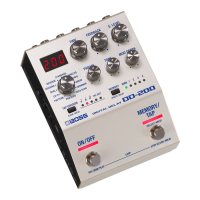
Press and hold down the [TAP] switch, and turn on the power.
2.
Set the Mode knob to “CLASSIC” if you wish to set the CTL 1 function, or to “VINTAGE” if you wish to set
the CTL 2 function.
3.
Use the [MEMORY] button to select the function to set.
Select the previous memory.
Press the footswitch at the tempo of the song you’re playing to specify a matching delay time.
4.
Press the [TAP] switch to exit the function settings.


 To Next Page