Panel Descriptions
5
Rear Panel
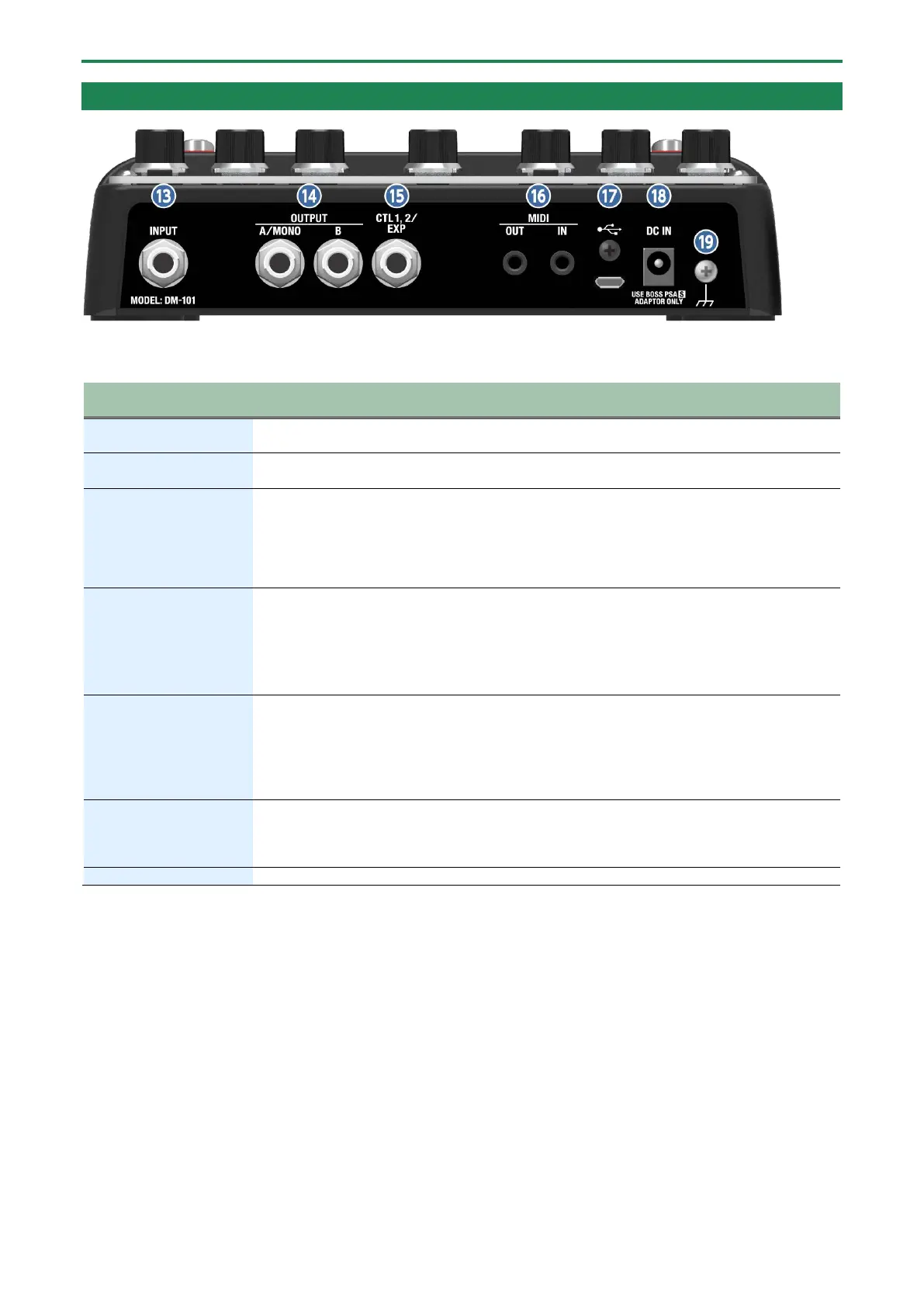
Connect your electric guitar, keyboard, or other musical instruments and effect units to this input
jack.
Connect your guitar amp, keyboard amp, other effect units or your mixer here.
For mono output, connect to the A/MONO jack.
Using the jack as CTL 1, 2
You can connect a footswitch (FS-5U, FS-6, FS-7; sold separately) to switch MEMORY UP/DOWN and so on.
● Using the jack as EXP
Connect an expression pedal (EV-30, Roland EV-5, etc.; sold separately) to continuously change the effect
settings for the expression pedal’s pushed-up (horizontal) position and for the pushed-down (slanted)
connectors
Use TRS/MIDI connecting cables (BMIDI-5-35, BMIDI-1-35, BCC-1-3535; sold separately) to connect
this unit to an external MIDI device.
You can use an external MIDI device to switch between up to 128 memories on this unit.
* Do not use these connectors for connecting to audio devices. Doing so may cause a
malfunction.
Connect your computer using a commercially available USB cable that supports USB 2.0.
* Do not use a micro USB cable that is designed only for charging a device. Charge-only cables
cannot transmit data.
* Used only for updating programs.
Connect the AC adaptor to this jack.
Use only the specified AC adaptor (PSA-series), connected to a 100 V AC power source.
When you connect the included AC adaptor to the DC IN jack, the unit turns on.
1.4. Turning the Power On/Off(P.7)
Connect this to an external earth or ground. This should be connected when necessary.
* To prevent malfunction and equipment failure, always turn down the volume, and turn off all the units before making any
connections.


 To Next Page