Panel Descriptions
3
Panel Descriptions
Top Panel
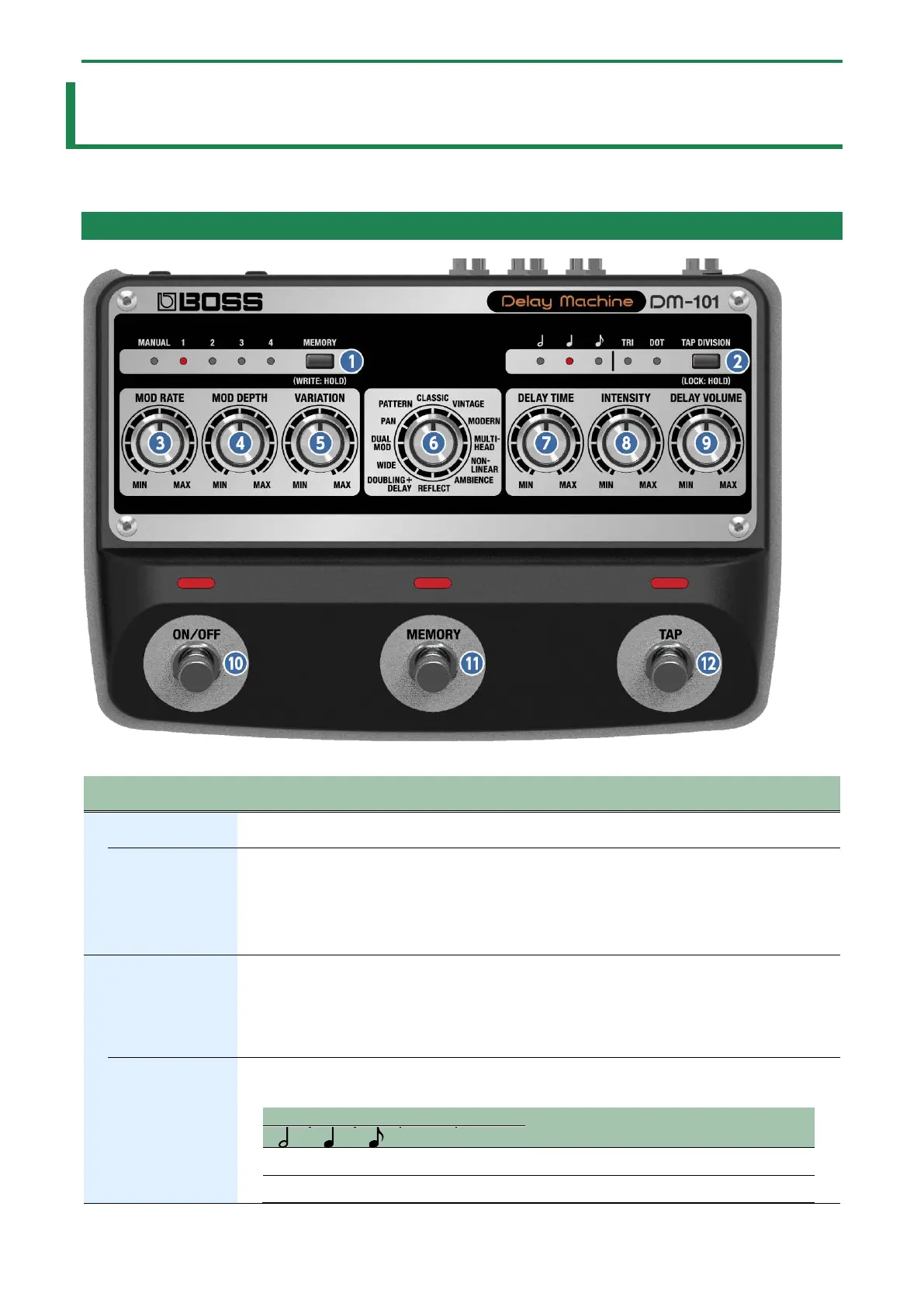
Switches between or saves memories (MANUAL, 1–4).
indicators
Indicates the currently selected memory.
When MIDI is used to select memories 5–127, all indicators go dark.
* If you turn the [VARIATION] knob while the mode is MULTI-HEAD, MEMORY indicators 1–4
indicate the head pattern you selected. The indicators return to the normal memory display after
a little while.
button
Specifies the delay time in terms of a note length relative to the BPM.
Preventing accidental operation (panel lock)
By long-pressing the [TAP DIVISION] button, you can switch between enabling (unlocking) or
disabling (locking) the knobs and buttons.
If you try to operate the knobs and buttons while they’re locked, the TAP DIVISION indicator blinks.
indicator
This indicates the delay time as a note value; the interval at which you press the pedal is considered as
a quarter note (100%).
Explanation


 To Next Page