83
Note: Your machine may not match the images provided exactly.
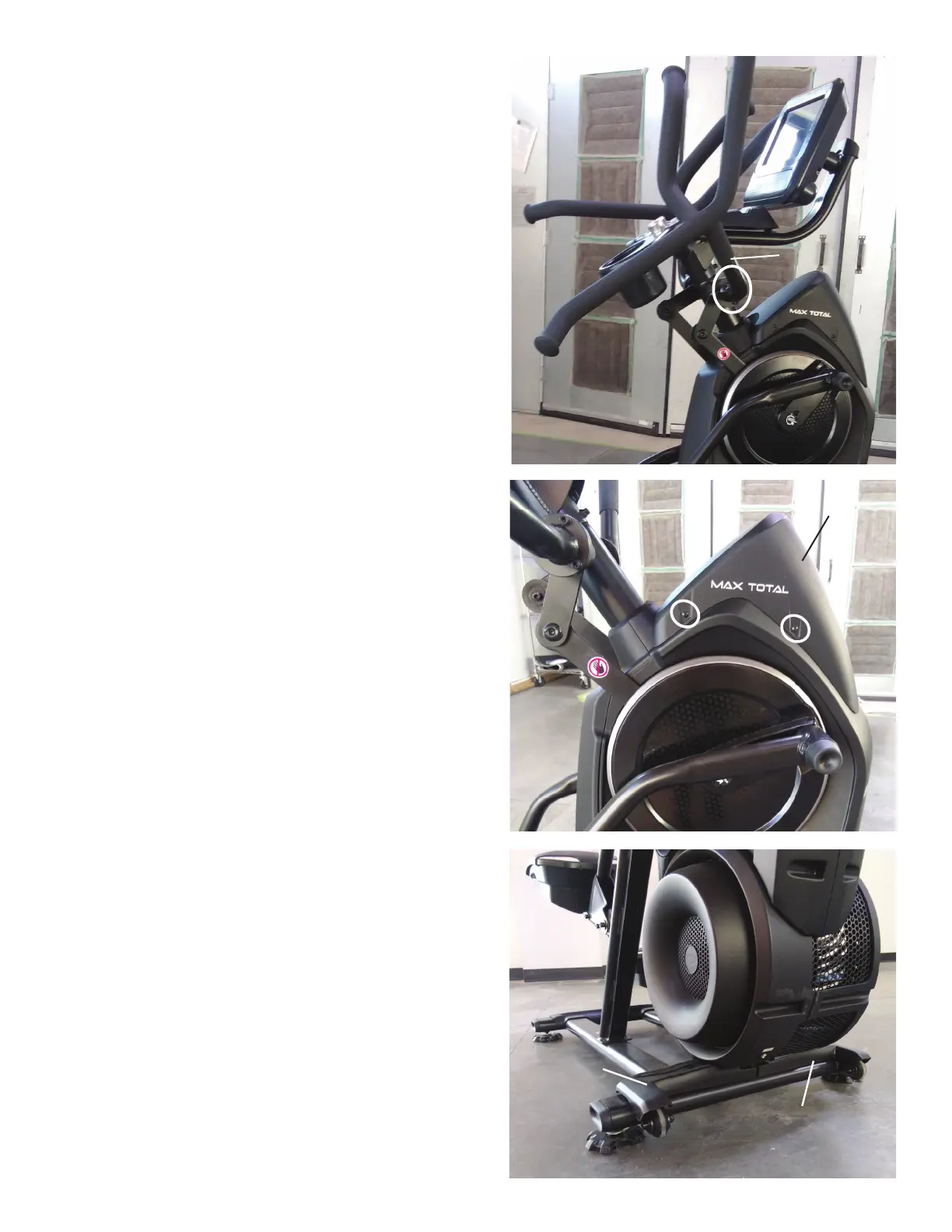
1. Unplug the AC Adapter from the wall outlet and machine.
2. Using a 6mm hex wrench, remove the indicated hardware from the
Right Upper Handlebar and place it out of the work area.
Note: Be aware that the Right Upper Handlebar must be supported when
removing the hardware.
3.Usinga#2Phillipsscrewdriver,removethe4screws(2indicatedon
one side) from the Upper Shroud and remove it.
4.RemovetheRightandLeftStabilizerShroudsfromthemachine(if
equipped).
Right Stabilizer
Shroud
Left Stabilizer
Shroud
Upper Shroud
Right Upper
Handlebar












 To Next Page