Assembly / Owner’s Manual
18
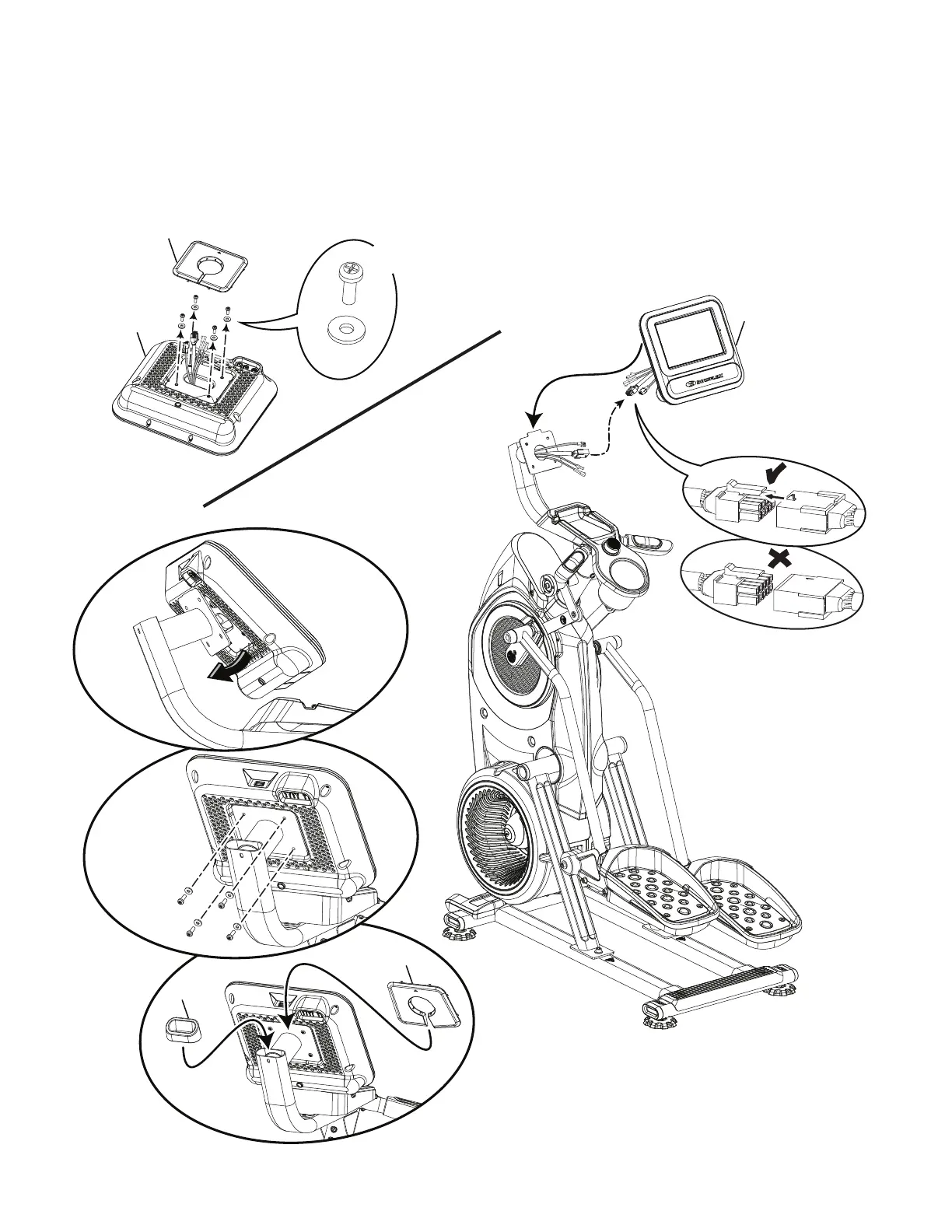
10. Remove the Rear Console Cover and Hardware from the Console Assembly. Connect the Cables and
Place the Console onto the Static Handlebar. With the Excess of the Cables Pushed into the Static Han-
dlebar, Pivot the Console Assembly Downward and Secure It to the Static Handlebars
NOTICE: Do not cut or crimp the Cables. Each Cable connector (3-pin, 4-pin, 5-pin and 12-pin) has a corresponding end connector with that
many openings. Be sure to fully connect the cable connectors. * Hardware is not supplied on the Hardware Card.
6
*
*
7
X4
6



 To Next Page