Assembly / Owner’s Manual
39
Workout Programs
ThestandardWorkoutProgramsareorganizedintotwodifferentstylesofWorkouts:TargetCoachingWorkoutsandBenetModeWorkouts.Both
types of Workouts are accessed from the WORKOUTS tab.
TARGET COACHING WORKOUTS (Max Interval)
TargetCoachingWorkoutssuggestaBurnRateTargetfortheUserwiththeBurnRateTargetRange.TheBurnRateTargetisbasedfromtheprole
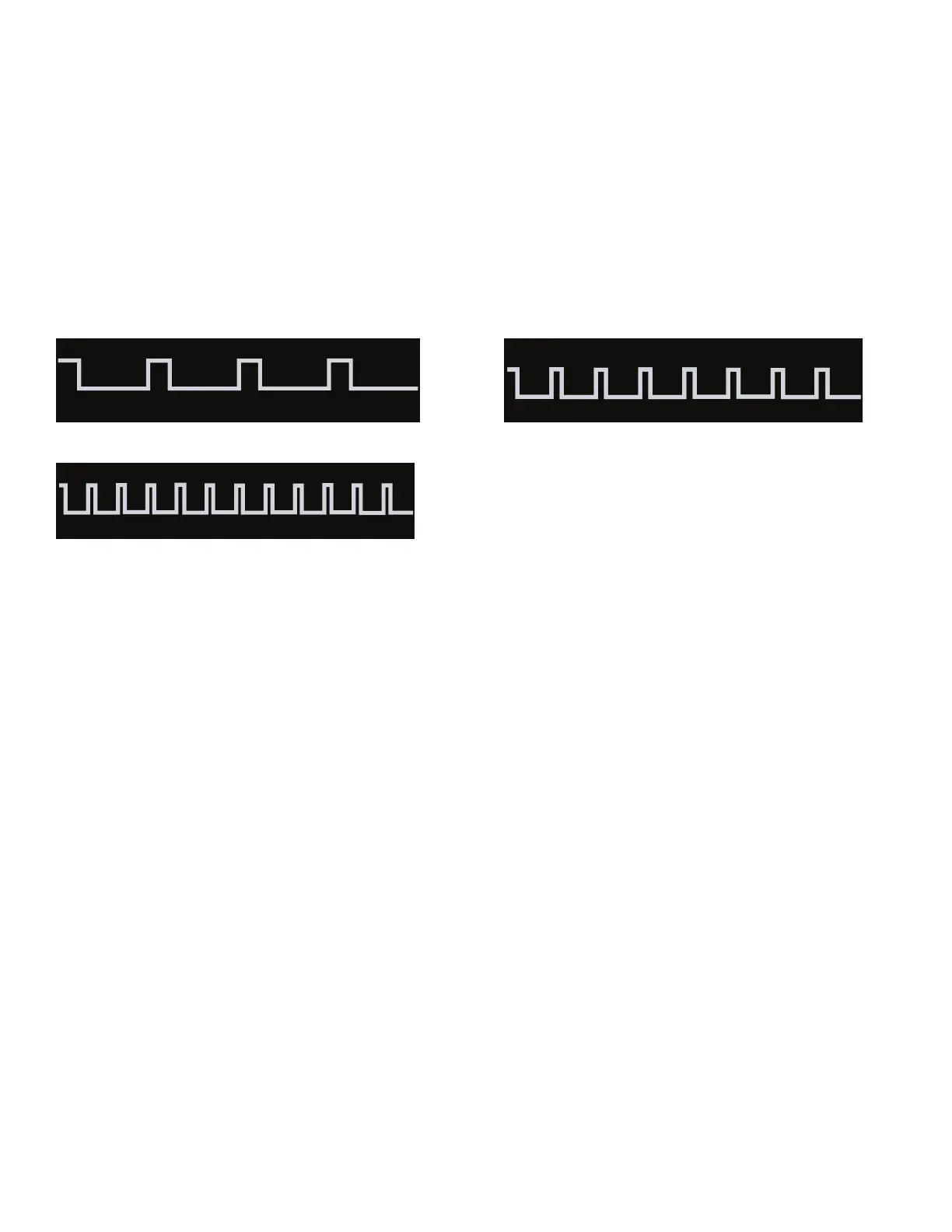
of the Workout Program. The higher the column, the more intense the Burn Rate Target segment.
TheMaxIntervalProgramsareworkoutsthatalternatefromintenseburstsofoutput(“SPRINT”),toaslowerpaced,‘catchyourbreath’timeperiod
(“RECOVER”),bothofwhicharerepeatedoverthenumberofintervals.TheWorkoutProledisplayshowstheBurnRateTargetfortheInterval
program. For additional details, reference the "MAX 14 INTERVAL Program" section of the manual.
Max 7 Interval (4 Intervals) Max 14 Interval (8 Intervals)
Max 21 Minute Interval (12 Intervals)
TostartaMaxIntervalWorkoutProgram:
1. Stand on the machine.
2. ConrmthatyourUserProleisselected.Changeifnecessary.
Note: Duringtheworkout,theConsolewillshowtheTargetRangebasedontheselectedUserProlesettings.
3. FromtheWORKOUTStab,selectaMaxIntervalworkout.
4. The workout will begin with an audible countdown as the Burn Rate display needle sweeps across the display and then settles on the current
Burn Rate. The Target Burn Rate range will also activate and sweep up to the recommended Burn Rate.
TherstIntervalsegmentisa“SPRINT”segmentthatlastsforashorterperiodoftime.SafelypushyourselftogettheBurnRatedisplayinto
the Burn Rate Target (red segments) and keep it in the range until the time reaches 00:00.
Note: The Burn Rate Target Range is provided only as a suggested target. The Range provides a lesser target, and allows a User to progress
tothehighersegmentsintherangeastheirtnesslevelincreases.
Duringthelast3secondsofthe“SPRINT”segment,theConsolewillbeginanaudiblecountdown.
5. Asthetimereaches“00:00”,theConsolewillmakethethirdaudibleconrmationandthenextsegmentoftheworkout,the“RECOVER”seg-
ment, will begin.
The Burn Rate Target will shift from red to green and sweep to a reduced Burn Rate. During the RECOVER segment, continue to work out but
at a lower Intensity.
Duringthelast3secondsofthe“RECOVER”segment,theConsolewillbeginanaudiblecountdown.
6. Asthetimereaches“00:00”,theConsolewillmakeanaudibleconrmationandshifttothenext“SPRINT”segment.Thisisthecompletionof
therstInterval.
Theshiftfrom“SPRINT”to“RECOVER”segmentswillrepeatforthetotalnumberofintervalsfortheworkout.
7. Whenthelast“RECOVER”segmentiscompleted,theConsolewilldisplay”WORKOUTCOMPLETE”,andthenshowtheworkoutresults.The
Consolewilldisplaythetimeforeach“SPRINT”segment,alongwithTOTALTIME.Ifthereisnoinputfor5minutes,theConsolewillautomati-
cally go into Sleep Mode.


 To Next Page