Assembly / Owner’s Manual
40
BENEFIT MODE WORKOUTS
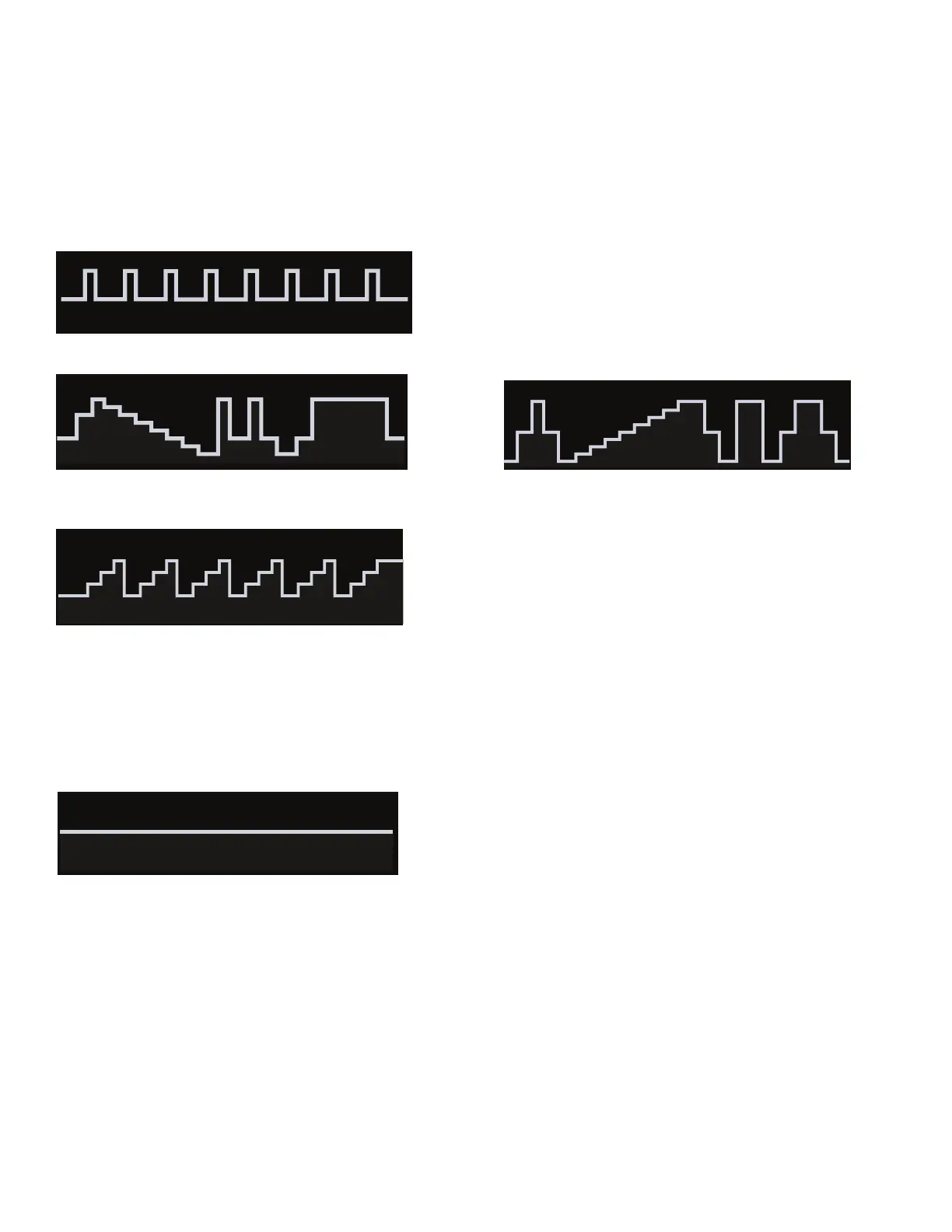
BenetModeWorkoutsshowthecourseproleoftheprograminResistanceLevels.Eachcolumnintheproleshowsoneworkoutsegment.The
higherthecolumn,thehighertheresistancelevel.DuringaBenetModeworkout,theBenetZonedisplaysuggestsaBurnRateTargetrangeto
optimize the program.
TheConsolewilladjusttheResistanceLeveltofollowtheWorkoutProleDisplay.
Note:IftheResistanceLevelisadjustedduringaworkout,theproleoftheWorkoutProgramwillchange.
Upper Body Interval
Fat Burn (6segments) Calorie Burn (6segments)
(usethe"FatBurn"BenetZone) (usethe"FatBurn"BenetZone)
Stairs (6segments)
(usethe"Performance"BenetZone)
Manual (usethe"Endurance"BenetZone)
TheManualworkoutprogramisanopen-endedworkoutthattracksthetotalworkouttime.DuringaManualworkout,theWorkoutProleDisplay
shows the Resistance Level.
Note: Because of the open-ended design of the Manual workout, the Add Time button is disabled.
TostartaBenetModeWorkoutProgram:
1. Stand on the machine.
2. From the WORKOUTS tab, push the desired Workout Program button.
3. Adjust the Goal Value of the Workout Program, if necessary.
4. Tap the START button to begin the selected Workout Program.
TheConsoledisplayswhereyouareontheWorkoutProlewiththeActiveSegment.Asyouworkout,theConsoleupdatestheWorkoutProleto
showtheBurnRate(CAL/MIN)thatyouperformed.Attheendoftheworkout,theConsolewillshowtheoriginalWorkoutProlewithyourBurnRate
proletogethersoyoucancompareyourperformance.


 To Next Page