Setting Up
9
Setting Up
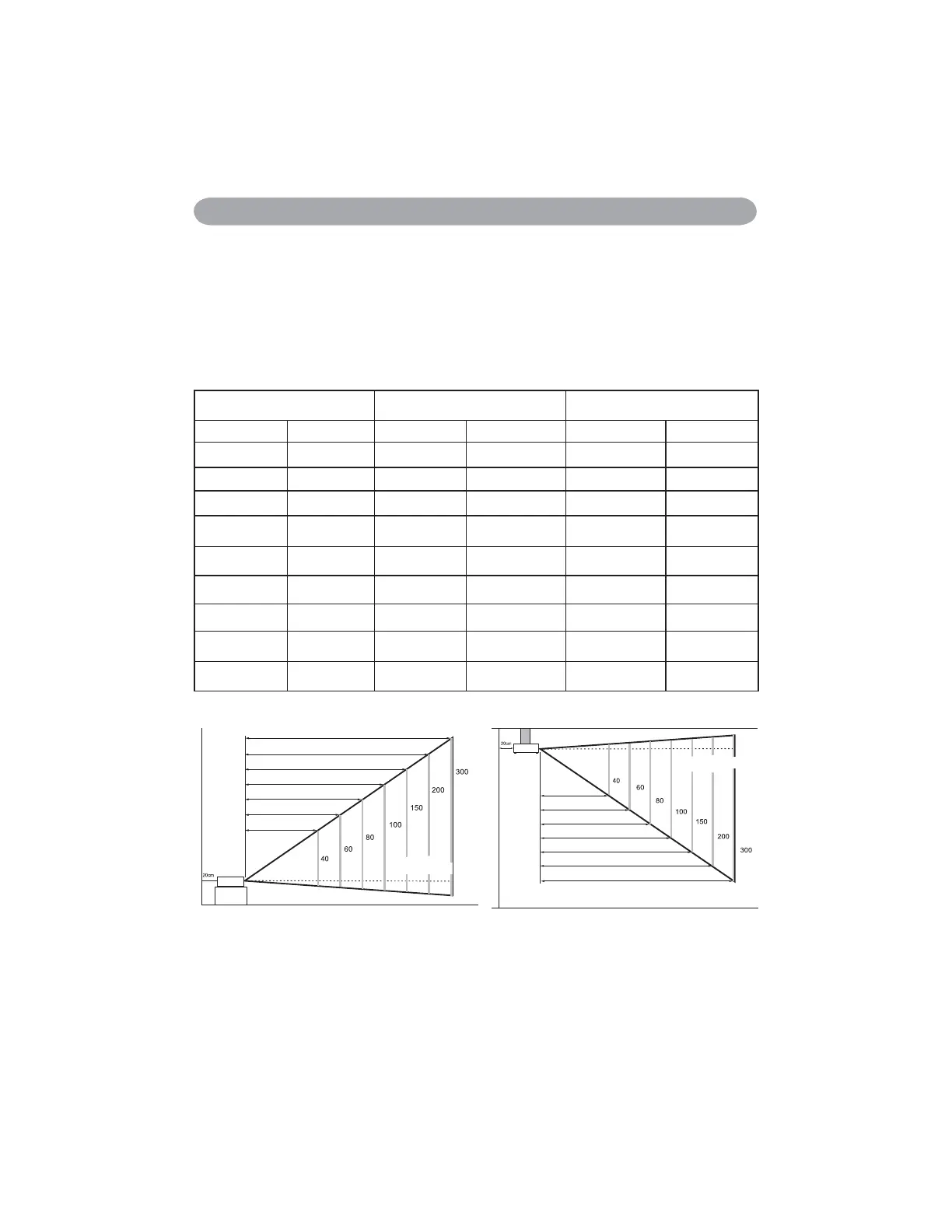
When in against at wall, leave about 20cm (7.9in.) Between thw projector and the wall.
8.74~10.52
5.80~7.00
4.33~5.24
2.87~3.48
2.28~2.77
1.69~2.07
1.10~1.36
Distance(M)
Image size(inch)
8.74~10.52
5.80~7.00
4.33~5.24
2.87~3.48
2.28~2.77
1.69~2.07
1.10~1.36
Image size(inch)
Distance(M)
Arrangement
1. Before installation, make sure that the projector is turned off and the power cord is disconnected.
2. Do not set up and move the projector, while it is hot.
3. The distance between the projector and screen determines the actual image size. Refer to the table
below to determine the screen size at a given distance.
Note: The dimensions in the table below are approximate.
Screen size (diagonal) Distance (m) Distance (feet)
inch m Tele Wide Tele Wide
40 1.0 1.36 1.10 4.47 3.62
60 1.5 2.07 1.69 6.78 5.54
70 1.8 2.42 1.98 7.93 6.51
80 2.0 2.77 2.28 9.09 7.47
100 2.5 3.48 2.87 11.40 9.40
150 3.8 5.24 4.33 17.18 14.21
200 5.1 7.00 5.80 22.96 19.03
250 6.4 8.76 7.27 28.74 23.84
300 7.6 10.52 8.74 34.52 28.66


 To Next Page