MENU
30
MENU
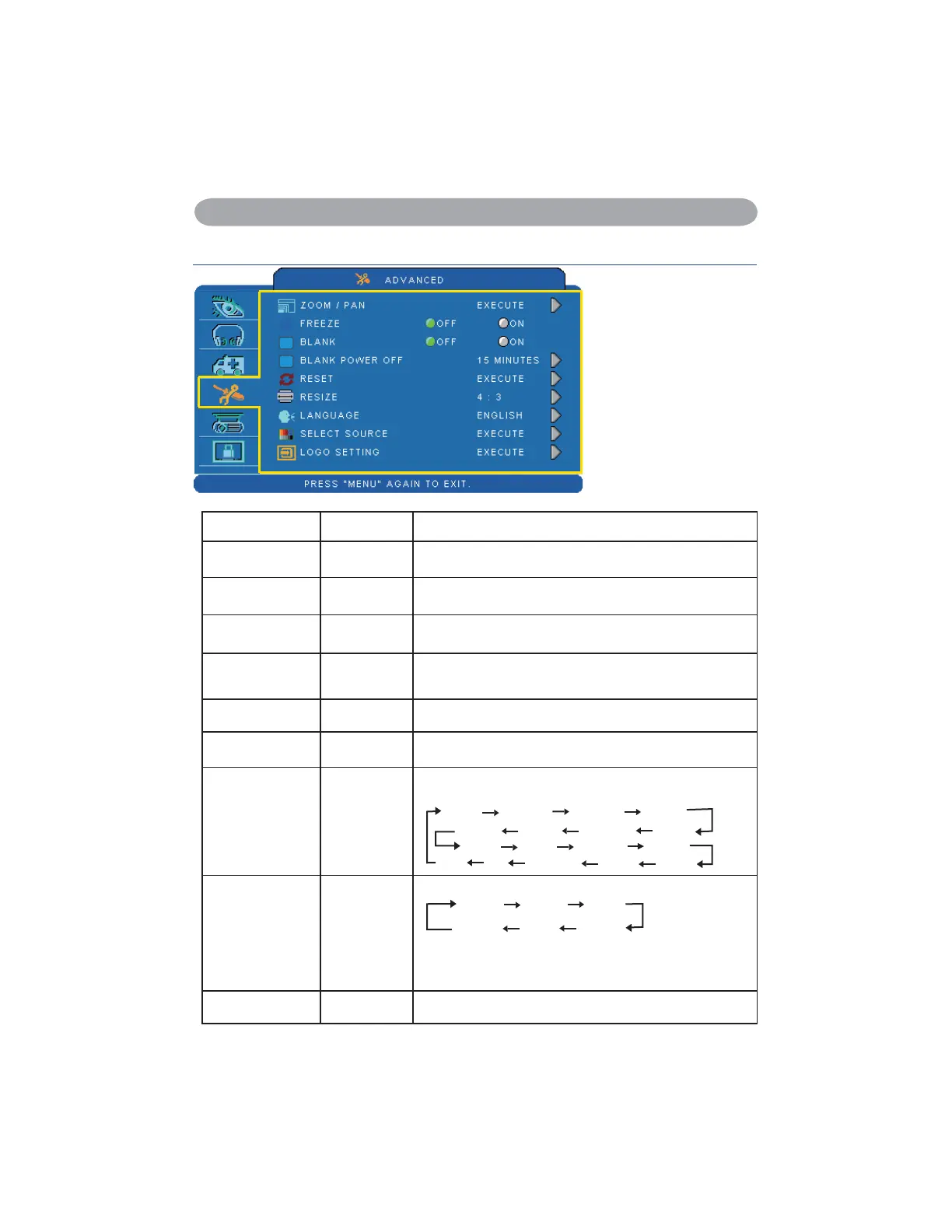
Advanced Menu
Step:
8VHWKHŸźEXWWRQV
to select an item.
8VHWKHŻŹEXWWRQV
to select an item or
adjust the value.
Item Selection Description
ZOOM / PAN EXECUTE Execute digital zoom and pan function.
FREEZE OFF/ON Freeze the current image on the screen.
BLANK OFF/ON Hide the image, display a black screen.
BLANK POWER
OFF
15/30/60
Minute
Set power off time after blank.
RESET EXECUTE Reset all menu function to their factory default values.
RESIZE
PC Mode : 4:3,16:9, 1:1(Native)
Video Mode : 4:3,16:9
LANGUAGE ENGLISH
Select the language that the menu and on screen massage
is display in
English
ᓄវ
ㅔԧЁ᭛
ᣣᧄ⺆
䚐ạ㛨
Nederlands
FrançaisDeutsch
Italiano
Suomi
Polski
Português
Ɋɭɫɫɤɢɣ
Español
Svenska
ɍɤɪɚʀɧɫɶɤɚ
ѳъѕ
SELECT SOURCE EXECUTE
Select the input source from:
RGB 1 RGB 2
S-Video
Video
DVI-I
Y,Pb,Pr
The search is started from the current port. Then when
an input is found, the projector will stop searching and
display the image.
LOGO SETTING EXECUTE Customize the start-up logo.


 To Next Page