31
MENU
Advanced Menu
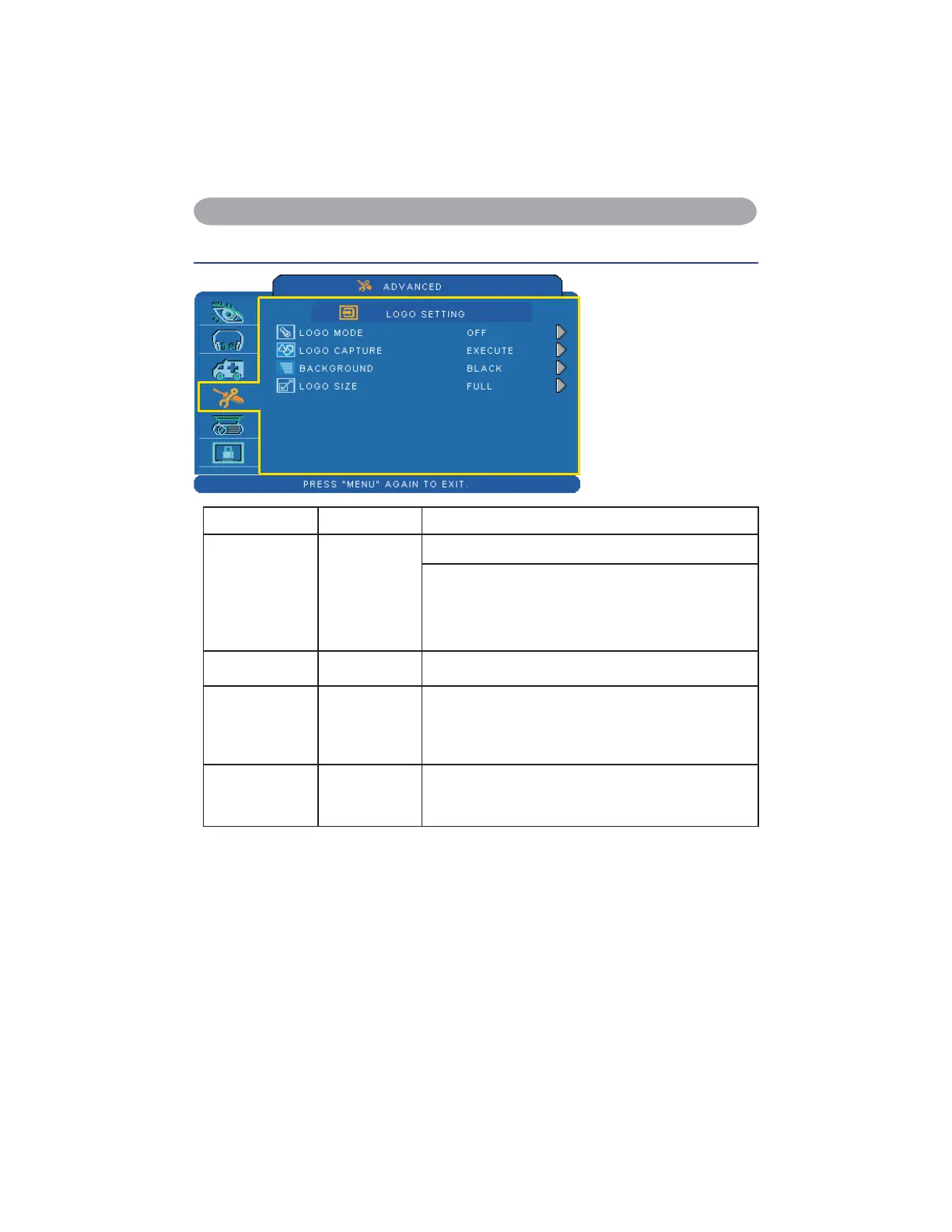
LOGO SETTING
This function allows you
to customize the start-up
logo.
IMPORTANT:
To execute the logo
function, you must enter
WKH3,1FRGH¿UVW
Item Selection Description
LOGO MODE
DEFAULT
USER
OFF
6HOHFW0RGHŹFXUVRUEXWWRQ
The factory logo.
The image you captured.
The blank image. You can select color with background
function.
LOGO
CAPTURE
EXECUTE Start to capture the image.(PC mode only)
BACKGROUND
BLACK
BLUE
WHITE
Set background color.
LOGO SIZE
ORIGINAL
FULL
Display the captured image in original size and put in the
center of the screen.
Expend the image to full screen.


 To Next Page