MENU (PC Mode)
24
MENU (PC Mode)
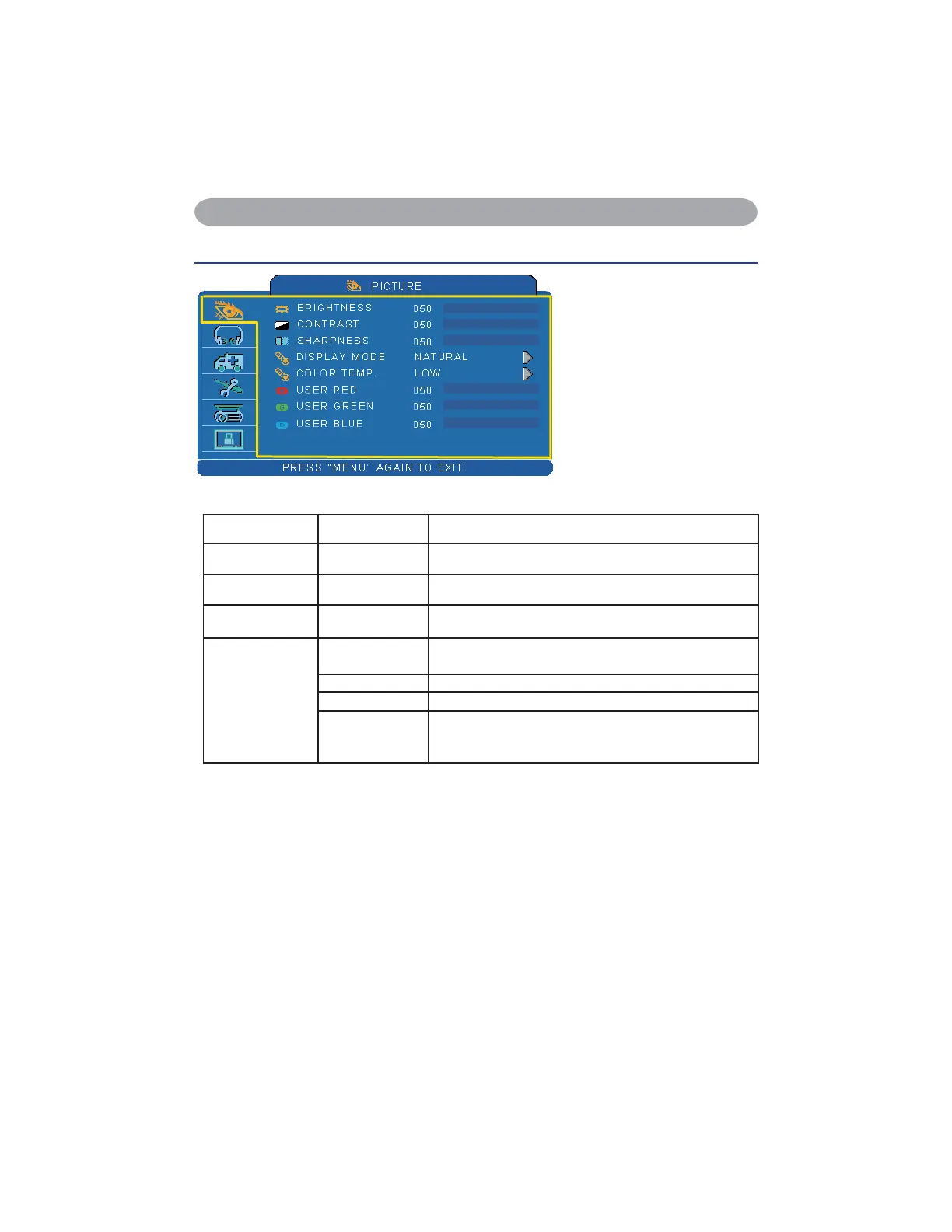
Picture Menu
Step:
8VHWKHŸźEXWWRQVWR
select an item.
8VHWKHŻŹFXUVRU
buttons to select an item or
adjust the value.
Item Selection Description
BRIGHTNESS 000/100 Adjust the image brightness level.
CONTRAST 000/100 Adjust the image contrast level.
SHARPNESS 000/004 Adjusts the image sharpness.
DISPLAY MODE
NATURAL Nature color
CINEMA Enhance contrast mode for Cinema mode
DAYLIGHT It to be suitable to the environment has strong light.
GREEN BOARD
WHITE BOARD
BLACK BOARD
Adjust the color settings and makes the projected image
on a (green,white, black) board more visible.


 To Next Page