51
Control Panel Window Introduction
n
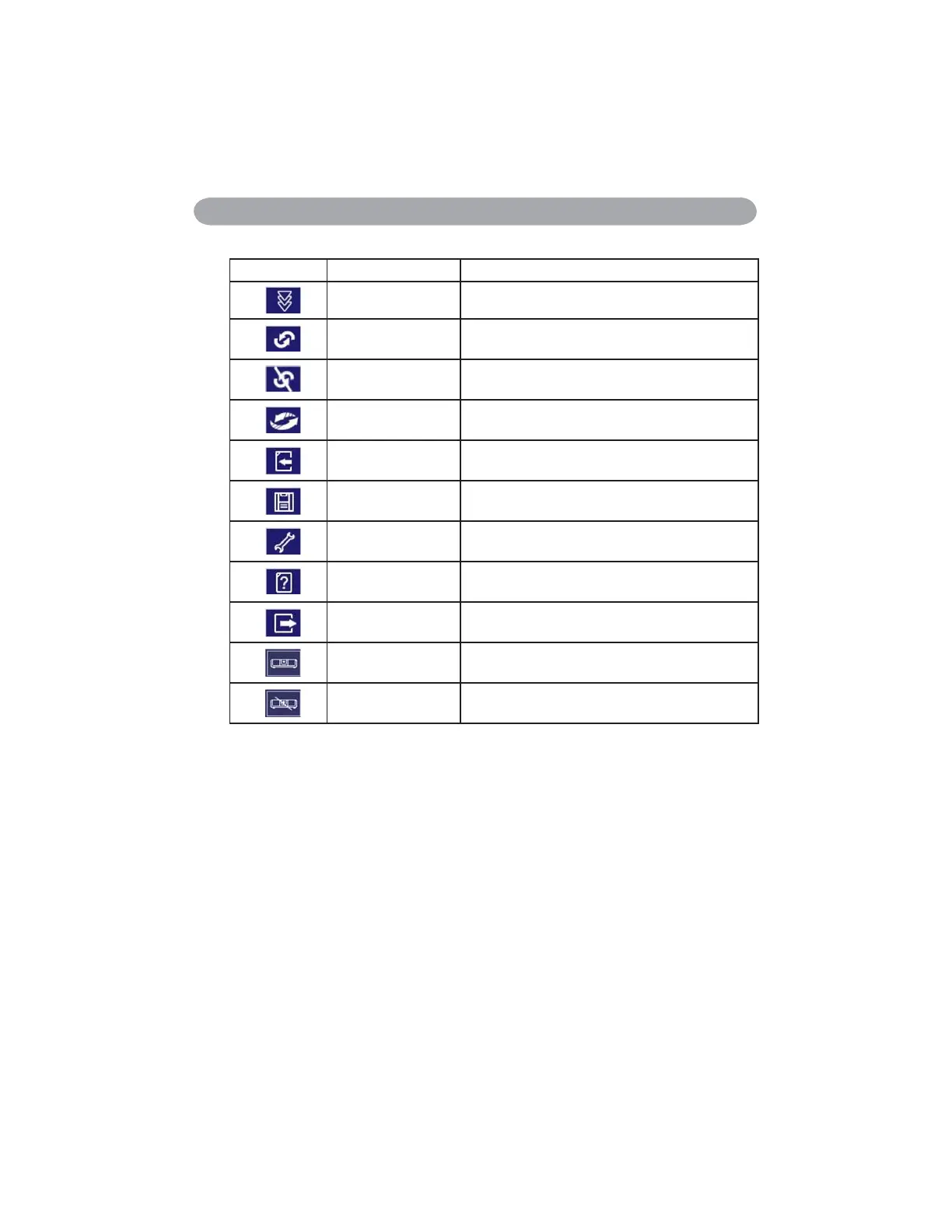
Network Control Window introduction
Icon Name Description
Scan all Capture the projector information 1 time only.
Start Auto Scan
According to the system setting, get the projector
information automatically.
Stop Auto Capture
Auto Search
Search the projector in the same network to
register and modify the setting.
Open Project File 2SHQSURMHFW¿OHZKLFKZDVVDYHG
Save Project File Save the registered projector in this project.
System Setting Setting the projector system remind message.
About Icon content description.
Exit Exit the Network software.
Register projector
Exit


 To Next Page