14
Setting Up
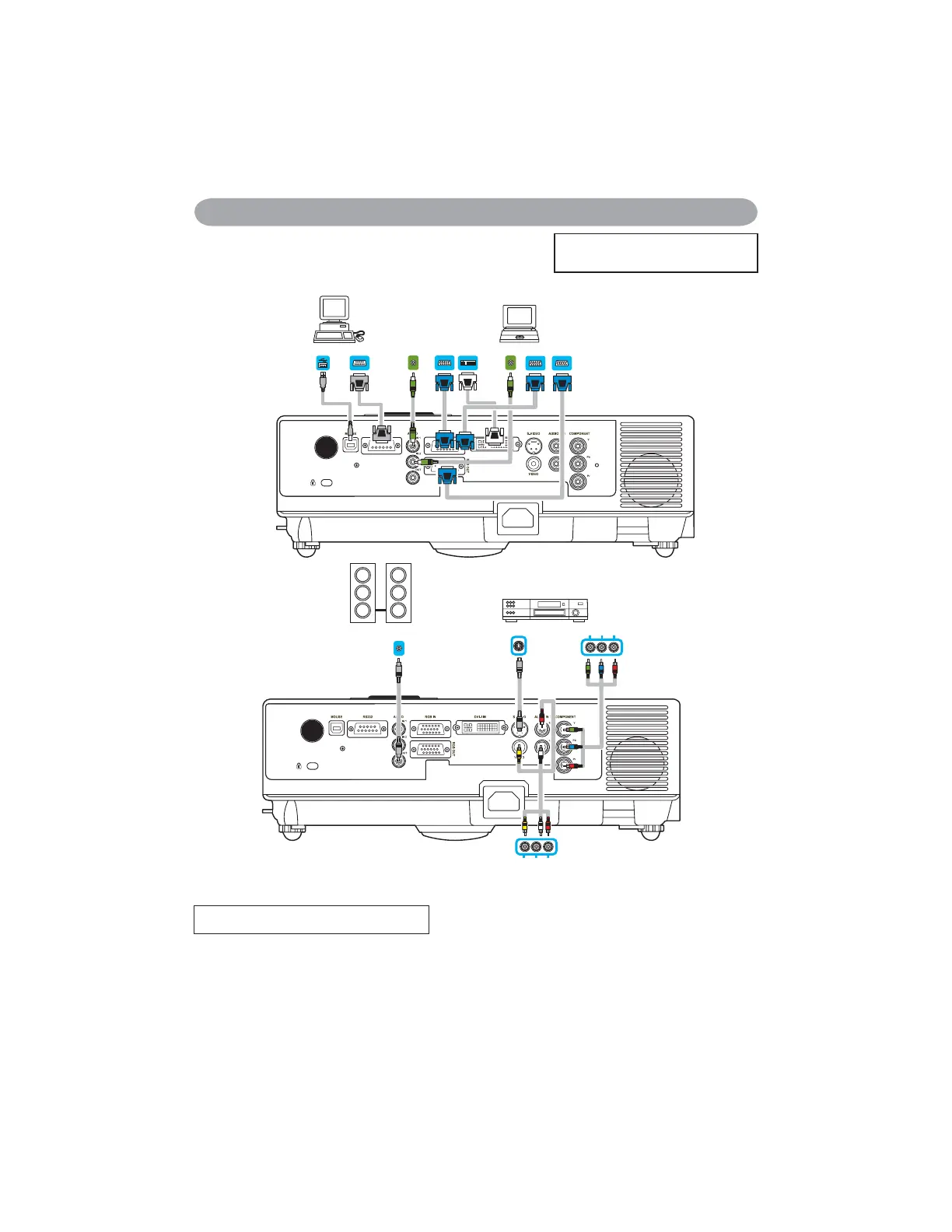
AUDIO OUT
MOUSE
RS-232
AUDIO OUT
DVI OUT
VGA OUT
VGA OUT
RGB IN
AUDIO IN
VIDEO OUT AUDIO OUT (L)&(R)
S-VIDEO OUT
Y Pb/Cb Pr/Cr
How To Connect
Laptop or desktop computer
Before starting, make sure that the projector and computer are both turned off.
Connect the computer cable.
Connect either end of the computer cable to the projector’s RGB IN.
Connect the computer cable from the computer to the projector.
If needed, connect the MONITOR OUT to a monitor to view input from RGB IN.
Tighten the screw on all connectors.
(Please click here if your projector
LVZLWKKLJKHI¿FLHQF\¿OWHU


 To Next Page