42
Before Use
Projector Auto Search.
q
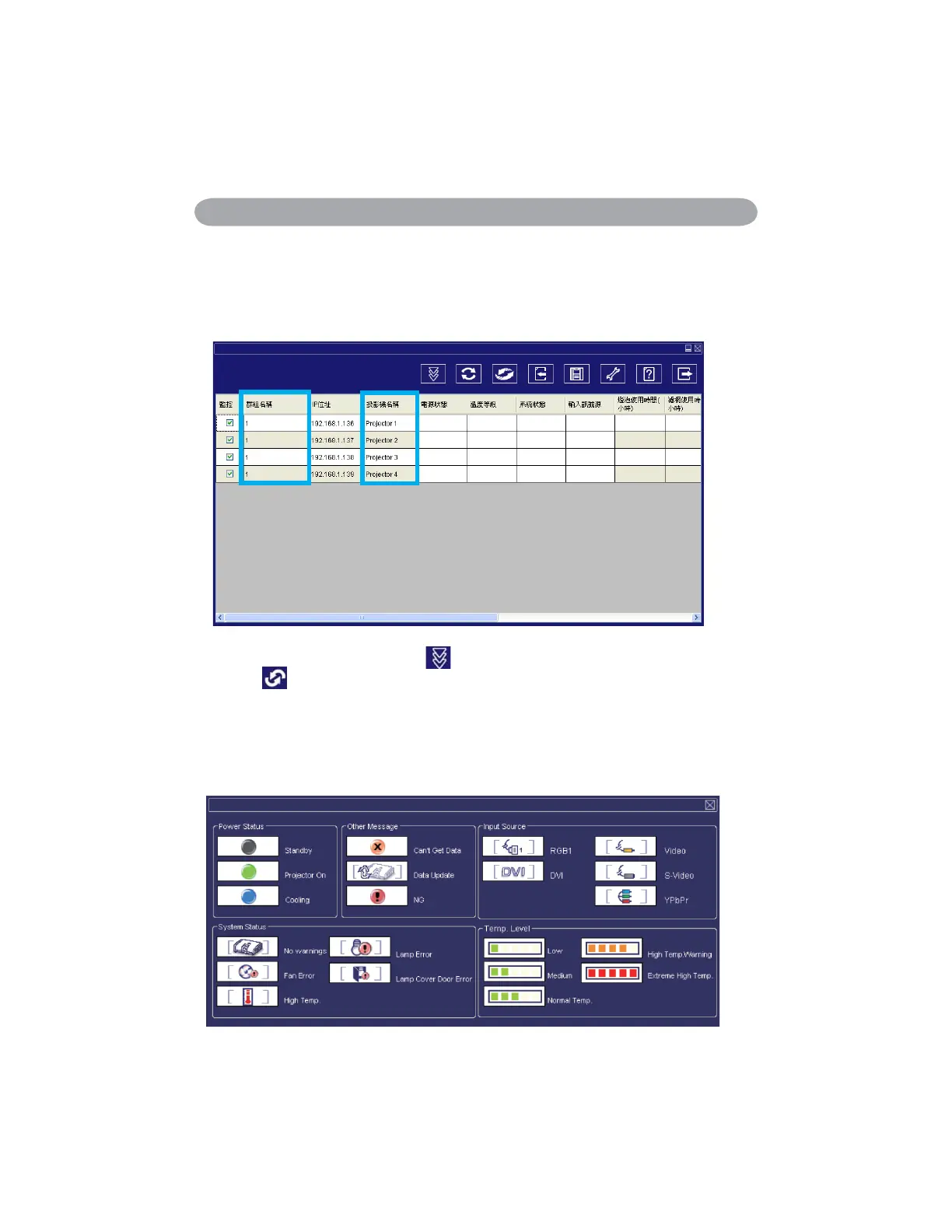
Projector Auto Search can rank group names or display names by clicking the
monitor window title (Group Name) or (Host Name). This will help you easily to
understand projectors status.
r
After registering, you can click
button (Data single capture) in the tool bar or
click button (Start Auto Scan) running in this program to monitor the projector.
NOTE
When pressing “About ” button for help, you will see icons explained as in the chart.
<Graph 4-2>


 To Next Page