Configuration of general parameters of the device
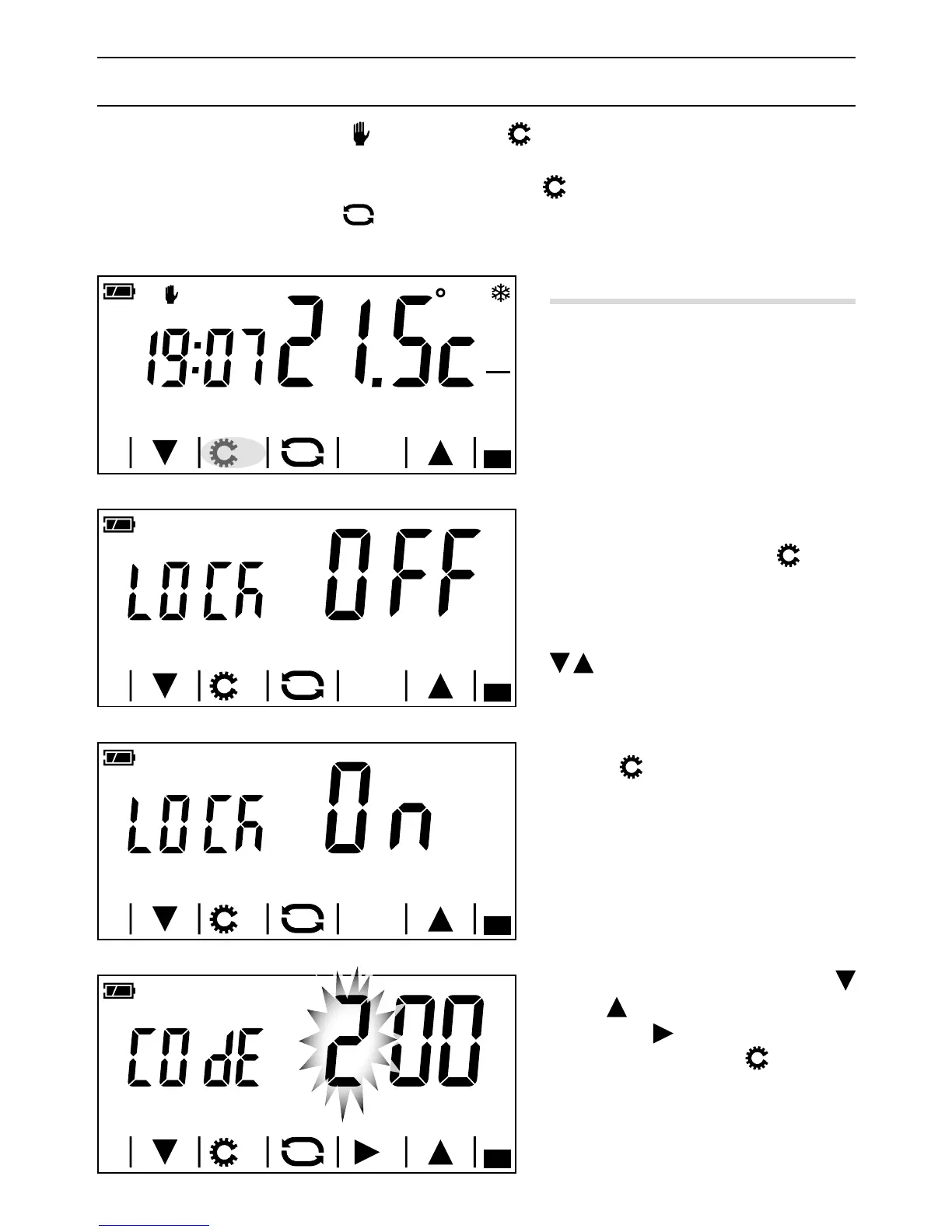
When the device is in Manual mode , holding down the button A gives access to the device's cong-
uration screens.
Note. After accessing the conguration screens, pressing the
button lets you display the parameters
to be congured in sequence, the
button lets you exit the conguration window and go back to the
screen in gure A.
Enabling the screen lock
The factory settings do not provide any
protection from changes for the device B.
To leave this setting unchanged and move on
to the next parameter, press the
button.
If you want to protect the device from un
-
wanted changes to programming, use the
arrows to enable the screen lock C.
Press the
button to access the window
that lets you set the code (password) that
must be entered to unlock the device.
The first number flashes D; use the
arrows
to enter the first digit of the
code, and the
arrow to move on to the
next digit; pressing button
at any time
means the code entered is considered valid
and you move on to the next parameter to
be congured.



 To Next Page