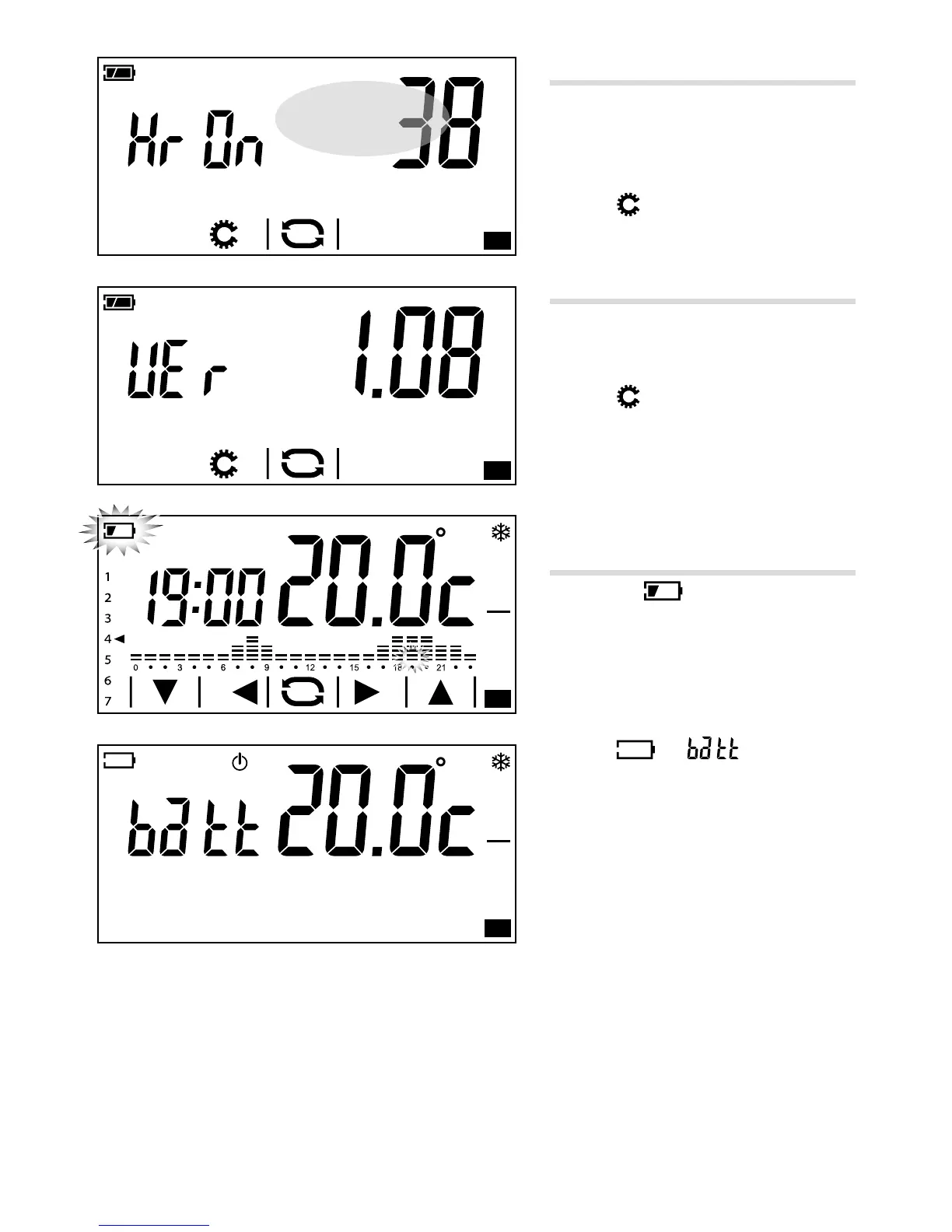
Hours of activity counter
The screen in gure A shows the device's
hours of activity.
To reset the counter to zero, press it for a long
time in the area highlighted in the gure.
Press the
button to move on to the next
parameter to be congured.
Firmware version
The screen in gure B shows the number of
the rmware version installed on the device.
Press the
button to move on to the next
parameter to be congured.
Replacing batteries
(only on battery-powered model)
The ashing icon on the display C
indicates that the batteries must be replaced
within about 1 month.
Note: To save the remaining energy, the
display's back-lighting is deactivated.
The icons
and indicate that the
battery charge is not enough to manage the
thermal zone, which is therefore excluded
from control D.
WARNING. Failure to replace the batteries in
time may cause damage to the heating system
(anti-freeze protection is no longer guaranteed).
Note.
In all models of the device, the temporary lack of power caused by a mains power outage or replacing the
battery, does NOT lead to any programming being deleted.



 To Next Page