Operation of device
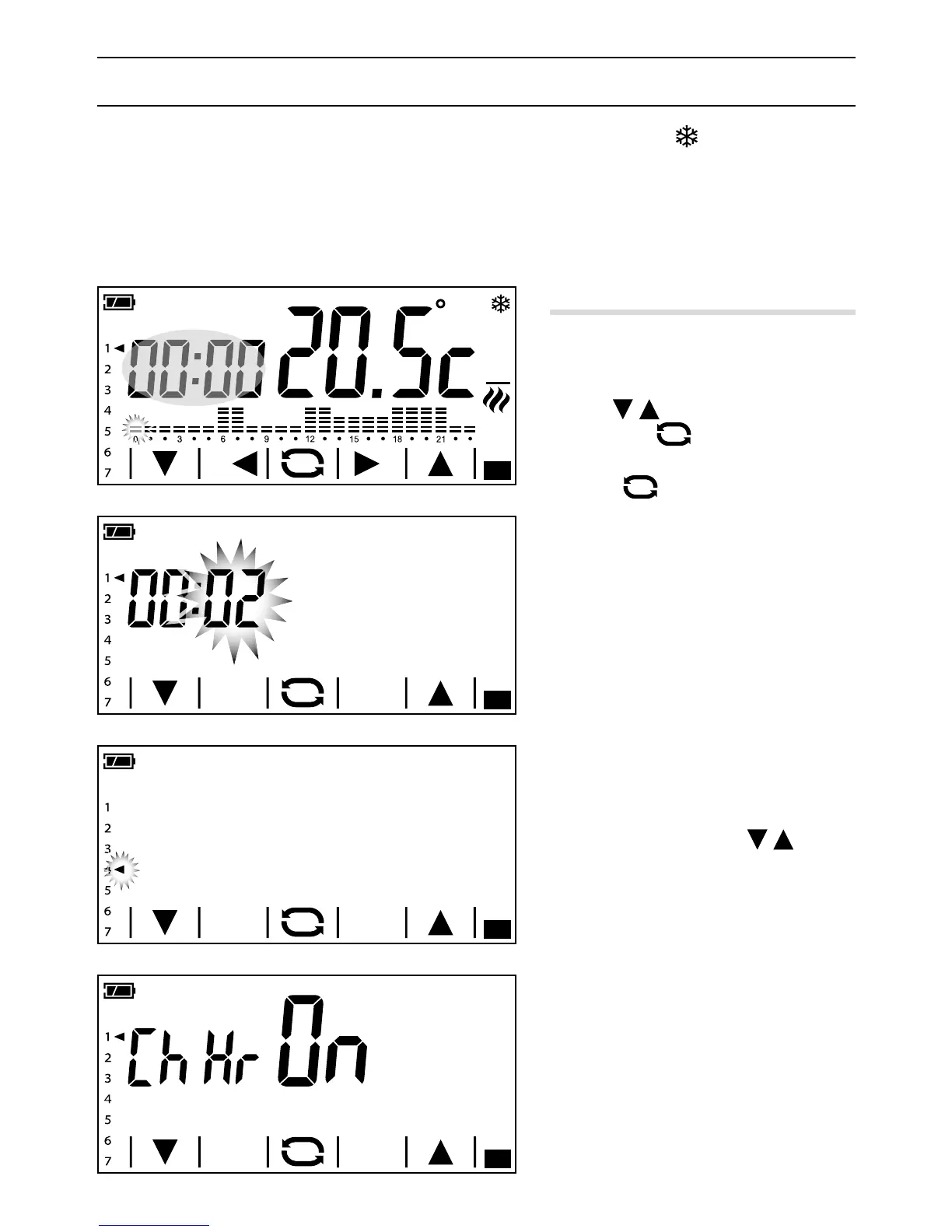
When rst turned on, A the programmable thermostat is in automatic heating mode; the
temperature detected is shown on the display. On the diagram the column corresponding to the current
time is ashing and the arrow indicates the day of the week.
NOTE. When the device is in stand-by, the first touch on the screen switches on the back-lighting and
does not carry out any command.
Setting date and time
Touch the clock area A and keep touching it
until the minutes start to ash B.
Use the
arrows to set the desired
value and the
button to move on to
adjusting the time.
Press the
button to see and set the
following, using the arrows:
- Minutes
- Hour
- Year
- Month
- Day
- Day of the week (indicated by the arrow C)
- Format of time displayed (12 or 24 hr)
- Enable/disable automatic change to and
from daylight savings time D.
Prolonged pressing of the
buttons
takes you to the desired value more quickly.
Note. If no button is pressed for a few sec
-
onds, the device goes back to the main screen
and the values inserted are considered valid.



 To Next Page