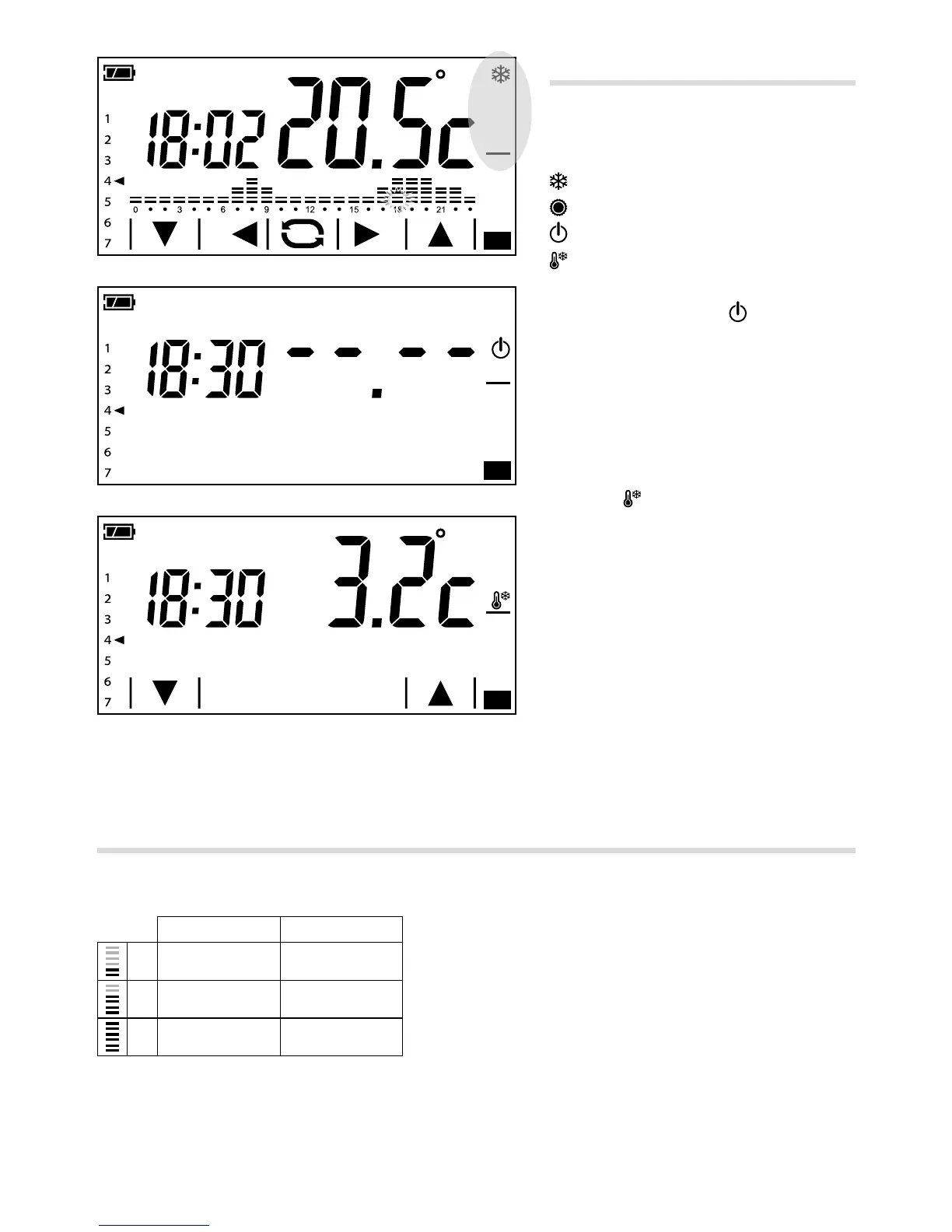
Changing the system's operating mode
Touch the area shown in figure A and
continue touching until a beep indicates the
mode is changed between:
System in Heating mode
System in Cooling mode
System o
System in Frost-protection mode
When the system is o (
), the image in
gure B is displayed on the screen for a few
seconds, to indicate that the programmable
thermostat is off; Then the temperature
detected will reappear.
When the system is put into frost-protection
mode C (
) the arrows let you set the min-
imum ambient temperature tolerated; Then
the temperature detected with reappear.
Note.
Programmable frost-protection temperature:
Minimum 3.0°C – Maximum 16.0°C.
Pre-set weekly temperature programming (automatic mode)
To allow immediate use of the device a standard set-up has been provided for it to operate in heating mode
and another for cooling mode, where the xed temperature levels are:
Heating Cooling
T1 16 °C 24 °C
T2 18 °C 26 °C
T3 20 °C 28 °C
If the temperature trends programmed correspond to your requirements, the device is ready to work correctly
straightaway.



 To Next Page