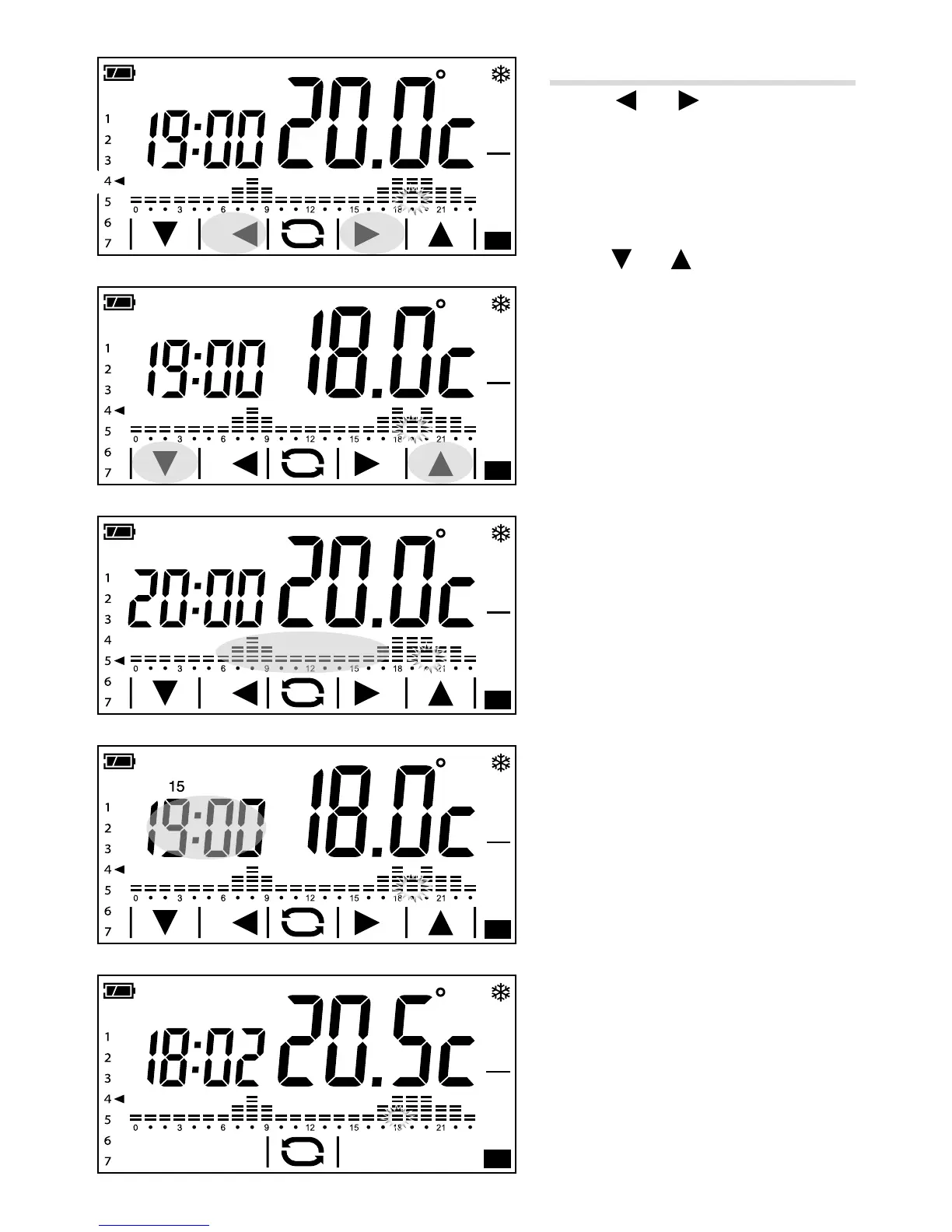
Customising weekly temperature programming
Use the and arrows to view the
temperature set for the time selected on
the display A.
① Day displayed
② Time selected
③ Programmed temperature
Use the
and arrows to change the
temperature set for the time selected B.
Once the temperature trend for the day has
been set, move on to programming the next
day by briefly touching the temperature/
times diagram C.
Adding a delay
If you want to delay the programming set for
a given time, do as follows. Select the desired
time and press the area highlighted in gure
D to delay the programming set by 15, 30
or 45 minutes.
Note. If no button is pressed for 5 seconds
the adjusting arrows disappear and the
main screen reappears showing the date
and time in course and the temperature
detected E.



 To Next Page