About This Document
Document Conventions
4
Y882746 BBP81 User Manual 5/13/08
Document Conventions
The following conventions are used throughout this document to convey certain information.
Alternate Color (online only) Cross-references contain hot links to other sections in this
guide. If you are viewing this guide online in .pdf format, you can click the cross-reference
(blue text) to jump directly to its location.
LCD Display Examples Text from a printer’s Liquid Crystal Display (LCD) appears in
Letter Gothic Std font.
Command Line Examples Command line examples appear in Courier New font. For
example, type
Tools to get to the Post-Install scripts in the bin directory.
Files and Directories File names and directories appear in Courier New font. For
example, the
Brady<version number>.tar file and the /root directory.
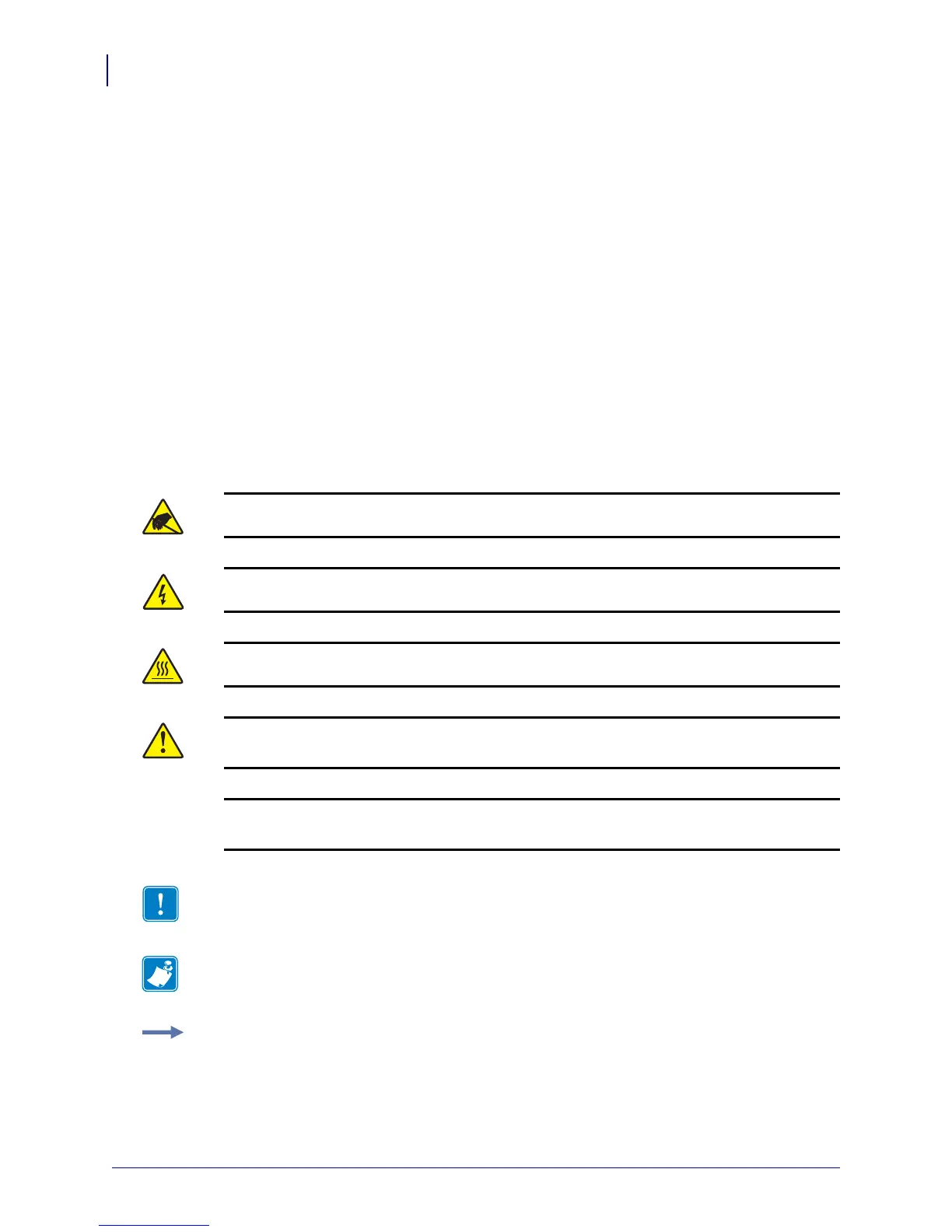
Icons Used
Caution • Warns you of the potential for electrostatic discharge.
Caution • Warns you of a potential electric shock situation.
Caution • Warns you of a situation where excessive heat could cause a burn.
Caution • Advises you that failure to take or avoid a specific action could result in physical
harm to you.
Caution • (No icon) Advises you that failure to take or avoid a specific action could result in
physical harm to the hardware.
Important • Advises you of information that is essential to complete a task.
Note • Indicates neutral or positive information that emphasizes or supplements important
points of the main text.
Example • Provides an example, often a scenario, to better clarify a section of text.



 To Next Page