Low Batteries
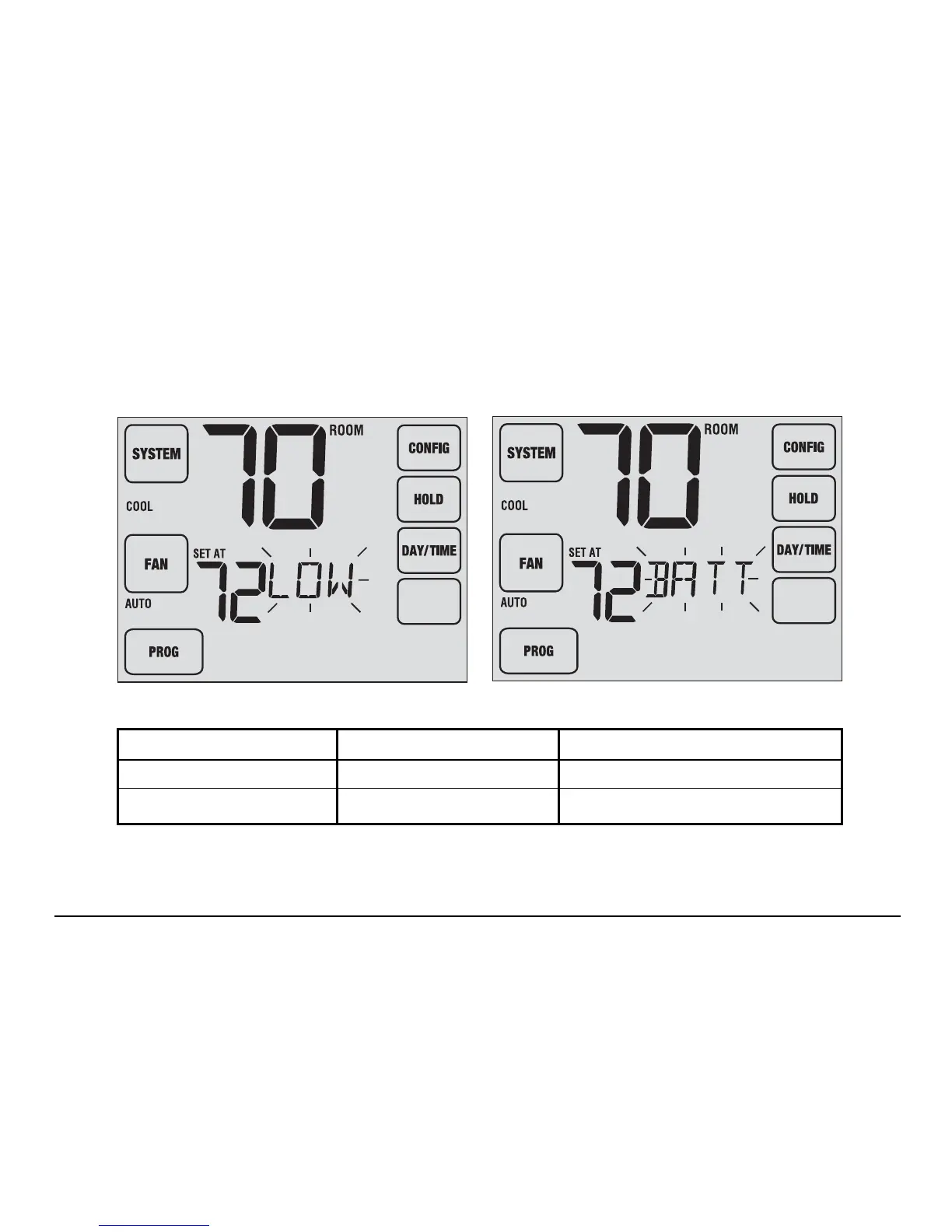
If batteries become low in a wireless remote sensor, the display screen will alternate between LOW BATT and
the name of the sensor that has the low batteries. See Table 1 below for a list of possible sensor names. Replace
the batteries in the remote sensor as soon as possible (see wireless remote sensor instructions).
27 User Manual
HUMID
HUMID
IDS1, IDS2, IDS3 or IDS4 Remote Indoor Sensor 1-4 Requires 2 AA Alkaline Batteries
ODS Remote Outdoor Sensor Requires 2 AA Lithium Batteries
HMS Remote Humidity Sensor 24 VAC Powered - No Batteries
Table 1



 To Next Page