17
Doc. HD40-0007-02 En-Eu L-4
Programming Ramp Mode
Some users nd it comforting to acclimate to CPAP
therapy each session. This can be accomplished by
programming the Ramp Mode which allows you
to start with a low initial pressure and gradually
increase to the prescribed treatment pressure.
Setting Ramp Time
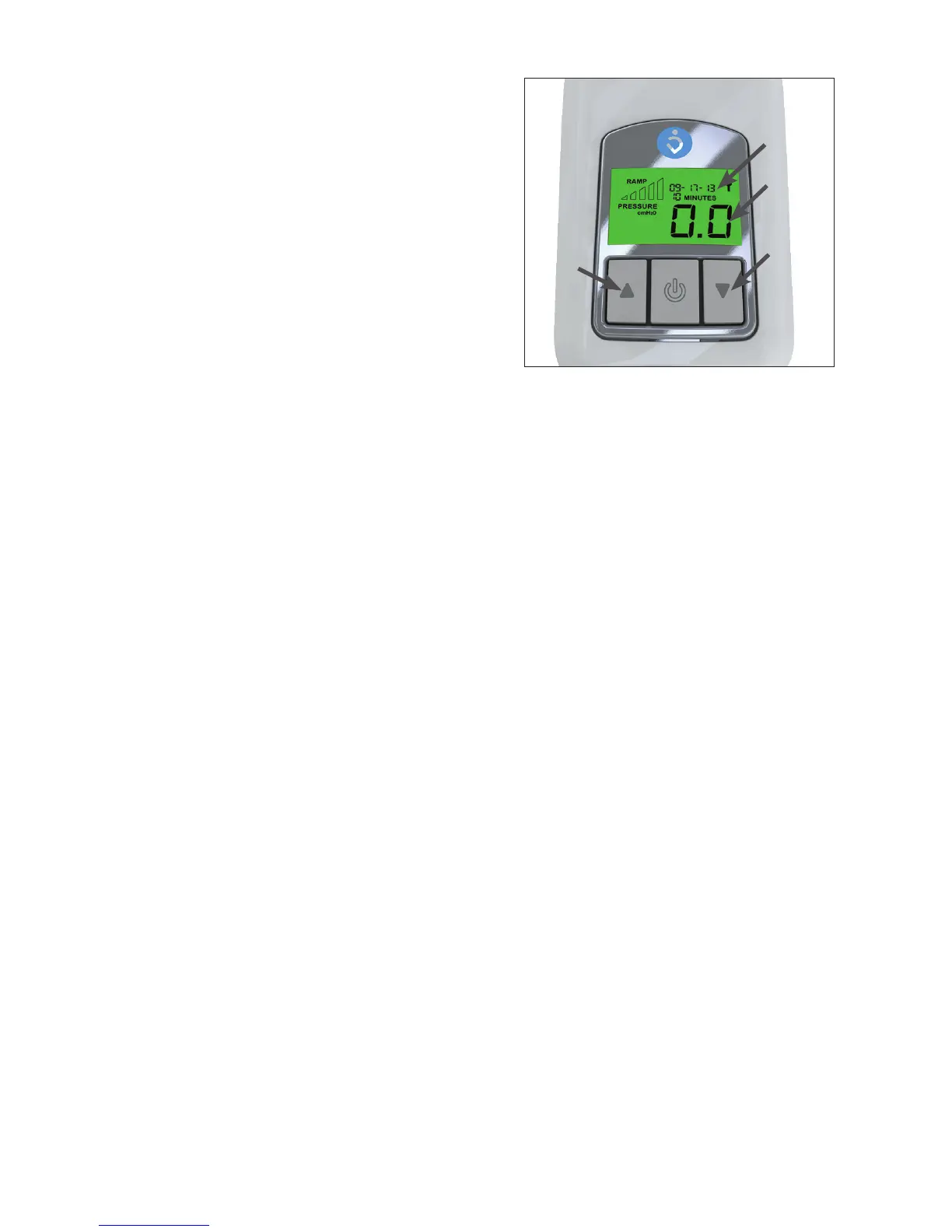
When the Z1 is in standby mode, press and hold the
Up Arrow Button for approximately 3seconds until
the “00 MINUTES” value ashes. While it is ashing,
repeatedly press either the Up or Down Arrow
Buttons to increase or decrease the Ramp Time in
5minute increments. (Figure 12) Set the Ramp Time
to “00MINUTES”” to disable the Ramp Mode.
When the desired Ramp Time value is reached, press and hold the Start/Stop Button for
approximately 3seconds to save your Ramp Time setting (this setting will be saved even when
the Z1 is not powered). The Z1 will return to standby mode. To return to standby mode without
saving the new setting, press and release the Start/Stop Button momentarily instead of holding it
down.
Setting Ramp Start Pressure
Press and hold the Down Arrow Button for 3 seconds until the Ramp start pressure value ashes.
While ashing, repeatedly press either the Up or Down Arrow Buttons to increase or decrease the
Ramp start pressure by 0.5 cmH
2
O increment. (Figure 11) Ramp start pressure must be lower than
prescribed pressure.
When the desired value for Ramp start pressure is reached, hold down the Start/Stop Button for
approximately 3 seconds to save your setting. The Z1 will return to standby mode. To return to
standby mode without saving the new setting, press the Start/Stop Button momentarily instead
of holding it down.
User Software
See separate Z1 Software Guide for information on data viewing software. This guide may only be
available online.
USB Firmware Upgrade
A Z1 rmware upgrade can be downloaded via the Patient Software. To upgrade the rmware on
your Z1 connect the Z1 to your PC with a USB cable. The USB rmware upgrade can also be used
to set the date and time on the Z1.
1. To upgrade rmware, click the “Upgrade Firmware” button.
2. To set the date and time click the “Set” button.
Up
Arrow
Button
Down
Arrow
Button
Ramp Time
Ramp
Pressure
Figure 12



 To Next Page